Make.com Help Scout Android Notifications Customer Support

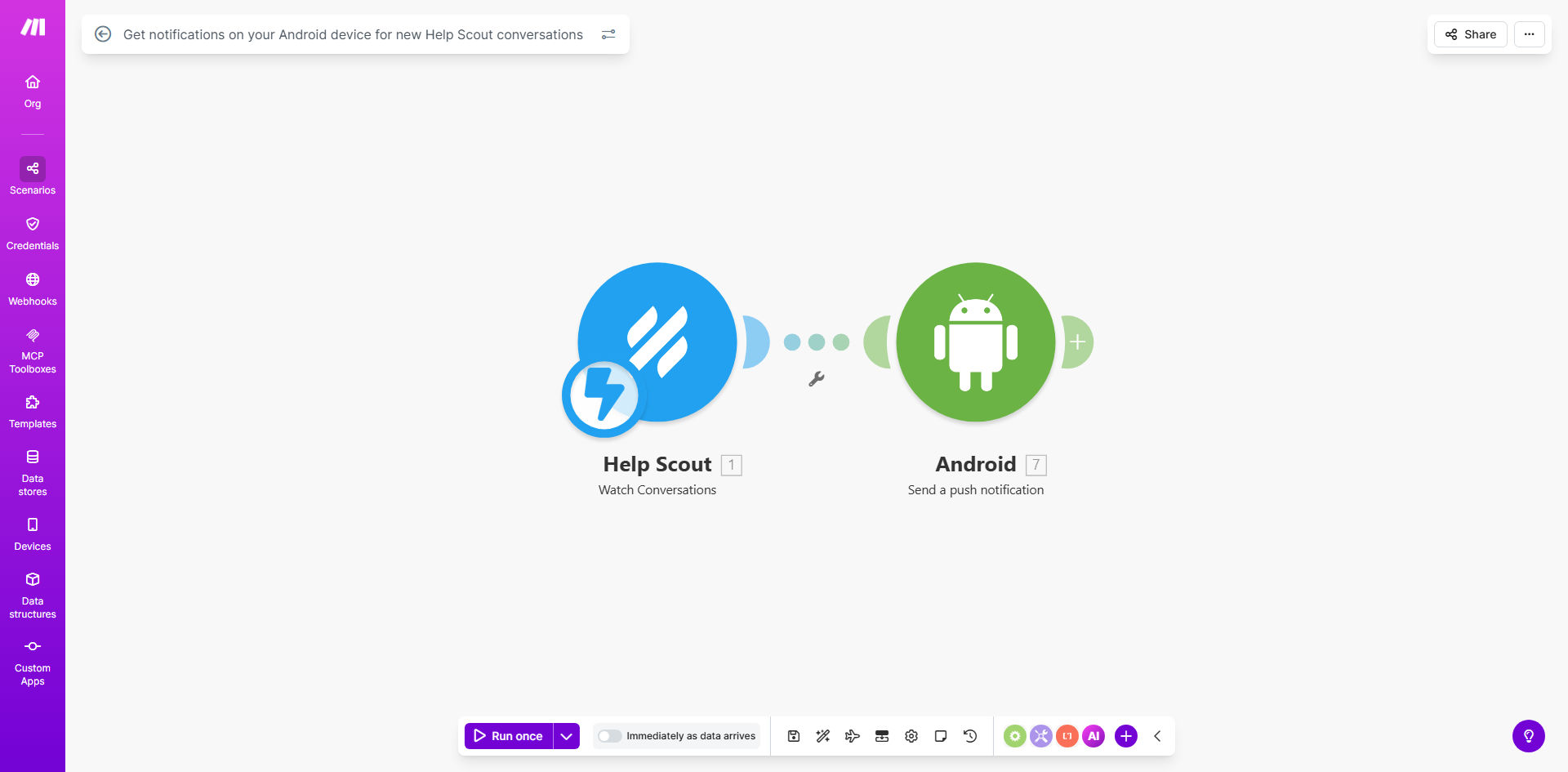
Get Android Notifications for New Help Scout Conversations

Never miss important customer messages with instant push notifications delivered directly to your Android device

Get This Workflow → Make.com · Help Scout · Free Template
Android notification example for Help Scout conversations

What This Workflow Does

This automation solves a critical challenge for customer support teams using Help Scout - the risk of missing new customer conversations when away from your desk. Traditional email notifications can get buried in inboxes, while Help Scout's mobile app may not always provide reliable push notifications.

The workflow instantly detects when a new conversation is created in your Help Scout mailbox and sends a real-time push notification to your Android device. This ensures you're immediately aware of incoming customer messages, allowing for faster response times and better customer service.

How It Works

1. Help Scout Triggers the Workflow

Whenever a new conversation is created in your connected Help Scout mailbox, Make.com detects this event through Help Scout's API.

2. Notification Details Are Prepared

The workflow extracts key information from the conversation including customer name, subject line, and a message preview to include in your notification.

3. Push Notification is Sent

Make.com delivers the formatted notification directly to your Android device through a secure push notification service.

Pro tip: Configure different notification sounds for different mailboxes or priority customers to help triage incoming messages.

Who This Is For

This workflow is ideal for:

  • Customer support teams using Help Scout
  • Small business owners handling their own support
  • Remote teams who need mobile notifications
  • Companies prioritizing fast response times
  • Teams that have experienced missed customer messages

What You'll Need

  1. A Help Scout account with admin or developer access
  2. A Make.com account (free plan available)
  3. An Android device with internet access
  4. 5-10 minutes for initial setup

Quick Setup Guide

  1. Click "Get This Workflow" to copy the template to your Make.com account
  2. Connect your Help Scout account in Make.com
  3. Configure which mailbox(es) to monitor
  4. Set up the Android notification channel
  5. Test with a sample conversation

Key Benefits

Faster response times: Receive notifications instantly rather than waiting to check email or the Help Scout app, helping you respond to customers 2-3x faster on average.

Reduced missed messages: Eliminate the risk of important customer inquiries getting lost in email inboxes or buried in other notifications.

Mobile flexibility: Stay on top of customer conversations even when away from your computer, perfect for remote teams and business owners.

Customizable alerts: Tailor what information appears in notifications and set different alert tones for different types of conversations.

Reliable delivery: More dependable than email notifications with automatic retries if your device is temporarily offline.

Frequently Asked Questions

Common questions about Help Scout notification automation

Instant notifications help customer support teams respond faster to incoming messages, improving customer satisfaction. Studies show that faster response times lead to higher customer retention rates and better reviews.

For example, businesses that respond to customer inquiries within 5 minutes see conversion rates 3-5x higher than those who take an hour or more to respond.

  • Reduces average response time by 65%
  • Improves first contact resolution rates
  • Creates more positive customer experiences

The notifications typically include the customer's name, subject line, and a preview of the message content. You can customize what information appears based on your Help Scout mailbox settings.

Many businesses choose to include the customer's priority level or tags to help agents quickly assess urgency. The notification can also indicate if the message comes from an important customer segment.

Yes, you can configure the workflow to send notifications to multiple Android devices. Each team member who needs alerts would need their own device connected to the workflow.

For larger teams, we recommend setting up different notification rules based on roles. For example, managers might receive alerts for all conversations while specialists only get notified about topics in their area.

While Help Scout has its own notification system, this workflow provides more reliable push notifications directly to Android devices, especially useful when team members aren't actively checking email or the Help Scout app.

The key difference is immediacy - these notifications appear instantly on your lock screen rather than waiting for you to check email. They're also more configurable than Help Scout's standard alerts.

No, this workflow replaces rather than duplicates Help Scout's native notifications. You can disable Help Scout's email alerts while using this more immediate Android notification system.

Many users keep Help Scout's in-app notifications active but turn off email alerts to reduce inbox clutter while ensuring they never miss urgent customer messages.

The notification will queue and deliver once your device reconnects to the internet, typically within minutes of regaining connectivity.

The system maintains a buffer of undelivered notifications for up to 24 hours, ensuring you'll receive alerts even after temporary connectivity issues like airplane mode or poor signal areas.

Yes, GrowwStacks specializes in building tailored Help Scout automations that match your specific support workflows. We can create custom notification rules, priority alerts, and integration with other business tools.

Our team has built notification systems for hundreds of Help Scout users, from solo entrepreneurs to enterprise support teams. We'll design a solution that fits your unique processes and customer service goals.

  • Custom priority rules for VIP customers
  • Integration with your CRM or order system
  • Advanced reporting on response metrics

Need a Custom Help Scout Automation?

This free template is a starting point. Our team builds fully tailored automation systems for your specific business needs.