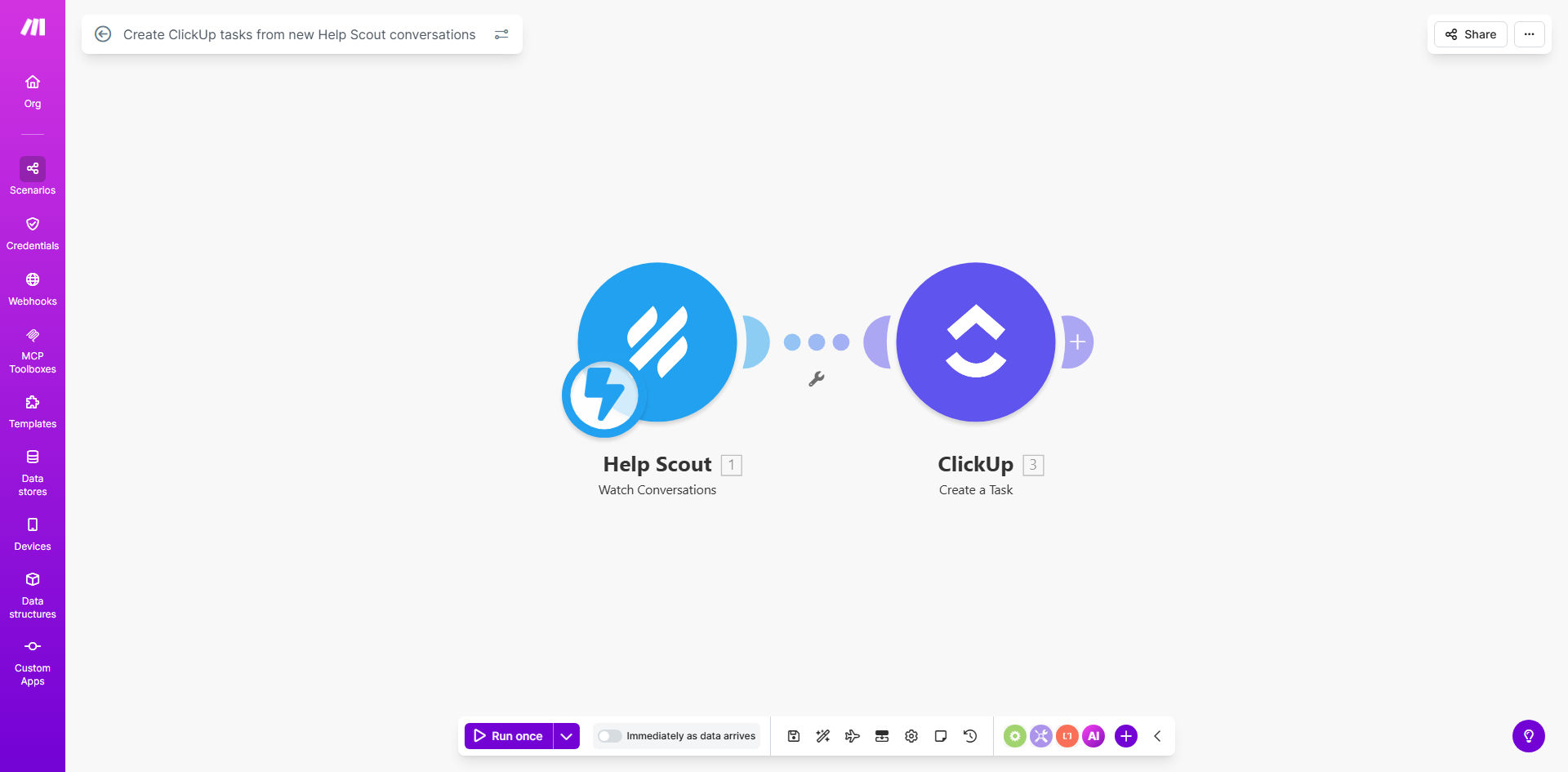
What This Workflow Does
This automation bridges the gap between customer conversations in Help Scout and task management in ClickUp. Whenever a new conversation starts in your Help Scout mailbox, the workflow automatically creates a corresponding task in ClickUp with all relevant details. This eliminates manual data entry and ensures customer requests never get overlooked in busy support queues.
The system captures the customer's name, conversation subject, initial message content, and any tags or custom fields from Help Scout. It then formats this information into a ClickUp task with appropriate assignments based on your business rules. This creates a seamless handoff between customer support and your operations team.
How It Works
1. New conversation detection
The workflow monitors your specified Help Scout mailbox for new conversations. You can filter by tags, assignees, or custom fields to control which conversations trigger task creation.
2. Data extraction
Key information is pulled from the Help Scout conversation including customer details, message content, and any metadata that helps categorize the request.
3. Task creation
The system creates a new task in your designated ClickUp space with all extracted information formatted into the task description. You can customize task names, priorities, and assignments based on conversation attributes.
4. Status updates
Optional configurations can update Help Scout conversation status when the ClickUp task progresses through different workflow stages, keeping both systems synchronized.
Who This Is For
This automation is ideal for:
- Support teams managing high volumes of customer requests
- Businesses using Help Scout for customer communication and ClickUp for operations
- Companies wanting to reduce response times by eliminating manual task creation
- Teams needing better visibility into support request resolution progress
What You'll Need
- A Help Scout account with admin or developer permissions
- A ClickUp account with create task permissions
- A Make.com account (formerly Integromat)
- Clear criteria for which conversations should become tasks
Pro tip: Start by automating task creation for your highest-priority conversation types (like feature requests or complaints), then expand to other categories once the workflow is proven.
Key Benefits
Reduced response times by eliminating manual data entry between systems. Tasks are created instantly when conversations arrive.
Improved accountability with clear task assignments in ClickUp's project management environment.
Better visibility into support request status through ClickUp's tracking capabilities.
Consistent handoffs between support and operations teams with standardized task formats.