Help Scout ActiveCampaign CRM Sync Marketing Automation

Add new Help Scout customers to Active Campaign

Automatically sync customer data between your support and marketing platforms

Get This Workflow → Make.com · CRM Sync · Free Template
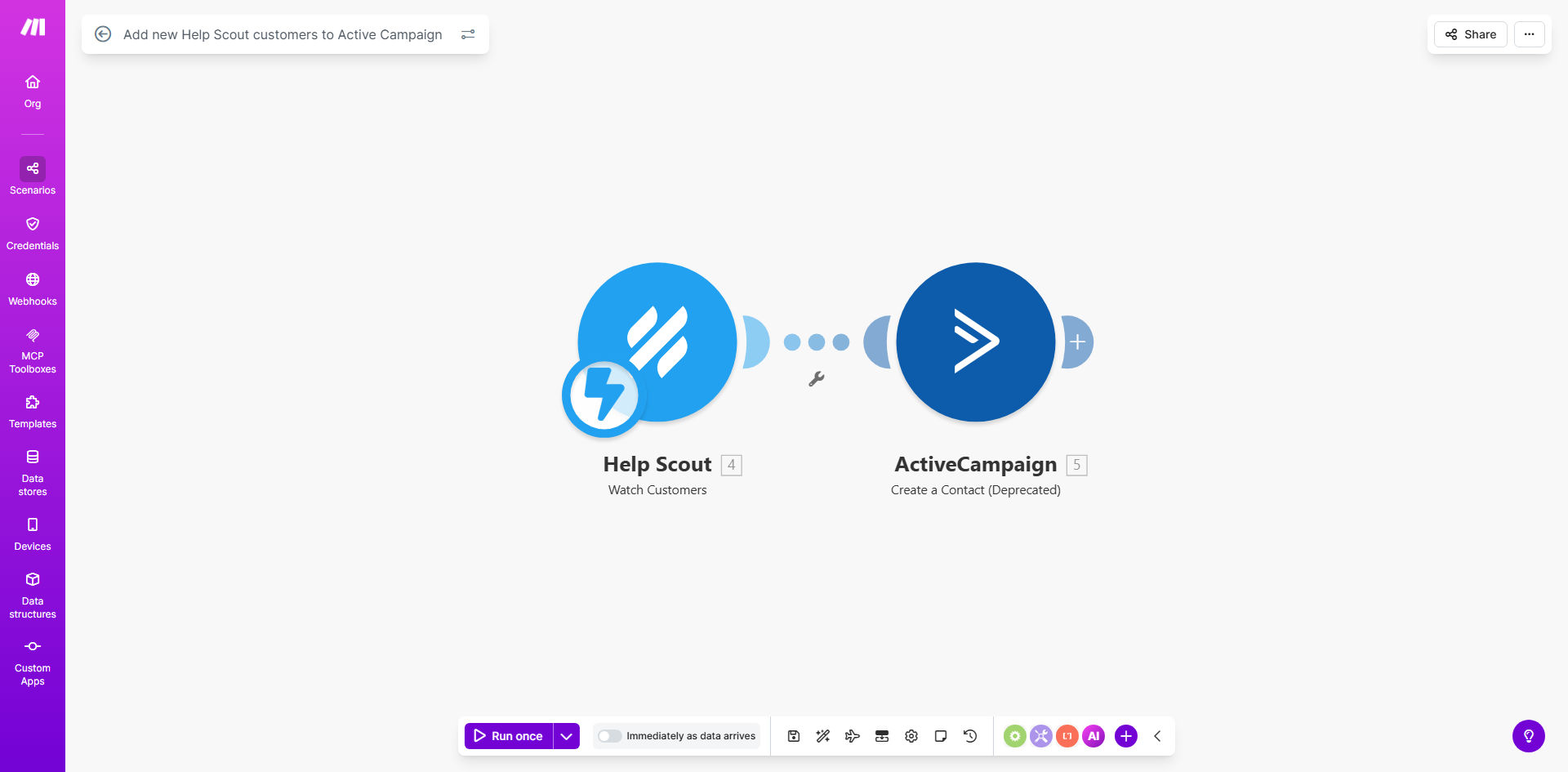
Help Scout to ActiveCampaign workflow diagram

What This Workflow Does

This automation bridges the gap between your customer support and marketing teams by instantly transferring new Help Scout customer profiles to ActiveCampaign. Every time a customer is created in Help Scout (typically when they first contact your support team), the workflow automatically creates a corresponding contact record in ActiveCampaign with all available customer data.

The integration solves the common problem of marketing teams working with outdated or incomplete customer lists. Without automation, support agents must manually notify marketers about new contacts, leading to delays in follow-up sequences and missed engagement opportunities. This workflow ensures your email campaigns can begin nurturing customers immediately after their first support interaction.

How It Works

1. Trigger on new customer creation

The workflow monitors Help Scout's customer API for new profile creations. This typically happens when a customer submits their first support ticket or chat message.

2. Extract customer data

Make retrieves all available customer information from Help Scout, including name, email, company, and any custom fields you've configured in Help Scout's customer profiles.

3. Format for ActiveCampaign

The workflow maps Help Scout's data structure to ActiveCampaign's contact fields, ensuring proper field matching and data normalization between the systems.

4. Create/update ActiveCampaign contact

The processed data creates a new ActiveCampaign contact or updates an existing one if the email already exists in your marketing database.

5. Optional tagging and segmentation

You can configure the workflow to apply specific tags or add contacts to lists in ActiveCampaign based on Help Scout customer properties.

Who This Is For

This workflow is ideal for businesses using Help Scout for customer support alongside ActiveCampaign for marketing automation. It's particularly valuable for:

  • Ecommerce stores needing to follow up with customers after support interactions
  • SaaS companies wanting to trigger onboarding sequences based on support tickets
  • Marketing teams that struggle with incomplete contact lists from support channels
  • Companies with high support volume where manual data transfer isn't scalable

What You'll Need

  1. Active Help Scout account with admin or API access
  2. ActiveCampaign account with API permissions
  3. Make.com account (free tier sufficient for basic implementation)
  4. Basic understanding of both platforms' customer data structures

Quick Setup Guide

  1. Clone the template from Make.com
  2. Connect your Help Scout account in the first module
  3. Connect your ActiveCampaign account in the second module
  4. Test with a new Help Scout customer profile
  5. Verify the contact appears correctly in ActiveCampaign
  6. Adjust field mappings if needed
  7. Activate the workflow

Key Benefits

Eliminate manual data entry: Save 2-5 minutes per customer that would otherwise be spent copying information between systems.

Faster marketing follow-up: Contacts enter nurture sequences immediately after first support contact instead of waiting for manual processing.

Improved data accuracy: Automated transfers reduce human error in copying customer details between platforms.

Better customer experience: Customers receive relevant marketing content timed appropriately with their support journey.

Scalable operations: The workflow handles any volume of new customers without additional staff effort.

Frequently Asked Questions

Common questions about Help Scout and ActiveCampaign integration

Connecting Help Scout with ActiveCampaign creates a seamless customer journey by automatically adding new support contacts to your marketing sequences. This ensures timely follow-ups and prevents leads from falling through the cracks between support and marketing teams.

For example, when a customer submits their first support ticket, they can immediately receive relevant educational content or special offers through ActiveCampaign's automated sequences, creating a cohesive brand experience.

The workflow transfers basic contact information like name and email by default. You can customize it to include additional fields such as company name, tags, or custom properties based on your Help Scout customer profile structure.

Common additional data points include ticket subjects (for segmentation), customer lifetime value tier, or product interests noted during support conversations.

Customers receive relevant marketing content immediately after their support interaction, creating continuity. It eliminates manual data entry delays that often cause marketing messages to arrive too late to be useful.

For instance, if a customer asks about a specific product feature, they can automatically receive tutorial content about that feature through ActiveCampaign, reinforcing the support conversation.

Yes, you can configure the workflow to add specific tags or apply custom fields in ActiveCampaign based on Help Scout customer properties. This enables targeted email sequences based on support interactions.

Common segmentation approaches include tagging contacts by product interest, support ticket type, or customer satisfaction scores from Help Scout surveys.

The workflow can be configured to either update existing contacts with new Help Scout data or skip duplicates. Most implementations choose to update contacts to keep information current across systems.

Updating ensures your marketing team always works with the most recent customer information, including any new details gathered during support interactions.

Make.com workflows have robust error handling and retry mechanisms. Failed transfers automatically queue for retry and administrators receive alerts if persistent issues occur, ensuring data integrity.

The platform provides detailed logs of all transfers, allowing you to verify successful operations and troubleshoot any anomalies that might occur during API maintenance periods.

Yes! GrowwStacks specializes in building tailored integrations between Help Scout and ActiveCampaign. We can create custom mappings, add conditional logic, and connect additional systems to match your exact business processes.

Our team handles everything from initial consultation to deployment and maintenance, ensuring your integration works perfectly with your existing tech stack and business workflows.

  • Custom field mappings
  • Multi-step conditional logic
  • Ongoing support and optimization

Need a Custom Help Scout Automation?

This free template is a starting point. Our team builds fully tailored automation systems for your specific business needs.