Help Scout GetResponse CRM Sync Marketing Automation Make.com

Automatically Add Help Scout Customers to GetResponse

Sync new customer data instantly between your help desk and email marketing platform

Get This Workflow Make.com · Help Scout · Free Template
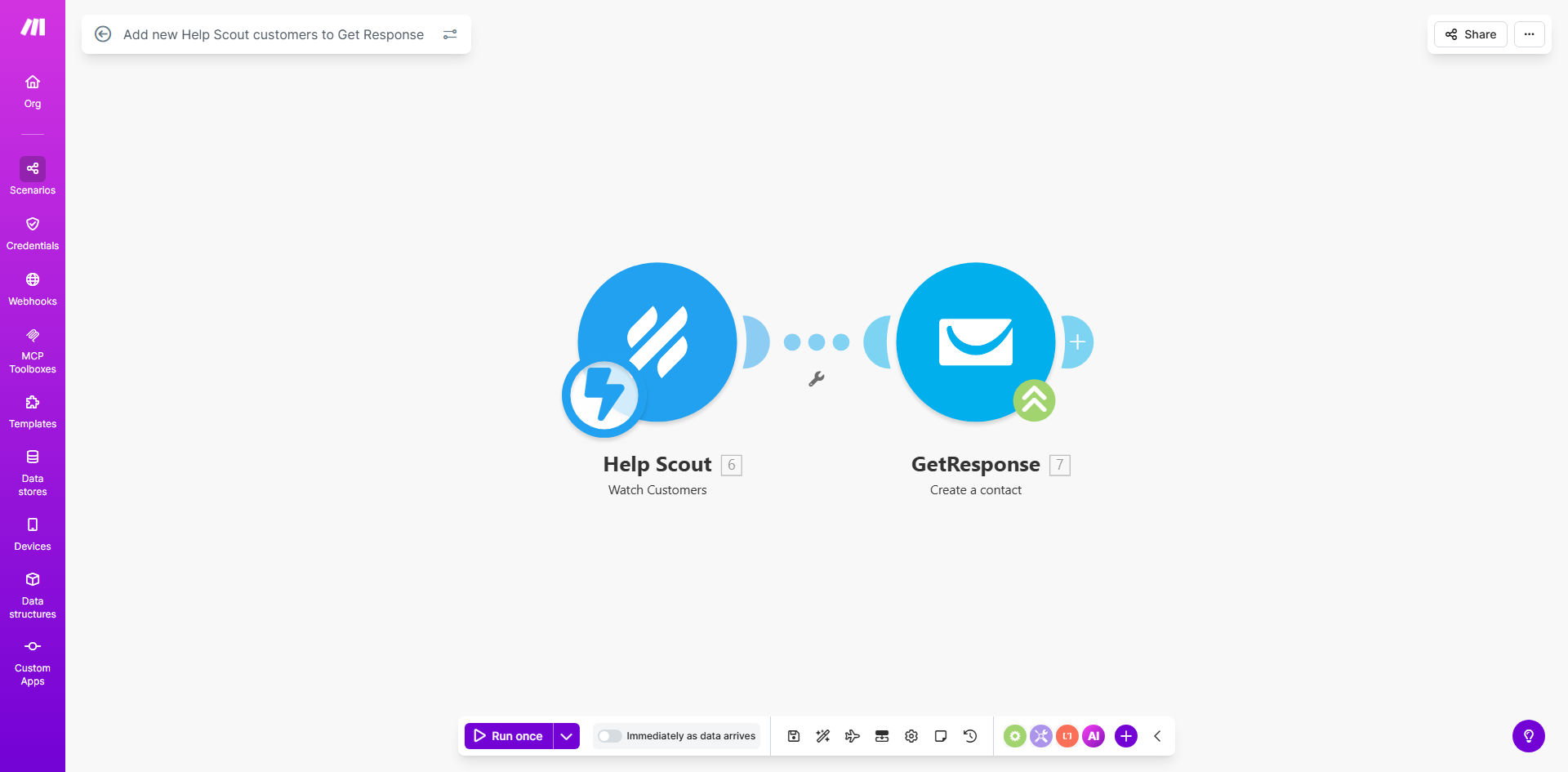
Help Scout to GetResponse automation workflow diagram

What This Workflow Does

This automation solves a common challenge for businesses using Help Scout for customer support and GetResponse for email marketing. When new customers contact your support team, their information often needs to be manually added to your email marketing lists. This workflow eliminates that manual step by automatically creating GetResponse contacts whenever new customers are added in Help Scout.

The integration ensures your marketing team can immediately engage new customers with welcome sequences, educational content, or promotional offers. By connecting these platforms, you create a seamless customer journey from first support interaction to ongoing email communication.

How It Works

1. Trigger: New customer in Help Scout

The workflow monitors your Help Scout mailbox for new customer creations. This could be when a customer submits their first support request or when your team manually adds them to Help Scout.

2. Data extraction

Make.com retrieves the customer's contact information including name, email address, and any custom fields you've configured in Help Scout. This data is prepared for transfer to GetResponse.

3. Contact creation in GetResponse

The workflow creates a new contact in your specified GetResponse list using the customer data from Help Scout. You can configure which fields map to which GetResponse contact properties.

4. Optional follow-up actions

You can extend the workflow to trigger additional actions like adding tags, starting email sequences, or notifying your team about the new contact.

Who This Is For

This automation is ideal for:

  • Ecommerce businesses using Help Scout for customer support
  • SaaS companies with both support and marketing teams
  • Agencies managing multiple client accounts in Help Scout
  • Businesses running email nurture sequences in GetResponse
  • Teams wanting to reduce manual data entry between systems

What You'll Need

  1. Active Help Scout account with admin access
  2. GetResponse account with API access enabled
  3. Make.com account (free plan works for basic setup)
  4. Basic understanding of both platforms' contact fields

Quick Setup Guide

  1. Click "Get This Workflow" to copy the template to your Make.com account
  2. Connect your Help Scout account in the Make.com scenario
  3. Connect your GetResponse account and select your target contact list
  4. Map Help Scout customer fields to GetResponse contact fields
  5. Test with a sample customer record
  6. Turn on the scenario to go live

Key Benefits

Eliminate manual data entry: Save 2-5 hours per week by automating customer transfers between systems.

Faster email follow-up: New customers are added to your sequences immediately rather than waiting for manual uploads.

Reduce human error: Automated transfers prevent typos and missed contacts that happen with manual processes.

Improved customer experience: Seamless transition from support interactions to marketing communications.

Better data synchronization: Keep your support and marketing platforms aligned without duplicate efforts.

Pro tip: Use Help Scout tags to segment customers into different GetResponse lists. For example, tag customers by product interest and route them to targeted email sequences.

Frequently Asked Questions

Common questions about Help Scout and GetResponse integration

Connecting Help Scout with GetResponse ensures your email marketing lists stay updated automatically whenever you gain new customers. This eliminates manual data entry and helps you start nurturing relationships immediately through targeted email campaigns.

For example, when a customer submits their first support request, they can automatically receive your onboarding email sequence without any manual intervention from your team.

The workflow transfers basic contact information including name, email address, and any custom fields you configure. You can map specific Help Scout customer properties to corresponding GetResponse contact fields during setup.

Common transferred data includes purchase history, support ticket topics, and customer segmentation tags that help personalize your email marketing efforts.

Contacts are typically added within seconds of being created in Help Scout. The automation runs in real-time, ensuring no delay in your email marketing follow-up sequences.

This immediate transfer means customers can receive your welcome email while their support request is still fresh in their mind, creating a cohesive brand experience.

Yes, you can configure the workflow to add contacts to specific email lists in GetResponse based on criteria like customer tags, conversation topics, or custom fields from Help Scout.

For instance, customers asking about a particular product feature could be added to a product-specific nurture sequence, while billing inquiries could go to your customer success list.

The workflow can be configured to either update existing contacts with new information or skip duplicates, depending on your preference during setup.

Most businesses choose to update existing contacts to keep customer profiles current with their latest support interactions and preferences.

By automatically adding customers to relevant email sequences, you ensure timely follow-up and consistent communication. This creates a seamless transition from support interactions to ongoing engagement.

Customers receive coordinated messaging that acknowledges their support history while providing value through your email content, building stronger relationships over time.

Yes, our team can build a fully customized integration between Help Scout and GetResponse tailored to your specific workflows. We can add conditional logic, custom field mappings, and connect additional apps as needed.

Custom automations might include triggering different email sequences based on support ticket type, syncing customer satisfaction scores, or integrating with your CRM for complete customer visibility.

  • Tailored to your business rules
  • Multi-step conditional workflows
  • Ongoing support and optimization

Need a Custom Help Scout Automation?

This free template is a starting point. Our team builds fully tailored automation systems for your specific business needs.