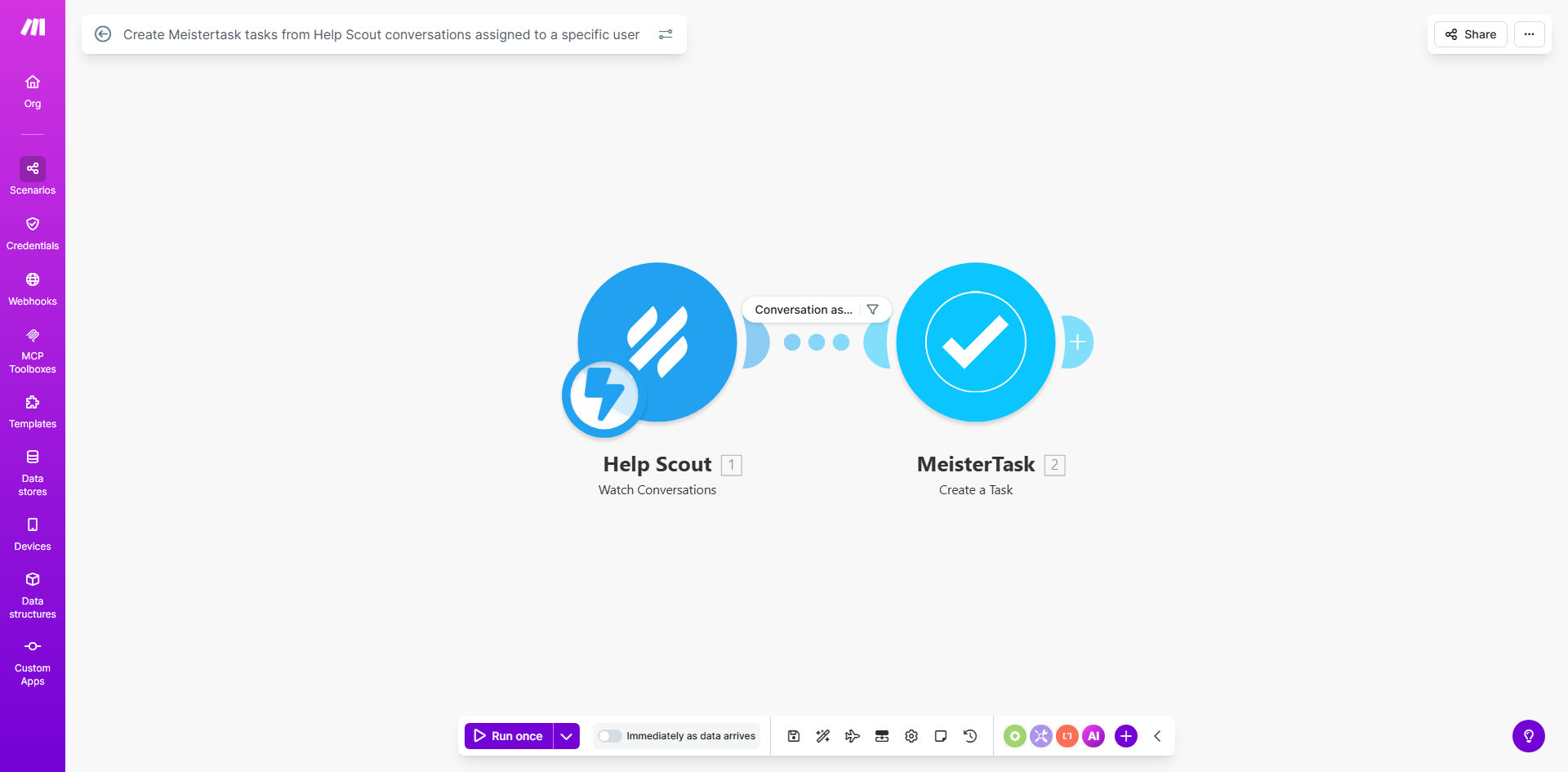
What This Workflow Does
This automation solves a common pain point for customer support teams using Help Scout alongside task management tools like Meistertask. When conversations get assigned to specific team members in Help Scout, those assignments often represent work that needs to be tracked and completed - yet manually creating corresponding tasks in Meistertask wastes valuable time and introduces the risk of tasks being forgotten.
The workflow automatically creates a new task in Meistertask whenever a conversation is assigned to a specified user in Help Scout. This ensures every assigned support item becomes a trackable task with all relevant context, while eliminating repetitive administrative work for your team. The automation maintains a clear connection between the original conversation and the resulting task, helping agents stay organized.
How It Works
1. Trigger: New assignment in Help Scout
The workflow monitors Help Scout for conversations being assigned to your specified team member. You can configure which mailbox(es) to watch and which assignment events should trigger task creation.
2. Data collection
The automation gathers all relevant conversation details from Help Scout, including customer information, conversation subject, tags, and any custom fields you want to include in the task.
3. Task creation in Meistertask
Using the collected data, the workflow creates a new task in your specified Meistertask project. You can customize how information maps from Help Scout to Meistertask fields, setting priorities, due dates, and assigning additional team members as needed.
4. Optional notifications
The template can be extended to notify team members about new tasks via Slack, email, or other communication channels, ensuring prompt attention to newly assigned work.
Who This Is For
This automation delivers the most value for:
- Customer support teams using Help Scout for ticket management
- Teams that track support-related work in Meistertask
- Businesses where support conversations often require follow-up actions
- Organizations wanting to reduce manual data entry between systems
- Teams needing better visibility into support workload distribution
What You'll Need
- A Make.com account (formerly Integromat)
- Help Scout account with admin or developer permissions
- Meistertask account with project creation rights
- API keys for both Help Scout and Meistertask
- A designated Meistertask project to receive the created tasks
Quick Setup Guide
- Copy the template from Make.com to your account
- Connect your Help Scout and Meistertask accounts
- Specify which Help Scout user assignments should trigger the workflow
- Configure your target Meistertask project and task fields
- Test with sample assignments to verify task creation
- Activate the scenario to begin automated task creation
Key Benefits
Eliminate manual task entry - Save 2-3 minutes per support case by automatically converting assignments into tasks, allowing your team to focus on resolution rather than administration.
Never miss follow-ups - Ensure every assigned conversation becomes a tracked task in your workflow system, reducing the risk of customer requests falling through the cracks.
Maintain context - Preserve all relevant conversation details in the created task, giving your team the full picture without switching between applications.
Improve response times - By removing manual steps from your workflow, agents can begin working on support items faster, leading to quicker resolutions.
Better workload visibility - Track support tasks alongside other work in Meistertask, giving managers clearer insight into team capacity and priorities.
Pro tip: Configure your Meistertask project with columns matching your support workflow stages (e.g., "New," "In Progress," "Awaiting Customer Response," "Resolved") to create a visual support kanban board.