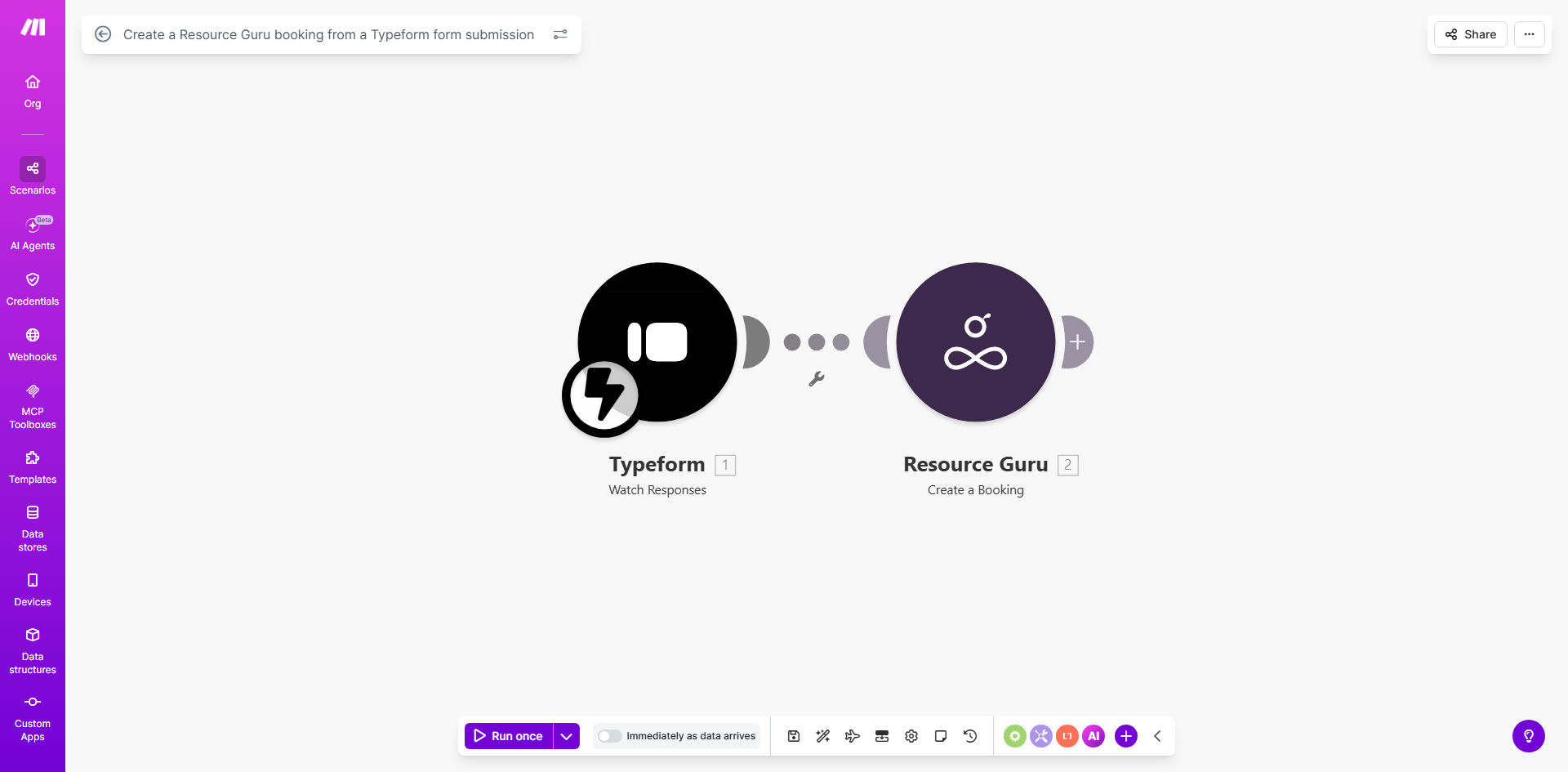
What This Workflow Does
Manually transferring information from a form submission to a scheduling tool like Resource Guru is a tedious, error-prone task. It involves copying dates, times, durations, and resource names—a process that can take several minutes per request and often leads to double-booking or missed entries. This creates bottlenecks in project management, delays resource allocation, and frustrates both clients and team members.
This automation solves that by creating a seamless bridge between Typeform, your request intake platform, and Resource Guru, your scheduling command center. Every time a form is submitted—whether it's for booking a team member, a meeting room, or specialized equipment—the workflow automatically extracts the details and creates the corresponding booking in Resource Guru. The schedule is updated instantly, in real-time, with zero human intervention.
How It Works
The workflow is triggered the moment a new submission arrives in your Typeform. It follows a logical sequence to process the data and execute the booking.
Step 1: Capture the Submission
The Make.com scenario watches your specific Typeform. When a new response is detected, it immediately retrieves the entire submission package, including all answers to your form questions.
Step 2: Parse the Booking Details
The workflow maps the form answers to the specific fields required by Resource Guru. It looks for the Start Date, End Date, Start Time (in HH:mm format), and Duration (in hours). It also identifies which resource (person, room, or equipment) is being requested, typically from another form field.
Pro tip: Ensure your Typeform uses clear, consistent question labels like "Start Date" and "Duration (hours)". This makes the data mapping in Make.com straightforward and reliable.
Step 3: Create the Booking in Resource Guru
Using the parsed data, Make.com authenticates with your Resource Guru account via API and executes the "Create Booking" action. It passes all the necessary parameters, placing the booking directly onto the resource's calendar for the specified time period.
Step 4: Confirm & Log (Optional)
After the booking is created, the workflow can be extended to send a confirmation email to the requester, post a notification in a Slack channel for the team, or log the event in a Google Sheet for audit purposes.
Who This Is For
This automation delivers immense value for businesses and teams that rely on formal request processes and shared resources.
- Project-Based Agencies: To book designers, developers, or strategists for client projects based on intake forms.
- Consulting Firms: To schedule consultant time based on new client engagement forms.
- Facilities & Office Managers: To handle meeting room or equipment booking requests from employees.
- Creative Studios & Production Houses: To reserve studios, cameras, or editing suites requested via internal forms.
- Any Team Using Resource Guru: For managers tired of manually updating the schedule from email or form requests.
What You'll Need
- A Make.com account (free tier works for moderate volume).
- A Typeform form with questions capturing: Start Date, End Date, Start Time (HH:mm), Duration, and the Resource Name/ID.
- A Resource Guru account with API access enabled (check your plan settings).
- The API credentials (Client ID and Secret) for your Resource Guru account to connect it to Make.com.
- Basic familiarity with navigating Make.com's visual scenario editor to map your specific Typeform fields.
Quick Setup Guide
- Clone the Template: Click "Get This Workflow" to open the template on Make.com and create a copy in your own workspace.
- Connect Typeform: In the first module, click the Typeform icon and authenticate your Typeform account. Select the specific form you want to use as the trigger.
- Connect Resource Guru: In the booking creation module, click the Resource Guru icon. You'll be prompted to enter your Resource Guru API credentials (Client ID and Secret).
- Map Your Data: Review the data mapping between Typeform answers and Resource Guru fields. Adjust the field mappings if your Typeform questions have different labels (e.g., "Meeting Start" instead of "Start Date").
- Test Run: Turn the scenario on and submit a test form on Typeform. Check Resource Guru to confirm the booking appears correctly.
- Go Live: Once testing is successful, your automation is active. All future form submissions will create bookings automatically.
Key Benefits
Eliminate 100% of manual data entry. This workflow removes the tedious, repetitive task of transferring information from forms to calendars, saving 5–10 minutes of administrative work per booking request.
Prevent scheduling conflicts and errors. By automating the process, you ensure bookings are created accurately and instantly, eliminating human errors like double-booking a resource or entering the wrong time.
Achieve real-time schedule visibility. Project managers and team leads see resource allocations update the moment a request is submitted, enabling faster decision-making and capacity planning.
Scale your request intake process effortlessly. Whether you receive 5 or 50 booking requests a day, the automation handles them all with the same speed and reliability, without adding overhead.
Create a seamless user experience. Clients or employees get the immediate satisfaction of knowing their request has been formally logged and scheduled, improving trust and satisfaction.