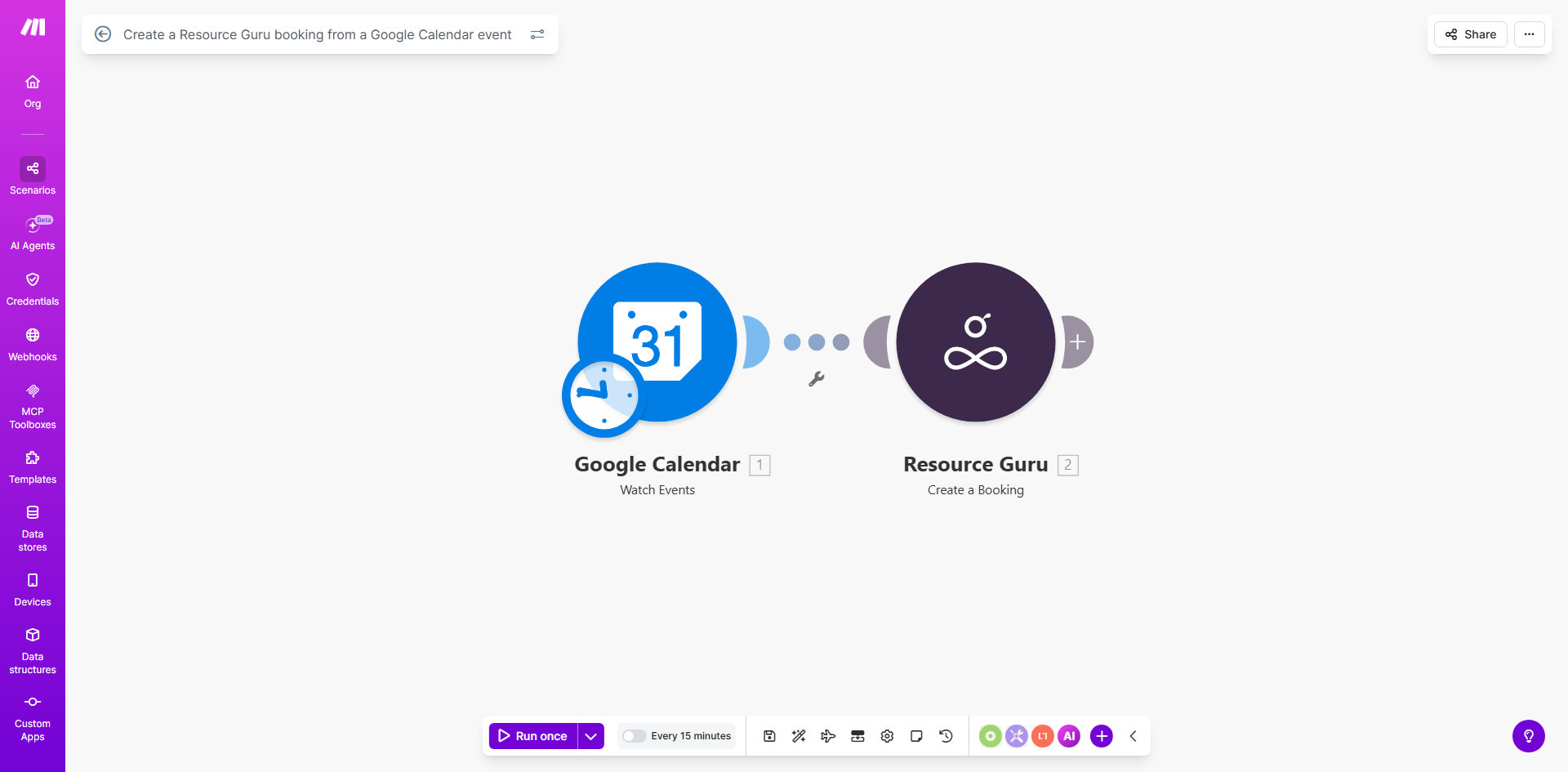
What This Workflow Does
Manually transferring meeting details from Google Calendar into resource scheduling tools like Resource Guru is a repetitive, error-prone task that consumes valuable managerial time. This disconnect often leads to double-booked team members, inaccurate project timelines, and frustration as resource plans don't reflect real-world commitments.
This automation solves that by creating a seamless, real-time bridge between your calendar and your resource plan. Whenever a new event is created in a specified Google Calendar, this workflow automatically captures the details—title, time, duration, attendees—and creates a corresponding booking for the relevant person or resource in Resource Guru. It turns a 5-minute manual task into a zero-touch, instantaneous process.
The business value is clear: project managers and team leaders regain hours each week, resource utilization data becomes accurate and reliable, and the risk of over-allocating your most valuable people is dramatically reduced. Your schedule in Calendar becomes your single source of truth, automatically reflected in your operational planning.
How It Works
The workflow acts as an intelligent middleman, listening for changes in one app and taking action in another. Here’s the step-by-step process:
Step 1: Trigger on New Calendar Event
The automation is activated by the "Watch Events" module in Make.com, which monitors a designated Google Calendar for new events. It could be set to trigger instantly or on a schedule that fits your needs.
Step 2: Extract and Format Event Data
The workflow parses the incoming event data. It identifies key information: the event summary (which often contains the project or client name), start and end times, description, and attendees. This data is then mapped and formatted to match the required fields in Resource Guru's booking API.
Pro tip: Use filters at this stage to only process relevant events. For example, you can set a rule to only create bookings for events with a specific keyword (like "[Project]") or from certain calendars, avoiding clutter from personal appointments.
Step 3: Create the Resource Guru Booking
Using the formatted data, the workflow calls the Resource Guru API to create a new booking. It assigns the booking to the correct resource (team member), sets the precise time frame, and populates notes with details from the calendar event description for context.
Step 4: Handle Errors and Confirmations
The final step involves error handling and logging. If the booking fails—perhaps because the resource is already booked—the workflow can send an alert to a Slack channel or via email. On success, it can log the action for audit purposes, ensuring full traceability.
Who This Is For
This automation is a game-changer for any business that uses Resource Guru (or similar tools) for capacity planning and needs those plans to reflect real-time commitments.
Professional Services Agencies: Consultancies, marketing agencies, and dev shops can ensure client meetings and internal reviews are automatically blocked in their resource schedule, protecting billable hours.
Project & Resource Managers: Individuals responsible for allocating people across multiple projects can eliminate the manual update lag, gaining an accurate, up-to-the-minute view of team availability.
IT & Operations Teams: Teams managing shared resources like equipment, meeting rooms, or specialist personnel can prevent scheduling conflicts automatically when a calendar appointment is made.
What You'll Need
- A Make.com account (free tier available to run the template).
- A Google Workspace account with Calendar API access. You'll need to authenticate Make.com to access your specific calendar.
- A Resource Guru account with administrative or API access to create bookings. You'll need your API key from the Resource Guru settings.
- Clear mapping of which Google Calendars correspond to which projects or booking types in Resource Guru.
Quick Setup Guide
You can have this automation running in under 30 minutes. Follow these steps after clicking "Get This Workflow":
- Clone the Template: In your Make.com account, use the provided link to create a copy of the scenario.
- Connect Google Calendar: In the first module, click to add a connection. Authenticate with your Google account and select the specific calendar you want to monitor.
- Connect Resource Guru: In the booking creation module, add a new connection using your Resource Guru API key (found under My Account > API).
- Map the Data: Review the data mapping between the calendar event fields and the Resource Guru booking fields. Adjust if needed—for example, map the event title to the booking "name" field.
- Set a Filter (Optional but Recommended): Add a filter between the trigger and action to only process events that meet your criteria, like those containing a "#project" tag.
- Test and Activate: Run the scenario once manually to test. Create a test event in your Google Calendar and verify a booking appears in Resource Guru. Then, schedule the scenario to run every 5-15 minutes for near real-time sync.
Key Benefits
Eliminate 5+ hours of manual scheduling per month. Managers no longer waste time copying and pasting event details between systems. This time is reinvested into higher-value strategic work.
Achieve 100% schedule accuracy and prevent double-booking. The moment a meeting is accepted in Calendar, the resource is blocked in Guru. This real-time sync removes human error and protects your team from being over-committed.
Improve project forecasting with real-time resource data. Your resource plan always reflects actual availability, leading to more accurate project timelines, realistic client promises, and better on-time delivery rates.
Create a single source of truth for the entire organization. Everyone works from the same updated schedule—leadership sees accurate capacity, project managers see true commitments, and team members see a clear, conflict-free plan.
Scale your operations without adding administrative overhead. As your team grows and meetings multiply, this automation handles the increased volume effortlessly, saving proportionally more time and reducing coordination complexity.