What This Workflow Does
For businesses using Resource Guru for resource scheduling and Teamwork for project management, a major operational headache is keeping team member data synchronized between the two systems. Manually creating a new person in Teamwork every time you add a resource in Resource Guru is a repetitive, error-prone task that wastes valuable administrative time.
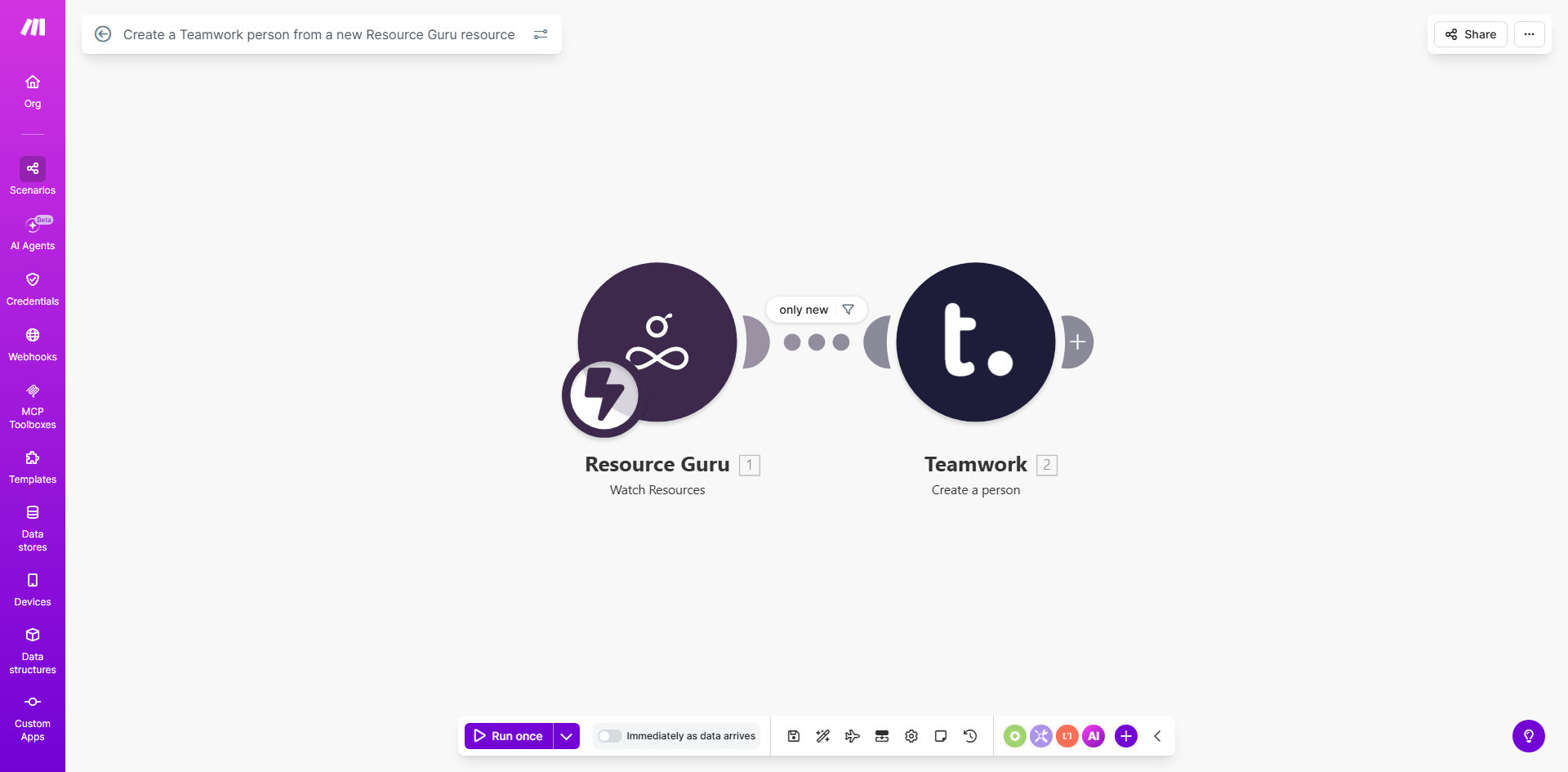
This automated workflow solves that problem completely. It acts as a digital bridge between your resource planning and project execution tools. Whenever a new "resource" (like an employee, contractor, or piece of equipment) is created in Resource Guru, this Make.com scenario instantly triggers and creates a corresponding "person" profile in your Teamwork account. This ensures your project managers can immediately assign tasks to the newly available resource without any delay or manual intervention.
The business value is clear: it streamlines onboarding, eliminates data entry errors, and ensures 100% consistency between who is scheduled to work and who is available for task assignment. This automation turns two separate tools into a cohesive operational system.
How It Works
The workflow follows a simple, reliable "watch and create" pattern, automating what was previously a manual copy-paste job.
Step 1: Monitor Resource Guru for New Additions
The scenario starts with a Make.com module that watches your Resource Guru account. It is configured to trigger instantly whenever a new resource record is created. This could be a new hire, a freelancer, or any asset you need to schedule.
Step 2: Map and Prepare the Data
Once triggered, the workflow captures the key details of the new resource. This typically includes the person's full name, email address, job title, and any other relevant metadata from Resource Guru. Make.com's router and data transformation tools ensure the information is correctly formatted for Teamwork's API.
Pro tip: Use this step to add custom fields or tags. For example, you could automatically tag the new Teamwork person with the department or skill set pulled from Resource Guru, making filtering and reporting easier later.
Step 3: Create the Person in Teamwork
The prepared data is then sent to Teamwork via its API. The workflow executes a "Create a Person" action, building a new user profile with all the transferred information. The result is a fully formed Teamwork person account, ready to be added to projects and tasks.
Step 4: Error Handling & Logging
A robust automation includes safeguards. The workflow can be set to send an alert (via email or Slack) if the creation fails—for instance, if the email already exists in Teamwork. This ensures an admin can resolve issues immediately, maintaining system integrity.
Who This Is For
This automation is ideal for any organization that relies on both resource scheduling and detailed project management. It delivers outsized value for:
- Digital Agencies & Consultancies: Who need to schedule billable staff across multiple client projects and want to instantly assign tasks as soon as someone is booked.
- Software Development Teams: Using Resource Guru for developer capacity planning and Teamwork to manage sprints and bug tickets.
- Internal IT & Operations Departments: That manage a pool of technicians or specialists and need to dispatch work orders efficiently.
- Businesses with Frequent Contractors/Freelancers: To ensure new external team members are operational in the project tool on day one of their contract.
What You'll Need
To implement this template, you will need the following accounts and access:
- An active Make.com account (free tier may suffice for low volume).
- Admin or API access to your Resource Guru subscription.
- Admin or owner permissions in your Teamwork project site to generate API keys and create users.
- The API keys or OAuth credentials for both Resource Guru and Teamwork, which you will connect to Make.com during setup.
Quick Setup Guide
You can have this automation running in under 15 minutes by following these steps:
- Clone the Template: Click "Get This Workflow" to copy the scenario to your Make.com account.
- Connect Your Apps: In the Make.com scenario, authorize the connections to your specific Resource Guru and Teamwork accounts.
- Configure the Trigger: Select the specific Resource Guru project or pool you want to monitor for new resources.
- Map the Data Fields: Review the data mapping between Resource Guru and Teamwork. Ensure fields like Name, Email, and Title are correctly aligned.
- Set the Destination: Specify which Teamwork company site the new people should be added to.
- Test and Activate: Run a test by creating a dummy resource in Resource Guru. Verify the person appears in Teamwork, then turn the scenario to "ON."
Key Benefits
Save 2-3 hours of administrative work per month by eliminating the manual process of creating user accounts across platforms. This time can be reinvested in strategic planning.
Eliminate 100% of synchronization errors that occur from manual data entry, such as typos in email addresses or incorrect job titles, ensuring flawless communication and reporting.
Accelerate new team member onboarding by a full day, allowing them to be scheduled and assigned work immediately, which improves utilization and project velocity from the start.
Create a single source of truth for your team roster by making Resource Guru the primary input, automatically propagating accurate data to Teamwork and other tools in your stack.
Gain real-time operational visibility because your resource availability (Resource Guru) is always reflected in your task management system (Teamwork), enabling better decision-making.