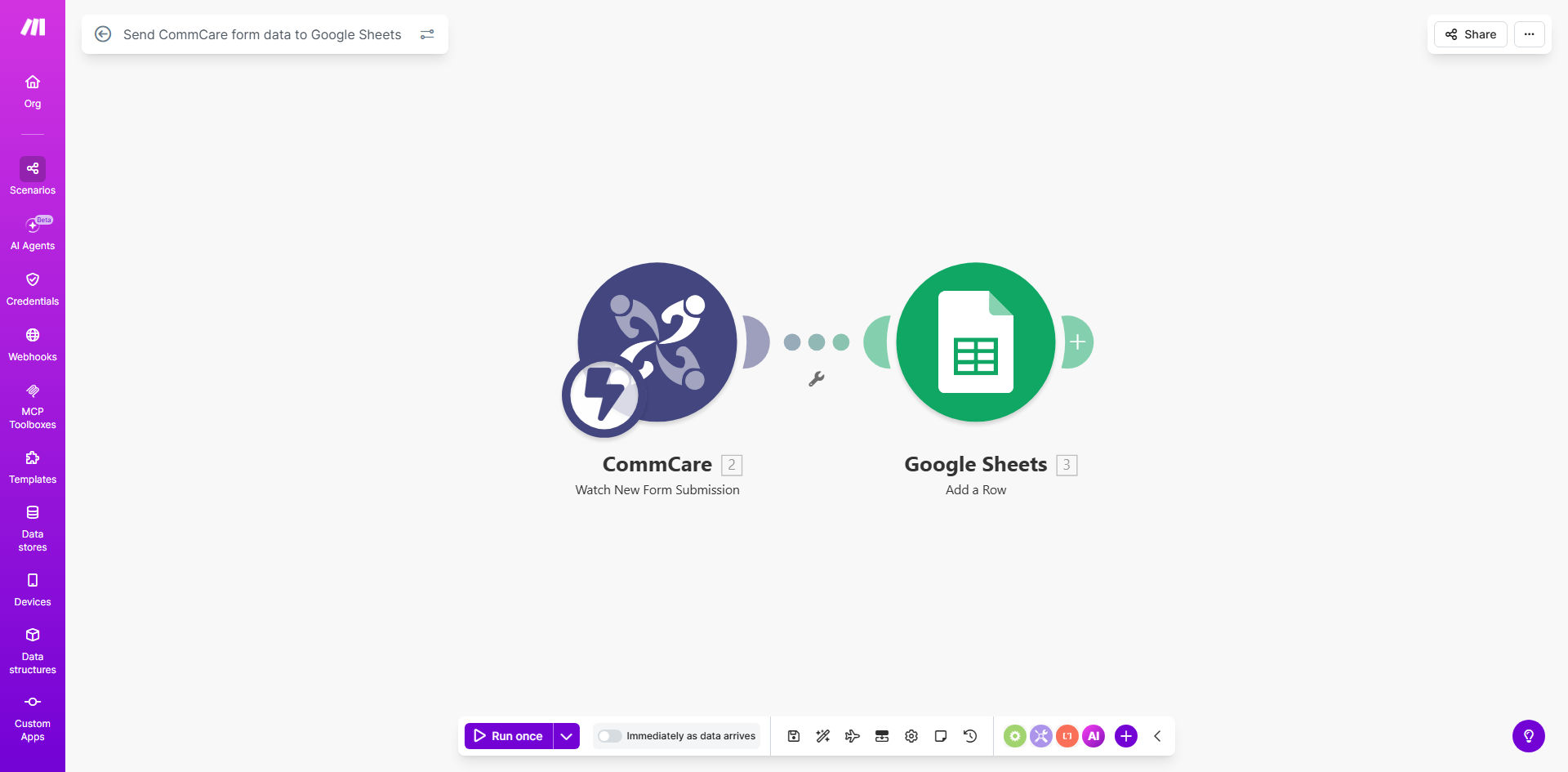
What This Workflow Does
For organizations using CommCare for field data collection—such as health surveys, monitoring & evaluation, or service delivery tracking—a major bottleneck is getting that data out of CommCare and into a usable format for analysis and reporting. Teams often resort to manual exports, downloading CSV files, and copying data into spreadsheets, a process that is time-consuming, prone to errors, and creates data lag.
This automation workflow solves that problem by creating a live, one-way bridge between CommCare and Google Sheets. Every time a form is submitted in the field, selected data from that submission is instantly added as a new row in your designated Google Sheet. This turns your spreadsheet into a real-time dashboard of field activity, eliminating the manual work and ensuring your data is always current and accurate.
The business value is clear: field coordinators and managers save hours per week on data wrangling, data quality improves by removing manual transcription errors, and decision-makers gain immediate access to consolidated information for faster, more informed actions.
How It Works
The workflow acts as an intelligent middleman, listening for new events in CommCare and translating them into spreadsheet rows.
Step 1: Trigger on New CommCare Submission
The automation is triggered the moment a new form submission is completed and received by your CommCare project. The Make.com scenario watches for this specific event, ensuring no submission is missed.
Step 2: Retrieve and Parse the Form Data
Once triggered, the workflow fetches the full submission data from CommCare via its API. It has access to all the questions and answers from the form, allowing you to map exactly the information you need.
Pro tip: You can configure the workflow to only process submissions from specific forms or applications within your CommCare project, giving you precise control over the data flow.
Step 3: Map Data to Google Sheets Columns
This is the core transformation step. You define which pieces of data from the CommCare response (like respondent ID, date, location, answers to key questions) correspond to which columns in your Google Sheet. The workflow handles the formatting, ensuring dates, numbers, and text are placed correctly.
Step 4: Add a New Row to the Spreadsheet
The mapped data is then sent to Google Sheets via its API, which appends it as a fresh row at the bottom of your specified worksheet. The process is instantaneous, making the data available for analysis the moment the field worker submits their form.
Who This Is For
This template is ideal for any organization or team that relies on CommCare for frontline data collection and needs to streamline their data consolidation process.
- Public Health Programs: For aggregating patient surveys, vaccination records, or outbreak monitoring data from community health workers.
- Non-Governmental Organizations (NGOs): Managing monitoring & evaluation (M&E) data for projects, tracking beneficiary information, or compiling field research results.
- Agricultural Extension Services: Collecting farmer survey data, crop yield reports, or training attendance.
- Social Enterprises & Field Operations Teams: Any team using mobile data collection where centralized, real-time reporting is crucial for operational efficiency.
What You'll Need
- A CommCare account with an active project and form applications that are receiving submissions.
- A Google account with access to Google Sheets (part of any standard Gmail or Google Workspace account).
- A Make.com account (free tier available) to host and run the automation scenario.
- The Google Sheet you want the data to flow into, created and ready with appropriate column headers.
- API credentials or OAuth access for both CommCare and Google Sheets, which you'll configure during the setup in Make.com.
Quick Setup Guide
- Clone the Template: Click "Get This Workflow" to copy the template into your own Make.com account.
- Connect CommCare: In the first module, authenticate your CommCare account by following Make.com's OAuth steps. Then, select your specific project and form to watch.
- Connect Google Sheets: Authenticate your Google account and select the target spreadsheet and worksheet where new rows should be added.
- Map Your Data: In the Google Sheets module, map the data from the CommCare submission to the corresponding columns in your sheet. This typically involves selecting items like `form.submission_date`, `form.case_id`, or specific question answers.
- Test and Activate: Run a test submission in CommCare to trigger the workflow once. Verify the data appears correctly in your sheet. Once confirmed, turn the scenario "ON" to begin live automation.
Key Benefits
Eliminate 5–10 hours of manual data entry per week. By automating the transfer, your team is freed from repetitive copy-paste tasks, allowing them to focus on data analysis and programmatic action.
Achieve near 100% data accuracy. Removing the human element from data transfer eliminates typos, misaligned rows, and missed submissions, ensuring your reports are based on reliable information.
Enable real-time reporting and dashboards. With data flowing instantly into Sheets, you can connect it to tools like Google Data Studio or Looker Studio to create live dashboards that stakeholders can view anytime.
Create a single source of truth. Consolidate data from multiple field teams or regions into one master spreadsheet, simplifying aggregation and cross-analysis.
Scale your data operations effortlessly. As your form submissions grow from dozens to thousands, the automation handles the volume without any additional effort or hiring on your part.