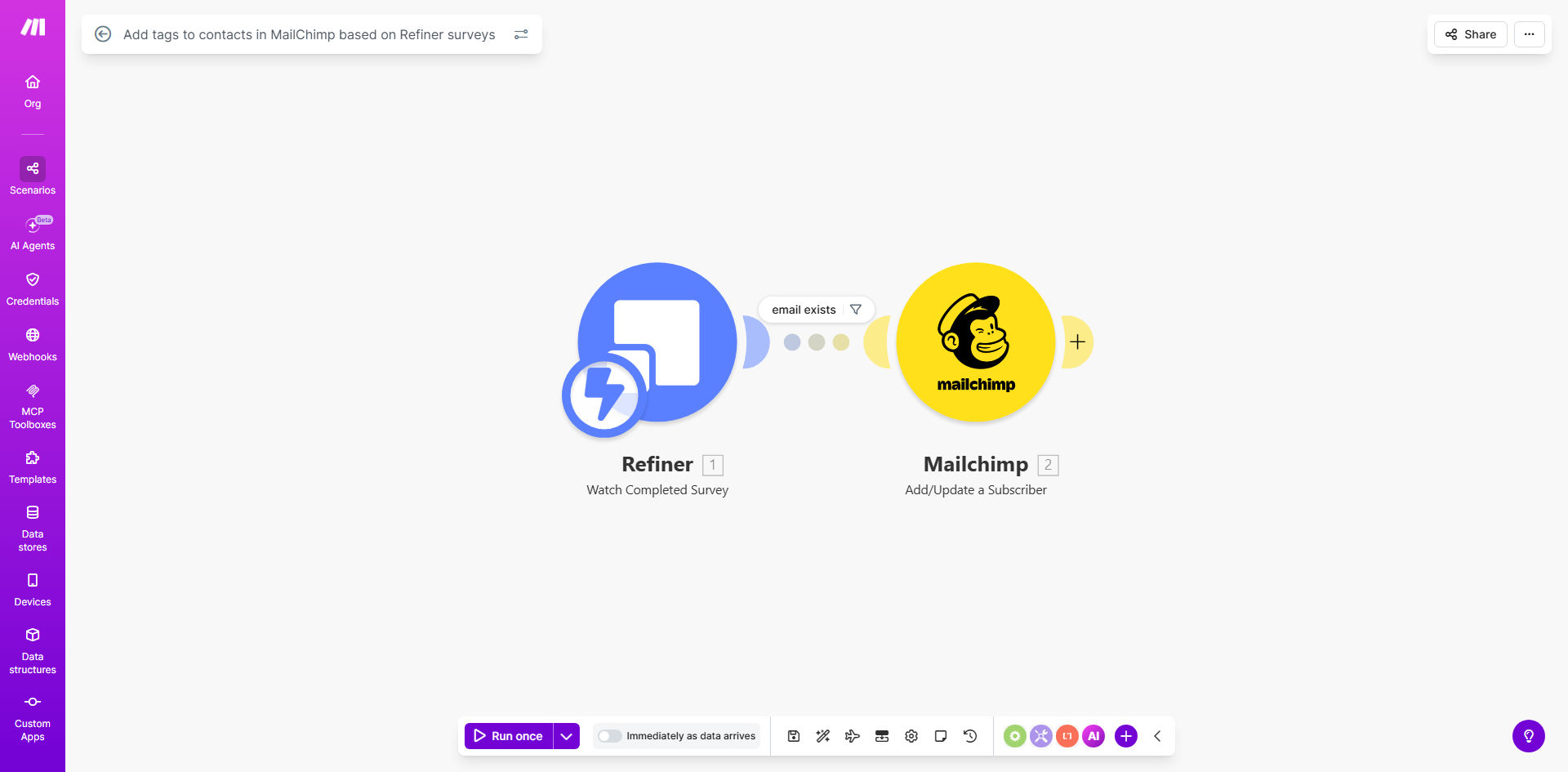
What This Workflow Does
Collecting Net Promoter Score (NPS) feedback is crucial, but its real value is lost if you can't act on it quickly. Manually sorting through survey responses and updating email lists is a tedious, error-prone process that delays critical customer engagement. This creates a gap between hearing from your customers and being able to respond to them meaningfully.
This automation bridges that gap instantly. Whenever a customer submits an NPS survey via Refiner, this Make.com workflow automatically adds a corresponding tag (like "NPS: 9" or "NPS: 3") to their contact profile in your Mailchimp audience. It transforms raw feedback into actionable marketing segments in real-time, eliminating manual work and ensuring no customer insight slips through the cracks.
How It Works
The workflow acts as a smart connector between your survey tool and your email marketing platform, executing a series of steps each time a survey is completed.
Step 1: Capture the Survey Submission
The workflow is triggered the moment a new response is recorded in your Refiner survey. It immediately captures the submitted NPS score (a number from 0-10) and the respondent's email address.
Step 2: Route the Score
Make.com's router module checks the numerical score. Based on your pre-defined logic, it determines the exact tag that needs to be applied in Mailchimp, corresponding directly to the score (e.g., a score of 7 routes to apply the "NPS: 7" tag).
Step 3: Update the Mailchimp Contact
The workflow then searches your designated Mailchimp audience for a contact matching the submitted email address. If found, it adds the specific NPS score tag to that contact's profile. This update happens within seconds of the survey submission.
Pro tip: Use this tagged data to create dynamic segments in Mailchimp. You can instantly build audiences like "All Promoters (9-10)" or "Detractors Needing Follow-up (0-6)" for hyper-targeted email campaigns.
Who This Is For
This automation is ideal for product managers, marketing teams, and customer success leaders who use NPS surveys and email marketing. It's perfect for SaaS companies, e-commerce brands, and service-based businesses that want to close the feedback loop quickly. If you're currently downloading CSV files from Refiner and manually updating tags in Mailchimp, this workflow will save you hours each month and make your customer response system significantly more effective.
What You'll Need
- A Make.com account (free tier available).
- A Refiner account with an active NPS survey collecting email addresses.
- A Mailchimp account with a designated audience (list).
- Pre-created tags in your Mailchimp audience for each NPS score (e.g., "NPS: 1", "NPS: 2", ... "NPS: 10").
- API connections between Make.com and both Refiner and Mailchimp.
Quick Setup Guide
You can have this automation running in under 30 minutes by following these steps:
- Clone the Template: Click the "Get This Workflow" button above to open the template in your Make.com account and create a copy.
- Connect Your Apps: In the Make.com scenario editor, authorize the connections to your Refiner and Mailchimp accounts.
- Configure the Trigger: Select your specific Refiner survey from the dropdown in the first module.
- Map the Data: Ensure the module capturing the survey response is correctly mapping the 'email' and 'nps_score' variables from Refiner.
- Set the Mailchimp Action: In the final module, select your target Mailchimp audience and confirm the tag naming convention (e.g., NPS: [Score]) matches the tags you created in Mailchimp.
- Test & Activate: Run a single test by submitting a dummy survey response. Verify the correct tag appears on a test contact in Mailchimp. Once confirmed, activate the scenario.
Key Benefits
Turn feedback into immediate action. Instead of waiting days to analyze survey data, you can trigger automated email campaigns to different NPS segments within minutes of them submitting their score, dramatically improving customer perception and recovery rates.
Eliminate manual data entry errors. Automation ensures 100% accuracy in tagging. Every survey response is processed consistently, removing the risk of human error from copying emails or applying wrong tags.
Build richer customer profiles. By appending NPS sentiment data directly to subscriber profiles, you create a more complete view of each customer. This historical data is invaluable for understanding loyalty trends and personalizing future communications.
Scale your feedback system effortlessly. Whether you receive 10 or 10,000 survey responses, the workflow handles them all instantly without any additional effort from your team, allowing your feedback program to grow with your business.
Measure campaign impact by sentiment. With subscribers tagged by NPS score, you can easily analyze email open rates, click-through rates, and conversion metrics segmented by promoter, passive, and detractor groups, providing deep insights into what resonates with each audience.