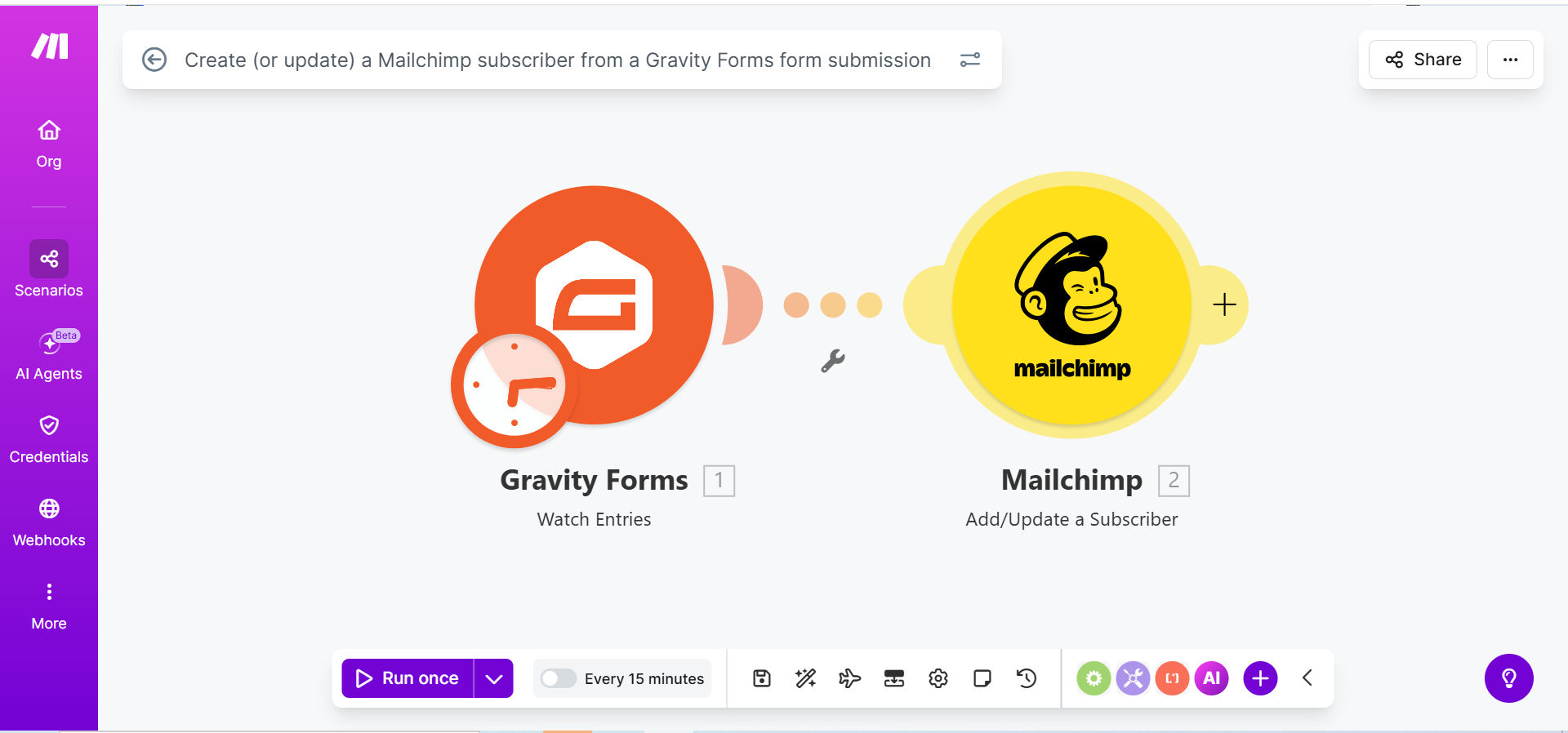
What This Workflow Does
For businesses using WordPress with Gravity Forms, capturing leads is only half the battle. The real challenge is getting those leads into your email marketing platform quickly and accurately. Manually copying data from form submissions to Mailchimp is slow, error-prone, and leads to missed opportunities for immediate follow-up.
This automation solves that by creating a seamless bridge between your website and your marketing engine. Every time a form is submitted—whether it's a contact request, newsletter signup, or webinar registration—the workflow instantly checks if that email already exists in your Mailchimp audience. If it's new, a subscriber is created. If it exists, their details are updated. This ensures your list is always growing and always accurate, without you lifting a finger.
The business value is clear: faster lead nurturing, higher conversion rates, and hours of administrative time saved each week. Your marketing team can focus on crafting campaigns instead of managing spreadsheets.
How It Works
The workflow is built on Make.com and acts as an intelligent middleman between Gravity Forms and Mailchimp. Here’s the step-by-step process:
Step 1: Form Submission Trigger
The automation is triggered the moment a Gravity Forms entry is submitted on your WordPress site. Make.com watches for new submissions and immediately captures all the form data, including email, name, and any custom fields you've set up.
Step 2: Check for Existing Subscriber
Before adding a new contact, the workflow queries your Mailchimp audience using the submitted email address. This "search" step is crucial for list hygiene—it prevents duplicates and allows for updates.
Step 3: Create or Update Logic
Based on the search result, a router directs the flow. If the email is not found, the workflow proceeds to create a new subscriber in your specified Mailchimp list. If the email is found, it instead updates the existing subscriber's information with the new form data.
Step 4: Sync Data to Mailchimp
The final step maps the Gravity Forms fields to the corresponding Mailchimp merge fields (like FNAME, LNAME, PHONE). The data is then sent via Mailchimp's API, completing the sync in seconds.
Pro tip: Use this workflow to add tags in Mailchimp based on which specific Gravity Form was submitted. This allows for ultra-targeted email segments from day one.
Who This Is For
This automation is ideal for any business that relies on its WordPress website for lead generation and uses Mailchimp for email marketing. It's perfect for:
- Marketing Agencies managing client websites who need reliable, hands-off list building.
- Coaches & Consultants who offer lead magnets like free guides or discovery call bookings.
- E-commerce Stores using forms for newsletter signups or product waitlists.
- B2B Service Providers capturing contact form inquiries that need immediate nurturing.
- Non-Profits managing event registrations or volunteer sign-ups.
If you're tired of manual imports and want to ensure no lead ever falls through the cracks, this workflow is for you.
What You'll Need
To implement this template, you'll need the following accounts and access:
- A Make.com account (free tier available).
- A live WordPress website with Gravity Forms installed and at least one active form.
- A Mailchimp account with an audience (list) set up.
- Your Mailchimp API key, which can be generated from your account settings.
- Basic understanding of your form fields (know the field IDs or labels for email, first name, etc.).
Quick Setup Guide
You can have this automation running in under 15 minutes by following these steps:
- Clone the Template: Click "Get This Workflow" to copy the template into your Make.com account.
- Connect Gravity Forms: In the first module, authorize Make.com to access your WordPress site via the Gravity Forms API (you'll need a Gravity Forms license key).
- Connect Mailchimp: In the Mailchimp modules, authorize with your API key and select your target audience.
- Map Your Fields: Match the Gravity Forms field values (e.g., "1" for Email) to the correct Mailchimp merge tags (e.g., "EMAIL").
- Test & Activate: Turn on the scenario, submit a test form on your site, and verify the contact appears correctly in your Mailchimp audience.
Key Benefits
Eliminate Manual Data Entry: Save 2-5 hours per week by automatically syncing every form submission. Your team is freed from the tedious cycle of exports and imports.
Improve List Accuracy & Hygiene: The "update or create" logic ensures zero duplicate contacts and that subscriber information is always current, boosting your email deliverability and sender reputation.
Speed Up Lead Engagement: Contacts are added to Mailchimp within seconds of form submission, allowing you to trigger instant welcome emails or follow-up sequences, significantly increasing conversion potential.
Scale Your Marketing Efforts: As your form volume grows, the automation handles it effortlessly. There's no additional work required on your part to manage hundreds or thousands of new leads.
Create a Reliable Foundation: This integration becomes a core piece of your marketing tech stack, enabling more advanced automations like segmenting leads based on form type or syncing to a CRM.