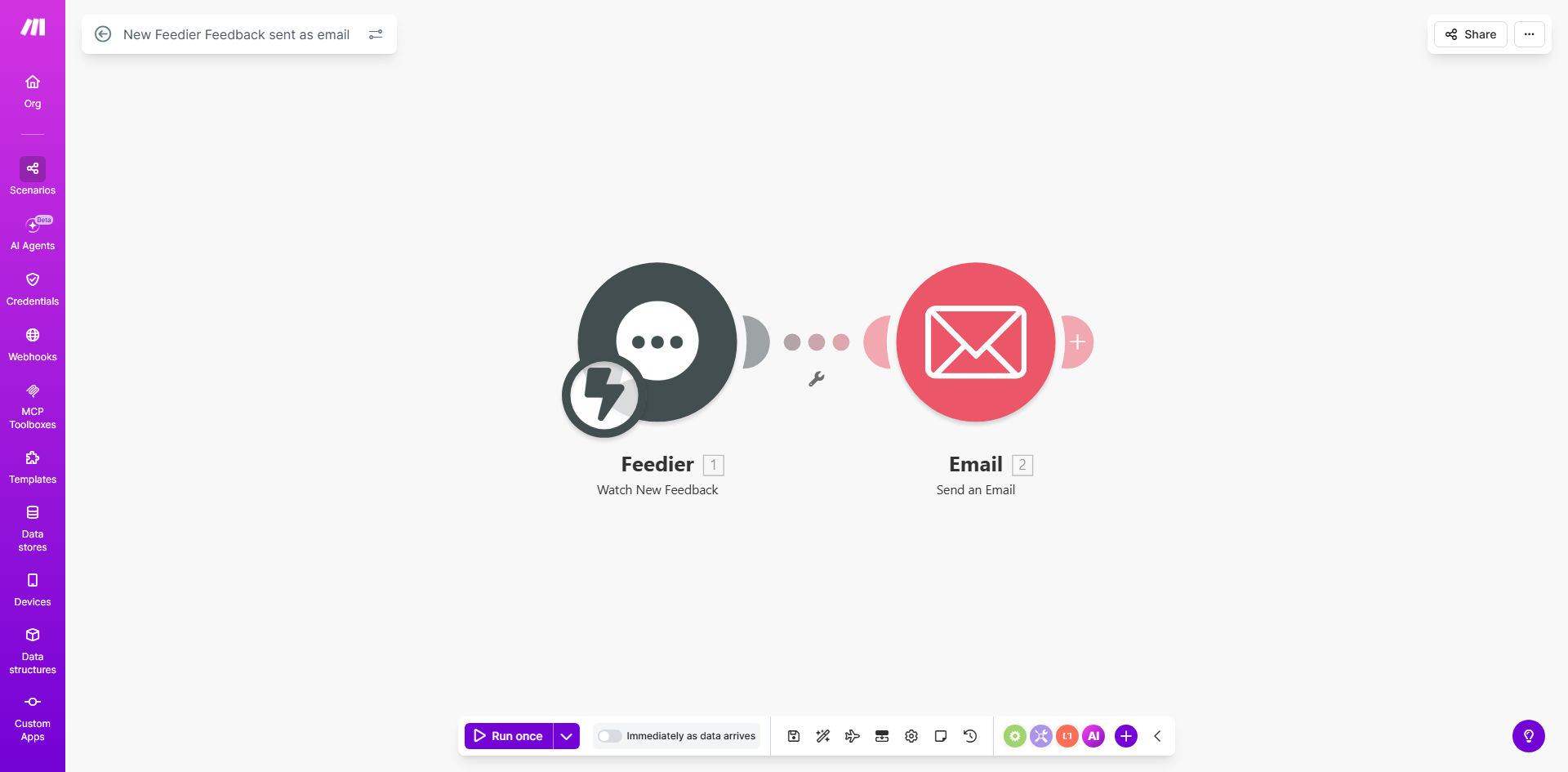
What This Workflow Does
Customer feedback is a goldmine of insights, but it's useless if it sits unseen in a dashboard. The problem many businesses face is feedback fragmentation—valuable comments, ratings, and suggestions from tools like Feedier get lost because no one is actively monitoring the platform in real-time. This leads to slow response times on critical issues, missed opportunities to delight customers, and a lack of centralized awareness about what your users truly think.
This automated workflow solves that by acting as your 24/7 feedback watchdog. Every time a new submission arrives in your Feedier account, this Make.com scenario instantly captures all the details—the customer's name, their score, the written feedback, and more—and packages it into a clear, actionable email. This email is then sent directly to a designated team inbox or specific individuals, ensuring the right people see the feedback the moment it happens. It transforms passive data collection into an active notification system.
How It Works
The automation creates a seamless bridge between your feedback collection tool and your team's communication hub.
Step 1: Trigger on New Feedback
The workflow is initiated by the "Watch Feedback" module in Make.com, which constantly monitors your connected Feedier account. The instant a customer submits a new survey response, review, or piece of feedback, the trigger fires and pulls all the relevant data into the automation.
Step 2: Structure the Email Content
The scenario then takes the raw data from Feedier—such as the respondent's information, rating (NPS, CSAT, etc.), comment text, and survey details—and formats it into a readable HTML email. You can customize this template to highlight key information, like making low scores bold or including the campaign name for context.
Pro tip: Use the email subject line to indicate priority. For example, include the score: "[Feedback - 9/10] New product suggestion" or "[URGENT - 2/10] Bug Report". This helps your team triage emails quickly.
Step 3: Send the Instant Notification
Finally, the workflow uses Make.com's email module (like Gmail or SMTP) to send the formatted message to your pre-defined recipient list. The entire process, from feedback submission to email delivery, takes seconds, eliminating any manual data transfer or monitoring.
Who This Is For
This automation is ideal for customer success teams, product managers, support leads, and small business owners who rely on Feedier for Voice of the Customer programs. It's perfect for companies that:
- Collect NPS, CSAT, or product feedback but struggle with timely follow-ups.
- Have team members who don't regularly log into the Feedier dashboard.
- Want to ensure critical feedback (especially negative) is escalated immediately.
- Are looking to create a shared record of feedback in a common tool like their team email.
What You'll Need
- A Make.com account (free tier available).
- A Feedier account with active feedback campaigns.
- Access to an email sending service (like a Gmail/Google Workspace account or SMTP credentials from your email provider).
- The email address(es) of the team members who should receive the alerts.
Quick Setup Guide
You can have this automation running in under 10 minutes.
- Clone the Template: Click the "Get This Workflow" button above to open the template in your Make.com account and create a copy.
- Connect Feedier: In the first module, authorize Make.com to access your Feedier account by logging in and granting permissions.
- Configure the Email: In the email module, connect your Gmail or SMTP service. Set the "To" field to your desired recipient email (e.g., [email protected]).
- Customize the Message (Optional): Edit the email's subject line and body template to include the specific Feedier data points most important to your team.
- Turn it On: Activate the scenario. It will now run automatically, sending an email for every new piece of feedback received.
Key Benefits
Cut feedback response time from hours/days to minutes. Instead of waiting for a weekly report or a manual check, your team is notified the moment feedback arrives, allowing for immediate acknowledgment and action.
Eliminate the risk of missing critical customer issues. Automated alerts ensure that no piece of feedback, especially negative ones that indicate churn risk, slips through the cracks unnoticed.
Centralize insights without changing team habits. Your team doesn't need to learn or check another tool; feedback comes to them in their existing workflow (email), increasing adoption and ensuring visibility.
Improve customer satisfaction and loyalty. Prompt responses to feedback show customers you value their input, directly boosting retention and turning detractors into promoters.
Save 5-10 hours per month previously spent manually compiling, monitoring, and distributing feedback reports from your dashboard.