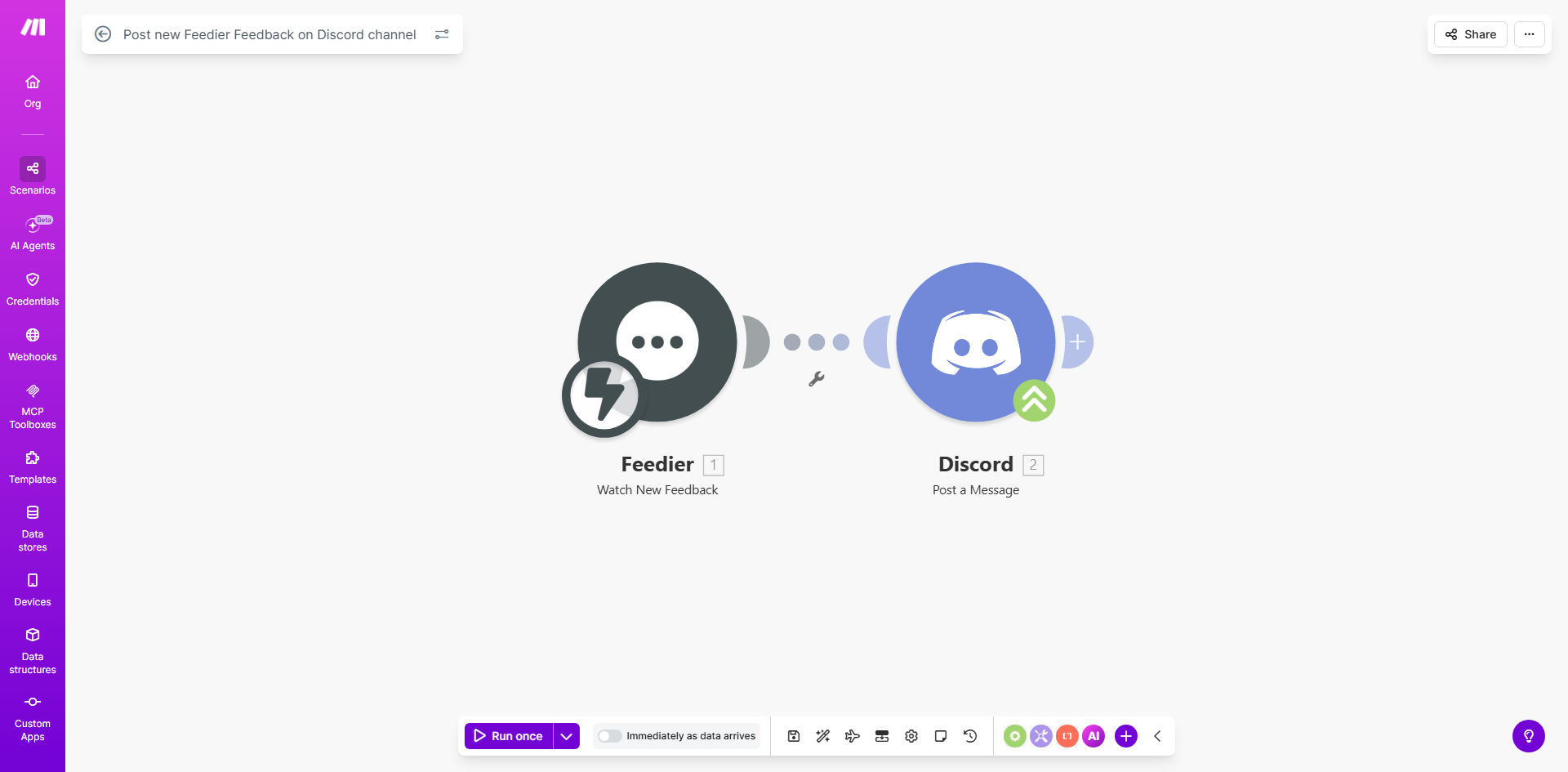
What This Workflow Does
Customer feedback is invaluable, but its value diminishes if it sits unseen in a survey tool. This automation solves the problem of feedback isolation by bridging Feedier, a popular feedback collection platform, with Discord, a central hub for team communication. Whenever a customer submits a new rating, comment, or survey response via Feedier, this Make.com workflow instantly captures that data and posts a formatted message to a designated Discord channel.
The result is a live feed of customer sentiment directly within your team's daily conversation space. Instead of requiring someone to manually check Feedier and copy-paste updates, the entire team—support, product, marketing—gets immediate visibility. This transforms static data into actionable insights, fostering quicker responses to complaints, celebrating positive feedback, and aligning the team around real user experiences.
How It Works
Step 1: Feedier Triggers the Workflow
The workflow starts when a new feedback item is created in your Feedier account. Make.com monitors Feedier via a webhook or scheduled check. It captures all relevant data: the customer's rating, their written comment, the survey name, and any custom metadata you collect.
Step 2: Data Processing and Formatting
Make.com then processes this data. You can set up filters—for example, only posting feedback with a rating below 3 stars to an "urgent issues" channel. The module formats the message, adding emojis for sentiment, structuring the information clearly, and preparing it for Discord.
Step 3: Posting to Discord
Finally, the workflow uses the Discord module to send the formatted message to your specified server and channel. The post appears as a regular Discord message, enabling team members to react, reply, and start a discussion thread right there, turning feedback into an immediate conversation.
Pro tip: Use Discord's thread feature. When a negative feedback is posted, a team member can immediately start a thread to investigate, assigning tasks and tracking resolution without leaving the platform.
Who This Is For
This automation is ideal for any business that collects customer feedback and uses Discord for internal teamwork. It's perfect for:
- Software & SaaS companies: Product teams can see real-time user pain points and feature requests.
- Customer support teams: Support leads can instantly identify and address negative feedback.
- Community managers: For brands with active Discord communities, sharing feedback internally helps align community engagement with user sentiment.
- Marketing teams: To monitor campaign feedback and customer satisfaction metrics as they happen.
- Startups and small teams: Where everyone needs visibility into customer voice without complex reporting tools.
What You'll Need
- A Feedier account with active surveys collecting feedback.
- A Discord server and a specific channel where you want feedback posted (e.g., #customer-feedback).
- A Make.com account (free tier sufficient for this template).
- API access or webhook configuration permissions for both Feedier and Discord (typically admin-level access).
- A clear idea of which feedback data fields (rating, comment, survey name) you want to include in the Discord message.
Quick Setup Guide
- Clone the template: Use the "Get This Workflow" button to copy the template into your Make.com account.
- Connect Feedier: In the first module, authenticate your Feedier account and select the specific survey or feedback source you want to monitor.
- Connect Discord: In the Discord module, authenticate your Discord account, select your server, and choose the target channel.
- Customize the message: Edit the message template in Make.com. Map the data fields from Feedier (like `rating` and `comment`) into the Discord message content. Add formatting like bold text or line breaks.
- Test and activate: Trigger a test feedback item in Feedier or use the Make.com test run feature. Verify the message appears correctly in your Discord channel. Then activate the scenario to run automatically.
Key Benefits
Instant team alignment: Eliminates the lag between feedback receipt and team awareness. Everyone sees the customer's voice at the same moment, leading to unified understanding and faster decision-making.
Saves 2–5 hours per week of manual work: No need for a team member to manually compile and share feedback reports. The automation handles distribution instantly, freeing up time for actual response and improvement.
Improves customer response time: Negative feedback can be addressed within minutes instead of days, potentially turning a dissatisfied customer into a loyal one by showing proactive care.
Creates a living feedback log: Your Discord channel becomes a searchable, historical record of customer sentiment. Team members can reference past feedback easily during planning meetings.
Encourages a customer-centric culture: By making feedback a constant part of internal conversation, it keeps the customer's perspective front and center in all team discussions, driving a culture of continuous improvement.