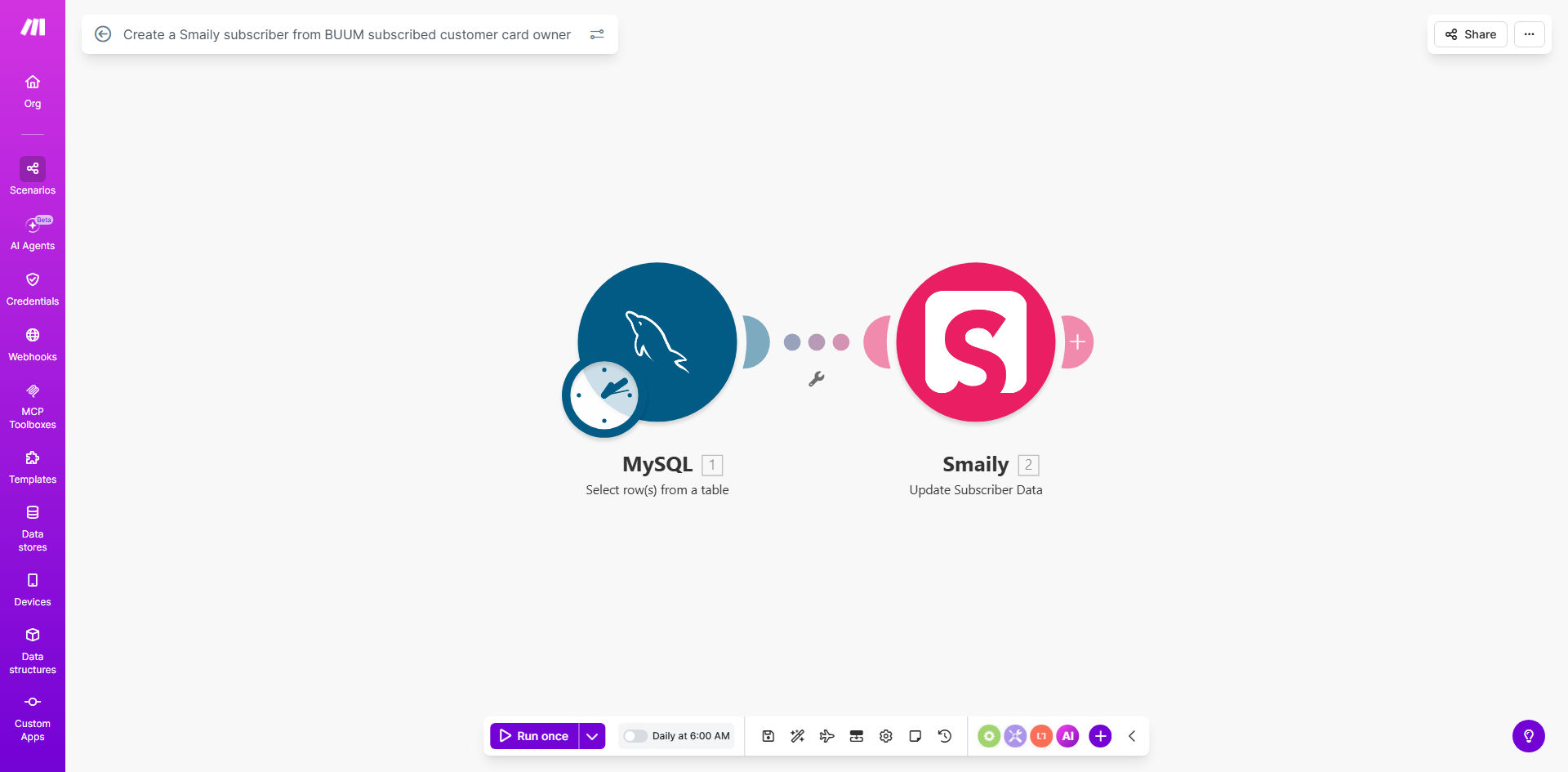
What This Workflow Does
For businesses using BUUM for customer loyalty cards and Smaily for email marketing, a critical gap often exists: manually transferring subscribers from one system to another. When a customer signs up for a loyalty card and opts into your newsletter, that interest is immediate and valuable. Relying on spreadsheets or weekly uploads means missed opportunities, data errors, and delayed communication.
This automation workflow bridges that gap seamlessly. It acts as a real-time connector between BUUM and Smaily. Every time a new customer card is issued and the newsletter subscription box is checked, the workflow triggers automatically. It captures the customer's details—like their email address and name—and creates a corresponding subscriber profile in your Smaily account within seconds. This turns a manual, error-prone administrative task into a flawless, hands-off process that ensures your marketing engine is always fueled with fresh, engaged leads.
How It Works
The workflow follows a logical, event-driven sequence to ensure data flows accurately and reliably from point A to point B.
Step 1: Monitor BUUM for New Subscribed Card Owners
The workflow starts by watching your BUUM account for specific events. It is configured to detect when a new "customer card owner" record is created and, crucially, when that record includes an indicator that the customer has subscribed to your marketing newsletter. Make.com polls the BUUM API at regular intervals to catch these new entries as soon as they appear.
Step 2: Extract and Structure the Customer Data
Once a new subscribed customer is found, the workflow extracts the relevant data fields. This typically includes the customer's email address (the most critical field), first name, last name, and the date of consent. The workflow can also map custom fields from BUUM, such as customer ID or loyalty tier, to corresponding custom fields in Smaily for future segmentation.
Pro tip: Use this step to clean and format data. For example, you can add a module to ensure all email addresses are trimmed and converted to lowercase before sending them to Smaily, preventing duplicate entries due to formatting inconsistencies.
Step 3: Create a Subscriber in Smaily
The formatted data is then sent via the Smaily API. The workflow instructs Smaily to add a new subscriber to your designated list. It can also apply specific tags (like "BUUM_Cardholder" or "Newsletter_Opt-In") at this stage, allowing for immediate segmentation within your email campaigns. A successful creation in Smaily confirms the process is complete.
Step 4: Handle Errors and Log Activity
Robust automation includes error handling. If the email already exists in Smaily, the workflow can be set to update the existing contact instead of causing an error. If the API call fails for any reason (like a network issue), the workflow can log the error in a spreadsheet or send a notification to your team, ensuring no subscriber is ever lost silently.
Who This Is For
This template is ideal for retail businesses, cafes, restaurants, or any brand using BUUM's customer card system to manage loyalty programs and Smaily to run their email marketing. It's perfect for:
- Marketing Managers tired of manual CSV exports and imports to grow their email list.
- Small Business Owners who want to automate administrative tasks and ensure every customer opt-in is captured.
- Loyalty Program Coordinators looking to increase the ROI of their program by enabling instant, personalized email follow-ups.
- Agencies managing client marketing tech stacks who need reliable, set-and-forget integrations.
What You'll Need
- A Make.com Account: A free or paid plan to host and run the automation scenario.
- BUUM Account Access: Admin or API credentials for your BUUM account to set up the connection and trigger.
- Smaily Account: An active Smaily account with API access enabled. You'll need your API username and password (or token).
- Clear Consent: Ensure your BUUM sign-up process includes a clear, GDPR-compliant opt-in for email marketing to maintain list hygiene and compliance.
Quick Setup Guide
You can have this automation running in under 30 minutes by following these steps:
- Clone the Template: Click the "Get This Workflow" button to open the template on Make.com. Sign in and create a copy in your own workspace.
- Connect BUUM: In the first module, click to add your BUUM connection. You will likely need to log in with your BUUM credentials or use an API key. Authorize Make.com to access your data.
- Connect Smaily: In the Smaily module, add your connection using your Smaily API credentials (found in your Smaily account settings under API & Integrations).
- Map Your Data Fields: Review the data mapping between the BUUM module and the Smaily module. Ensure the email field is correctly mapped, and add mappings for first name, last name, or any custom fields you wish to sync.
- Test the Flow: Use the "Run once" feature in Make.com to test the workflow. You can simulate a new BUUM subscription or use an existing test record to verify a subscriber is created correctly in Smaily.
- Activate and Monitor: Turn the scenario "ON." It will now run automatically based on the schedule you set (e.g., every 15 minutes). Monitor the scenario's history for the first few runs to ensure it's working smoothly.
Key Benefits
Eliminate 5–10 hours of manual work per month previously spent on exporting, formatting, and uploading subscriber lists. Your team can focus on strategy and content creation instead of data entry.
Improve subscriber engagement rates by up to 40% by sending welcome emails within minutes of opt-in, when interest is highest, compared to days later with manual processes.
Ensure 100% data accuracy and zero missed subscribers by removing the human error factor from transferring information between systems. Every consented customer is captured.
Build a foundation for advanced segmentation by automatically tagging new subscribers with their source (BUUM) and other attributes, enabling highly targeted email campaigns from day one.
Scale your loyalty marketing effortlessly as your customer base grows. This automation handles 10 or 10,000 new subscribers with the same reliability, without requiring additional staff time.