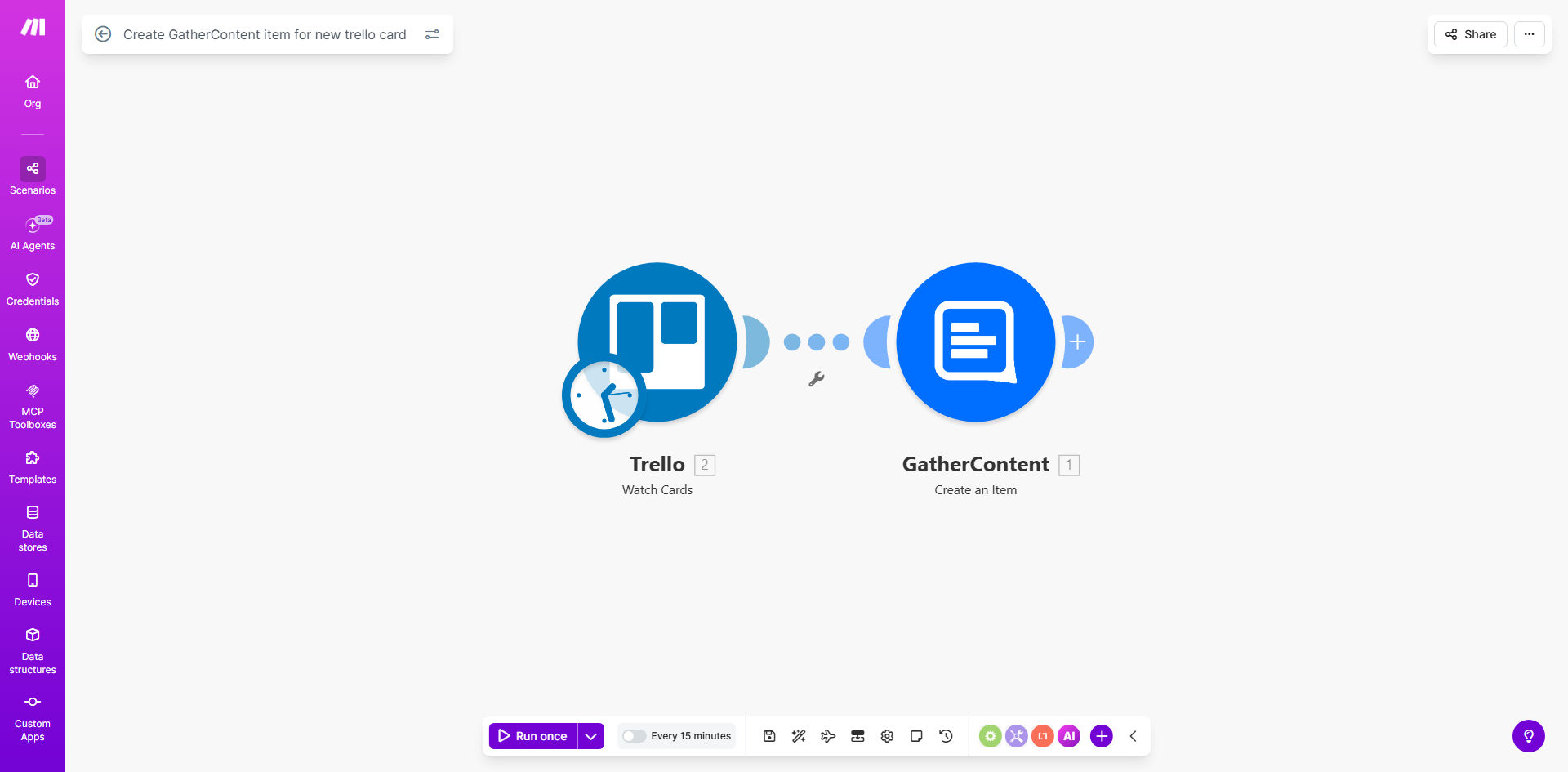
What This Workflow Does
For marketing teams, content agencies, and product managers, the gap between project planning and content execution is often filled with manual, error-prone work. A task is created in Trello, but then someone must manually re-enter all the details—title, description, due date, assignee—into GatherContent to start the actual writing process. This creates bottlenecks, miscommunication, and wasted time.
This automation workflow solves that by creating a seamless, automatic bridge. Every time a new card is added to a specific Trello board or list (like "Content Backlog" or "Blog Ideas"), Make.com instantly creates a corresponding item in your designated GatherContent project. The card's title becomes the item name, the description populates the content brief, and other metadata like labels or due dates can be mapped to custom fields. This turns a project management action into an immediate, actionable content brief, eliminating double-handling and accelerating your entire production cycle.
The business value is clear: reduced administrative overhead, faster content turnaround, and fewer mistakes from manual copying. It ensures your creative team spends time on creating great content, not on managing spreadsheets or chasing down brief details.
How It Works
The workflow is a straightforward, reliable automation built on Make.com's visual platform. It listens for a trigger event and performs a series of actions to sync data between the two apps.
Step 1: Trigger on New Trello Card
The automation is initiated whenever a new card is created on your chosen Trello board. You can filter this to specific lists (like "To-Do" or "Approved") to ensure only ready-to-write tasks kick off the process.
Step 2: Extract Card Data
Make.com captures all relevant data from the new Trello card: the card name, description, member assignments, due date, labels, checklist items, and any attachments. This data bundle is prepared for the next step.
Step 3: Create GatherContent Item
Using the data from Trello, Make.com creates a new item inside your specified GatherContent project. It maps the Trello card name to the GatherContent item title and the card description to the main content area. You can extend this mapping to include custom fields in GatherContent for status, priority, or client name.
Step 4: (Optional) Notify & Route
As an optional enhancement, the workflow can send a notification to a Slack channel or email the assigned content creator, letting them know a new brief is ready in GatherContent. This closes the loop and ensures immediate action.
Pro tip: Use Trello labels (like "Blog Post," "Social Media," "Website Copy") to automatically assign the new GatherContent item to the correct folder or project template, further streamlining your content taxonomy.
Who This Is For
This automation is a game-changer for any team that uses Trello for project management and GatherContent for content creation and collaboration.
Marketing Teams & Agencies: Manage client content calendars in Trello and have briefs auto-populate in GatherContent for writers, eliminating manual brief creation and follow-up emails.
Product & Documentation Teams: Turn feature requests or bug tickets from Trello into structured documentation tasks in GatherContent, ensuring technical writers have all context from the start.
Publishers & Media Outlets: Streamline editorial workflows where story pitches (Trello cards) need to become fully-fledged article assignments with deadlines and guidelines in GatherContent.
What You'll Need
- A Make.com account (free tier available) to build and run the automation.
- Administrator or member access to a Trello board where content tasks are managed.
- A GatherContent account with an existing project where you want the new items created.
- The API keys or OAuth connections for both Trello and GatherContent, which Make.com will guide you through setting up securely.
- A clear idea of which Trello list should trigger the automation and which GatherContent project should receive the items.
Quick Setup Guide
You can have this workflow live in under 15 minutes. Follow these steps:
- Import the Template: Click "Get This Workflow" to open the template in your Make.com account and create a copy.
- Connect Your Apps: Authorize Make.com to access your Trello and GatherContent accounts. These are secure, read-only connections for Trello and create-only for GatherContent.
- Configure the Trigger: In the first module, select your specific Trello board and, optionally, the list that contains new content tasks.
- Map the Data: In the GatherContent "Create Item" module, select your target project and map the Trello card fields (like name, description) to the corresponding GatherContent item fields.
- Test & Activate: Create a test card in your Trello board and run the scenario once to verify an item appears correctly in GatherContent. Then, turn the automation on.
Key Benefits
Eliminate Manual Data Entry: Save 5–15 minutes per content task by automatically transferring information from Trello to GatherContent, freeing your team for higher-value work.
Accelerate Content Velocity: Reduce the time from idea to brief from days or hours to mere seconds, significantly speeding up your overall content production pipeline.
Improve Accuracy & Consistency: Automated mapping ensures every brief contains all the information from the original Trello card, reducing errors and omissions common in manual processes.
Enhance Cross-Team Visibility: Creates a transparent handoff between project managers (in Trello) and content creators (in GatherContent), improving collaboration and accountability.
Scalable Workflow Foundation: This simple automation can be extended to include approvals, multi-step routing, or integrations with other tools like Slack or your CMS, growing with your team's needs.