What This Workflow Does
For businesses using Revolut Business, managing draft payments—those scheduled or initiated but not yet completed—is a critical part of cash flow forecasting. Manually copying details like amount, recipient, date, and reference from Revolut into an Excel spreadsheet is tedious, error-prone, and creates a lag in your financial records. This disconnect can lead to missed payments, inaccurate cash flow views, and hours wasted on reconciliation.
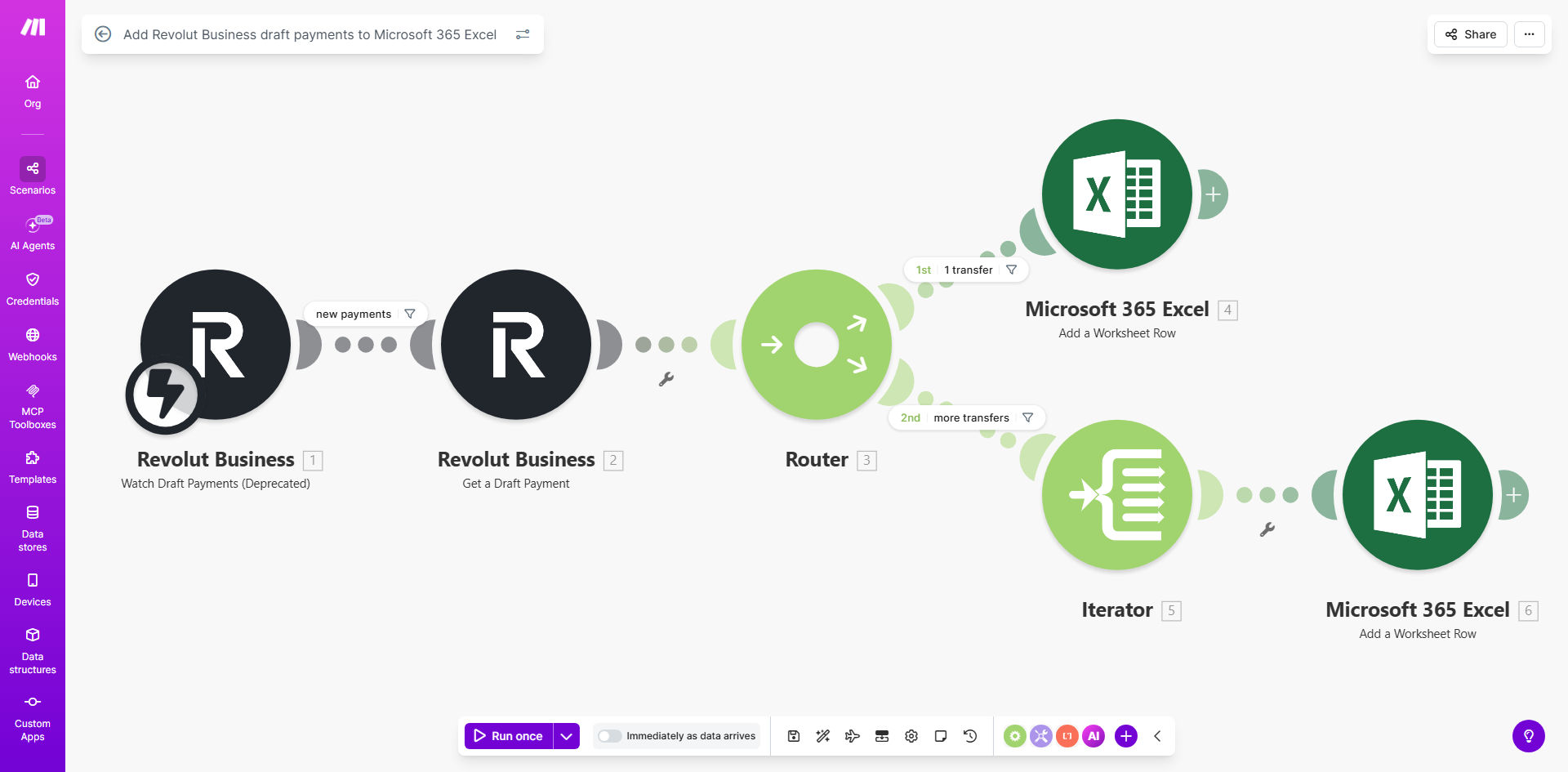
This automation solves that by creating a seamless bridge between Revolut Business and Microsoft 365 Excel. Every time a new draft payment is created in your Revolut account, this Make.com workflow instantly captures the details and appends them as a new row in your designated Excel worksheet. The result is a live, centralized ledger of all pending and processed payments, updated automatically without any manual intervention.
How It Works
The workflow operates on a simple trigger-action principle, ensuring your Excel sheet is always synchronized with your Revolut activity.
Step 1: Monitoring Revolut for New Drafts
The workflow starts with a Make.com module that watches your Revolut Business account. It is configured to trigger instantly whenever a new "draft payment" is created. This could be a scheduled payment to a supplier, a salary batch you've set up, or a one-off transfer you've initiated.
Step 2: Extracting the Payment Data
Once triggered, the workflow pulls all relevant data from the draft payment. This typically includes the payment ID, amount, currency, recipient name/IBAN, scheduled date, status, and any custom reference or note you added.
Pro tip: Ensure your Revolut draft payments include clear references or notes. This data will flow into Excel, making it much easier to categorize expenses and understand the purpose of each transaction later.
Step 3: Structuring and Sending to Excel
Make.com then maps each piece of extracted data to a corresponding column in your Microsoft 365 Excel worksheet. The workflow locates your specific Excel file and sheet, and adds a new row with the fresh payment information. It matches the data to your pre-defined column headers, keeping your spreadsheet organized and consistent.
Who This Is For
This automation is a game-changer for small to medium-sized businesses, freelancers, and finance teams that use Revolut Business for day-to-day operations. It's ideal for business owners who want real-time visibility into their cash flow, accountants who need clean, timely data for reconciliation, and operations managers who schedule regular payments to vendors or contractors. If you're tired of switching tabs and copying data, this workflow is for you.
What You'll Need
- A Revolut Business account with active draft payments.
- A Microsoft 365 (Office 365) subscription with access to Excel Online.
- An Excel workbook set up with column headers for the data you want to capture (e.g., Date, Amount, Currency, Recipient, Reference, Status).
- A Make.com account (free tier available) to host and run the automation.
Quick Setup Guide
You can have this automation running in under 15 minutes.
- Get the Template: Click the "Get This Workflow" button to copy the template to your Make.com account.
- Connect Revolut Business: In the first module, authorize Make.com to access your Revolut Business account using secure OAuth. You'll be redirected to Revolut to grant permissions.
- Connect Microsoft 365 Excel: In the Excel module, sign in to your Microsoft account and select the specific Excel file and worksheet where you want the data to go.
- Map Your Data: The template is pre-configured, but review the data mapping. Ensure the fields from Revolut (like 'amount', 'counterparty.name') are correctly linked to your Excel column headers.
- Test and Activate: Create a test draft payment in Revolut (e.g., schedule a £1 payment). The workflow should run and add a row to your Excel sheet. Once confirmed, activate the scenario to run automatically.
Key Benefits
Save 2–5 hours per week on manual bookkeeping. Eliminate the repetitive task of logging payments, freeing up time for strategic financial analysis or core business activities.
Achieve 100% accuracy in your payment records. Remove human error from data entry, ensuring your Excel ledger perfectly matches your Revolut activity, which simplifies audits and tax preparation.
Gain real-time cash flow visibility. With draft payments logged instantly, you always have an up-to-date view of committed future expenses, enabling better financial forecasting and decision-making.
Streamline accountant collaboration. Provide your accountant with a consistently formatted, automatically updated Excel file, reducing their cleanup time and your billable hours.
Build a scalable financial system. This automation creates a reliable foundation. As you grow, you can easily extend it to add expense categorization, approval workflows, or connections to accounting software like Xero.