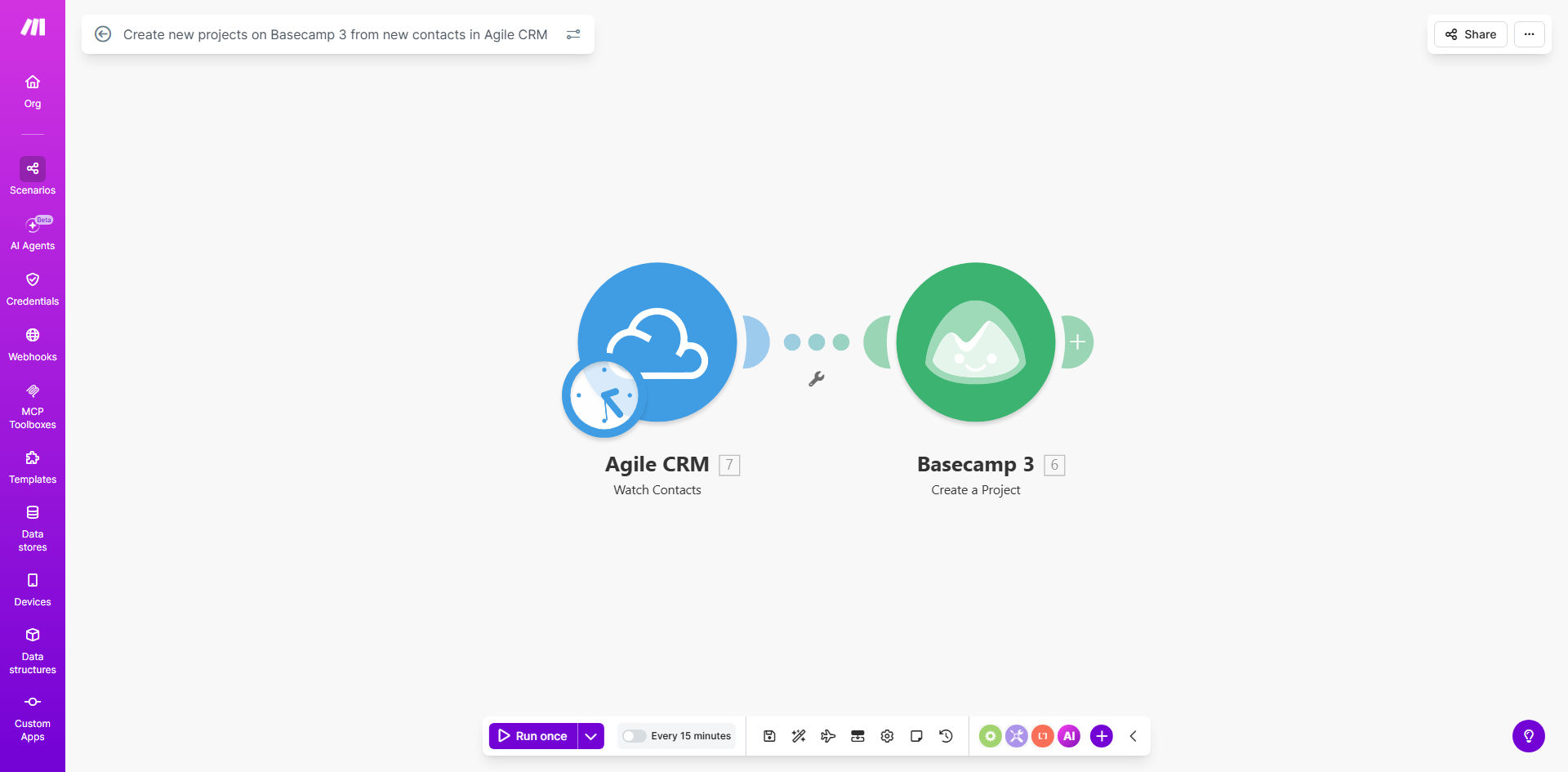
What This Workflow Does
For service-based businesses, agencies, and consultants, the gap between acquiring a new client in your CRM and getting their project started in your project management tool is where delays and errors creep in. Manually copying contact details from Agile CRM to create a new project in Basecamp 3 is a repetitive, time-consuming task that can lead to missed information or inconsistent project setup.
This automation solves that by creating a seamless bridge between your sales pipeline and your delivery team. The moment a new contact is saved in Agile CRM—whether it's a new lead from a web form, a new customer from a sale, or a new partner—this Make.com workflow automatically triggers and creates a corresponding, fully-configured project in your Basecamp 3 account. It transfers key details, ensuring your team has immediate context and a dedicated workspace to begin work without waiting for a manual handoff.
How It Works
The workflow acts as an intelligent middleman, listening for changes in one app and taking action in another.
Step 1: Watch for New Agile CRM Contacts
The scenario starts with a "Watch Contacts" module in Agile CRM. It polls your account at regular intervals (e.g., every 15 minutes) or uses a webhook for instant triggering. When it detects a newly created contact, it captures the entire contact record—name, email, company, phone, and any custom fields you've defined.
Step 2: Map and Prepare the Data
Make.com's router and data transformation tools allow you to filter or format the incoming contact data. You can set rules here—for example, only create projects for contacts with a "Status" of "Customer," or format the project name as "Project: [Company Name] - [Contact Name]". This step ensures only relevant contacts trigger projects and that the data is structured correctly for Basecamp.
Step 3: Create the Basecamp 3 Project
The core action module connects to your Basecamp 3 account via its API. Using the mapped data from Agile CRM, it executes a "Create a Project" call. You define how the contact information translates into the project: the contact's company name becomes the project name, their email or notes become the project description, and you can even pre-populate the project with standard to-do lists, message boards, or automatic team assignments based on the contact's type or tags.
Pro tip: Use Basecamp's template feature in conjunction with this automation. Create a "New Client Onboarding" template in Basecamp with standard checklists and documents. Then, configure the Make.com scenario to create the new project from that template, injecting the Agile CRM contact details. This guarantees consistency and professionalism for every new project.
Who This Is For
This automation delivers the most value to teams that manage client work and have a defined sales-to-delivery process.
- Digital Marketing & SEO Agencies: Automatically create a client project when a new contract is signed and the client is added to the CRM.
- Web Development & Design Studios: Kick off development projects instantly from new lead inquiries captured via website forms into Agile CRM.
- Consultants & Coaches: Set up a private coaching project space for each new client who purchases a package.
- Small Business Service Providers: (e.g., accountants, bookkeepers) Create a secure workspace for each new business client for document sharing and task tracking.
- Internal Operations Teams: Use it for internal requests—when a new vendor or partner is added to the CRM, create a Basecamp project for the procurement or onboarding team.
What You'll Need
- Active Accounts: A paid or active account with both Agile CRM and Basecamp 3.
- Make.com Account: A free or paid Make.com account to host and run the automation scenario.
- API Access: Admin or owner access to both apps to generate API keys or authenticate via OAuth for Make.com to connect.
- Clear Process: A defined understanding of what contact information should be transferred and what a "new project" should look like in Basecamp.
Quick Setup Guide
Follow these steps to get your automation live in under 30 minutes.
- Get the Template: Click "Get This Workflow" to open the pre-built template in your Make.com account.
- Connect Your Apps: In the Make.com editor, click the Agile CRM module and authenticate your account. Repeat for the Basecamp 3 module.
- Configure the Trigger: In the Agile CRM "Watch Contacts" module, confirm it's set to watch for "New Contact" events. You can adjust the polling interval if needed.
- Map the Data: In the Basecamp "Create Project" module, map the fields. Drag the contact's name, company, or email from the Agile CRM module into the Project Name and Description fields in Basecamp.
- Set Permissions (Optional): Configure which Basecamp team members should be added to the new project automatically by default.
- Test & Activate: Turn on the scenario, then create a test contact in Agile CRM. Check your Basecamp account within a few minutes to see the new project appear automatically.
Key Benefits
Save 2–5 hours per week on manual project setup. Eliminate the repetitive task of switching between apps, copying data, and creating projects from scratch. This time can be reinvested into billable client work or strategic planning.
Ensure 100% data accuracy and consistency. Automated data transfer removes human error. Every project is created with the correct client name, company, and details directly from the source system, guaranteeing a professional first impression.
Reduce project kick-off time from days to minutes. Your delivery team is notified and can start work immediately via the new Basecamp project, dramatically shortening the sales-to-delivery cycle and improving client satisfaction from day one.
Create a scalable, repeatable onboarding process. As your business grows, this automation ensures every new client receives the same organized, efficient onboarding experience without adding administrative overhead to your team.
Improve visibility and accountability. By automatically creating a project for every CRM contact, you ensure no lead or client falls through the cracks. All communication and tasks are centralized from the very beginning.