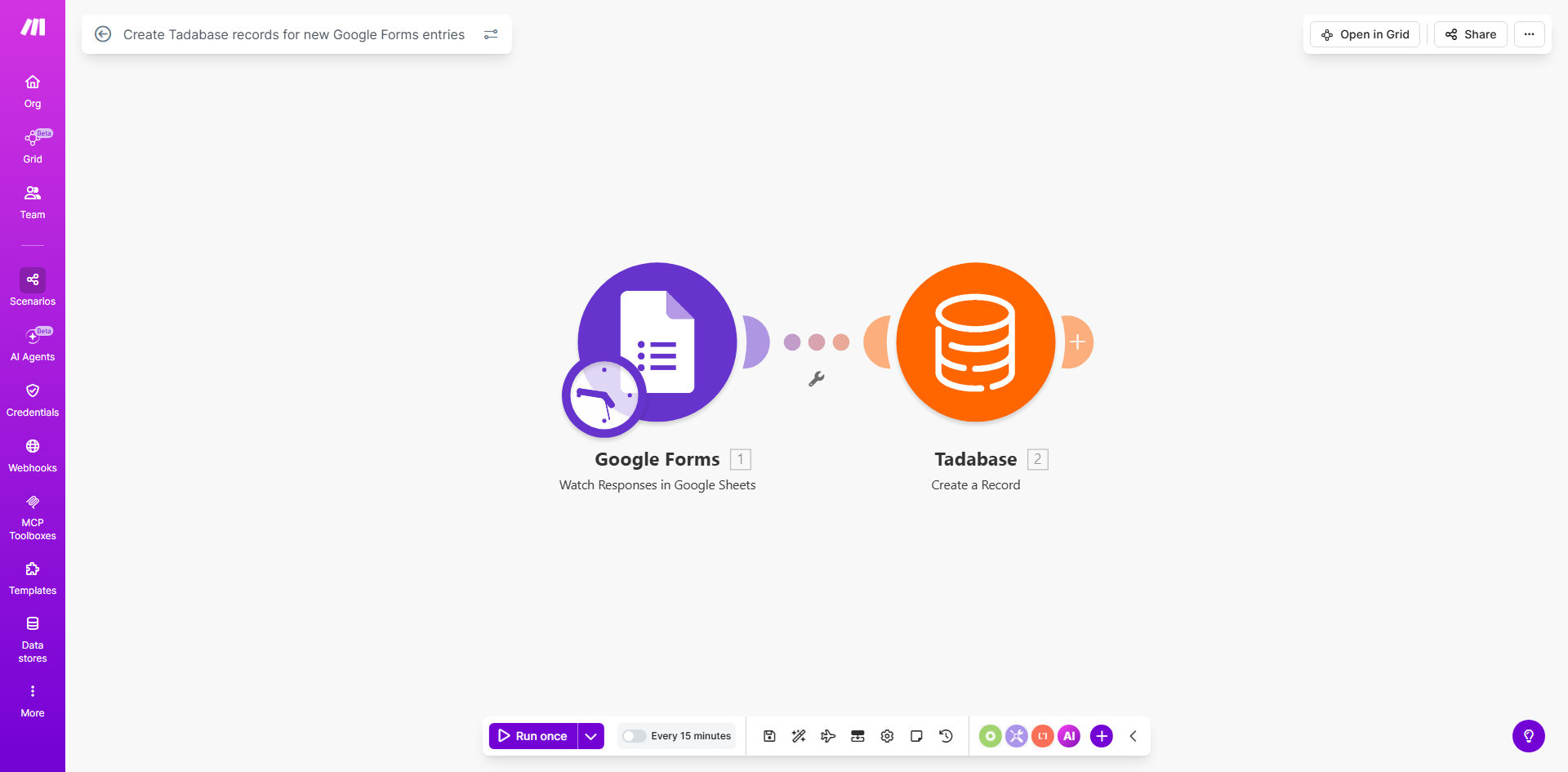
What This Workflow Does
Businesses use Google Forms for everything from customer feedback and job applications to event registrations and internal requests. However, the data collected often gets trapped in a Google Sheets spreadsheet, requiring manual work to transfer it into a functional business database like Tadabase. This process is slow, prone to errors, and creates data silos.
This automation solves that problem by creating a live bridge between Google Forms and Tadabase. Every time a respondent clicks "submit," the workflow instantly captures their entry and creates a corresponding record in your designated Tadabase table. This eliminates the lag between data collection and data availability, ensuring your team always works with the most current information in a structured, queryable format.
Pro tip: Use this automation as the foundation for a complete data pipeline. Once the record is in Tadabase, you can build relationships with other tables, trigger internal alerts, or feed the data into dashboards for real-time insights.
How It Works
The workflow is built on Make.com's visual automation platform and operates on a simple trigger-action principle.
Step 1: New Form Submission Trigger
The workflow is activated the moment a new entry is submitted to your connected Google Form. Make.com watches for this event in real-time, capturing the entire response package, including timestamps and all answer data.
Step 2: Data Parsing & Preparation
The raw form data is parsed and prepared for Tadabase. This step can involve formatting text, converting dates, splitting full names into first and last name fields, or applying simple conditional logic to categorize the submission.
Step 3: Create Tadabase Record
The prepared data is then sent to Tadabase via its API. The workflow maps each form field to the correct column in your specified Tadabase table and executes the "Create a Record" action. A successful creation confirms the data is now live in your database.
Who This Is For
This automation is ideal for any team or business that relies on forms for data collection and needs that data in a powerful, relational database. It's perfect for HR teams managing applications, marketing teams capturing leads, operations teams handling service requests, event coordinators processing registrations, and small businesses centralizing customer inquiries. If you're tired of exporting and importing CSV files, this workflow is for you.
What You'll Need
- A Google account with a live Google Form you want to connect.
- A Tadabase account with an existing table (or the ability to create one) to receive the form data.
- A Make.com account (free tier available) to host and run the automation.
- API credentials or connection access for both Google Forms and Tadabase, which Make.com will guide you through.
Quick Setup Guide
You can be up and running in less than 30 minutes by following these steps.
- Get the Template: Click the "Get This Workflow" button to copy the template into your Make.com account.
- Connect Your Apps: In the Make.com scenario editor, establish connections to your Google account and your Tadabase account. This is a one-time authentication process.
- Configure the Trigger: Select the specific Google Form you want to monitor for new submissions.
- Map the Fields: In the Tadabase module, select your target application and table. Then, map each Tadabase column to the corresponding data item from the Google Forms response.
- Test & Activate: Run a test by submitting a dummy entry to your form. Verify the record appears correctly in Tadabase. Once confirmed, turn the scenario on. It will now run automatically for every future submission.
Key Benefits
Eliminate 100% of manual data entry for form submissions, saving teams an average of 5-10 hours per week previously spent on copy-pasting and reformatting data between systems.
Achieve zero-latency data availability, ensuring new submissions are actionable in Tadabase within seconds, not hours or days, dramatically improving response times to customers or internal requests.
Guarantee 99.9% data accuracy by removing the human error factor from the transfer process. Every field is mapped precisely, eliminating typos and missed entries.
Unlock advanced data relationships by having form data natively in Tadabase, where it can be linked to other records, used in powerful searches, and visualized in custom dashboards.
Create a scalable data intake system that can handle 10 or 10,000 submissions per month with the same reliability, forming the backbone of your business operations.