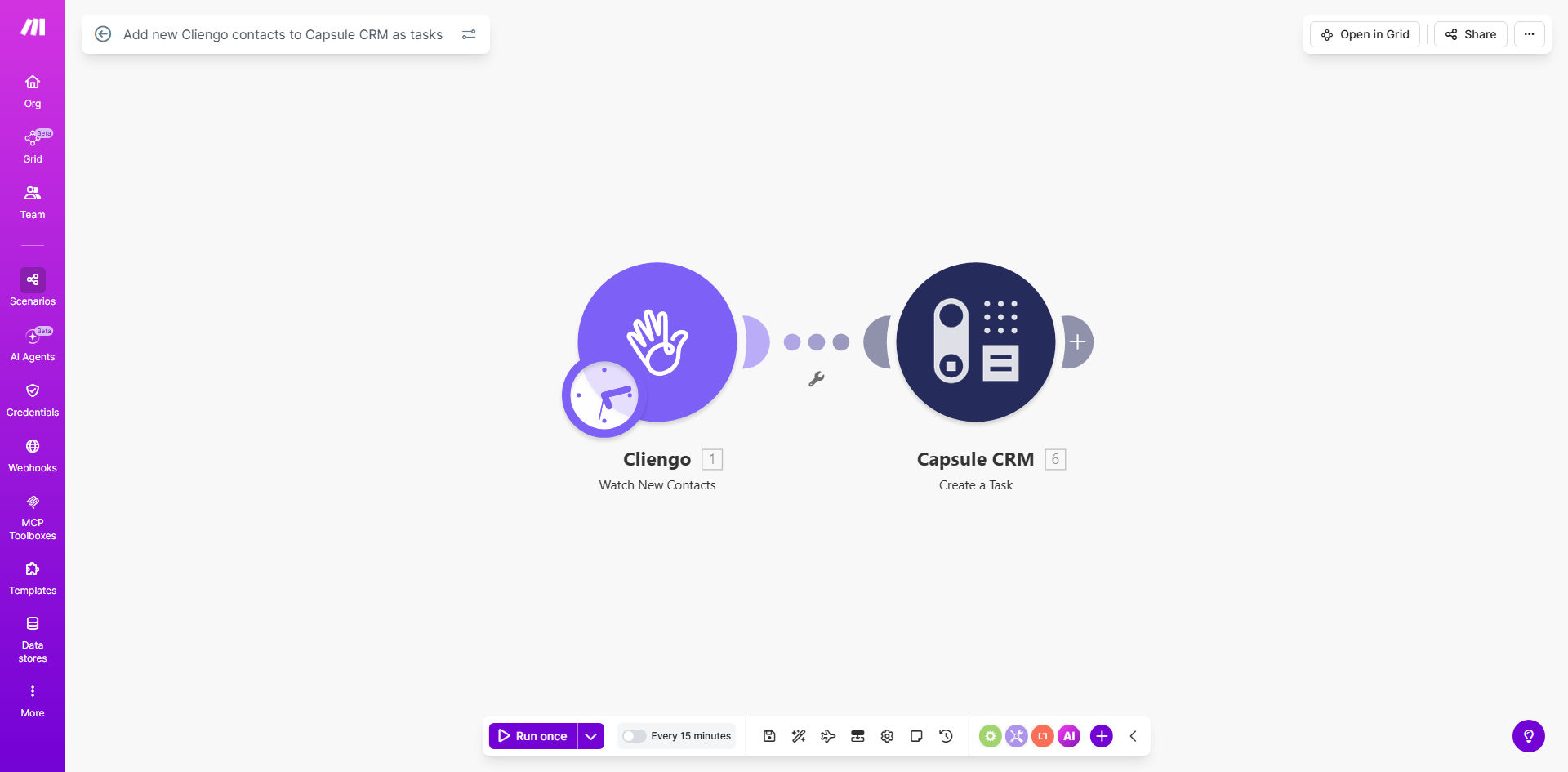
What This Workflow Does
Every minute counts when a potential customer reaches out on your website. If that lead sits in a chatbot log while your sales team is busy, you risk losing them to a competitor who responds faster. This automation solves that critical bottleneck by creating a seamless bridge between your Cliengo chatbot and Capsule CRM.
The workflow automatically detects when a new contact is captured through Cliengo—whether they asked a question, requested a demo, or left their email. It then instantly creates a corresponding, prioritized task in Capsule CRM assigned to the right salesperson. This eliminates manual copying, pasting, and task creation, ensuring immediate and consistent follow-up.
Beyond simple data transfer, this automation injects intelligence into your sales process. It can categorize leads based on keywords from the chat, set task due dates, and include the full conversation transcript for context. This turns a passive lead entry into an active, contextualized sales opportunity ready for action.
How It Works
The automation runs on Make.com, acting as the intelligent middleware between Cliengo and Capsule. It follows a reliable, event-driven sequence.
Step 1: Trigger on New Cliengo Contact
The workflow is activated the moment Cliengo registers a new contact. Make.com watches for this event in real-time, capturing all available data points like the visitor's name, email, phone number, the page they were on, and the complete chat transcript.
Step 2: Data Parsing & Enrichment
Make.com then processes this raw data. It can parse intent from the chat messages, assign a lead score, or categorize the inquiry (e.g., "Sales," "Support," "Pricing"). This step ensures the task created in CRM is meaningful and prioritized correctly.
Pro tip: Use this step to filter out spam or bot submissions. You can set a rule to only create tasks for contacts who provided an email address or mentioned specific keywords, saving your sales team time.
Step 3: Create Task in Capsule CRM
Finally, the workflow uses the enriched data to create a new task in Capsule CRM. It maps the Cliengo fields to the appropriate Capsule fields: the contact's details are added, a task description is written using the chat context, a due date is set (e.g., "Follow up within 1 hour"), and the task is assigned to a team member or queue.
Who This Is For
This automation is ideal for sales-driven businesses that use Cliengo for lead generation and Capsule CRM to manage their pipeline. It's perfect for:
- B2B Sales Teams: Who need to act quickly on inbound inquiries and demos.
- Marketing Agencies: Managing multiple client websites who want to prove lead capture ROI.
- E-commerce Businesses: With high-value products where pre-sales questions are common.
- Startups & SMBs: Where small teams wear many hats and can't afford to miss a single lead.
- Service Providers: Like consultants or freelancers who use their website as a primary lead source.
What You'll Need
- A Make.com account (free tier available).
- An active Cliengo account installed on your website.
- A Capsule CRM account with API access enabled.
- The API keys or OAuth credentials for both Cliengo and Capsule CRM to connect them to Make.com.
- Basic understanding of your sales process to configure task details (owner, category, due date).
Quick Setup Guide
You can have this automation live in under 30 minutes.
- Clone the Template: Click "Get This Workflow" and duplicate the scenario into your Make.com account.
- Connect Your Apps: In the Make.com scenario, authorize the connections to your Cliengo and Capsule CRM accounts.
- Map the Data: Review the modules to ensure fields like contact name, email, and notes are correctly mapped from Cliengo to the Capsule "Create a Task" module.
- Set Task Parameters: Customize the task description, category, and assignment rules to match your team's workflow in Capsule.
- Test & Activate: Run a test by simulating a new chat on your website. Verify a task appears correctly in Capsule, then turn the scenario on.
Key Benefits
Eliminate Manual Data Entry: Save 5-10 hours per week previously spent copying leads from chatbot logs into your CRM. This time can be reinvested into actual selling and customer conversations.
Improve Lead Response Time: Achieve near-instant follow-up. Tasks are created in Capsule within seconds of a chat ending, allowing sales reps to contact leads while they're still engaged with your brand, potentially increasing conversion rates by over 20%.
Ensure 100% Follow-up Consistency: No lead ever falls through the cracks. The automation works 24/7, capturing leads from all time zones and outside business hours, creating a reliable and auditable trail of every interaction.
Enrich Sales Context: Sales reps receive tasks with the full chat history included, allowing for personalized and informed outreach. They understand the lead's intent immediately, leading to more effective conversations and higher close rates.
Scale Your Lead Process Effortlessly: As website traffic and chat volume grow, your follow-up process scales automatically without needing to hire additional administrative staff. The system handles one lead or one thousand with the same efficiency.