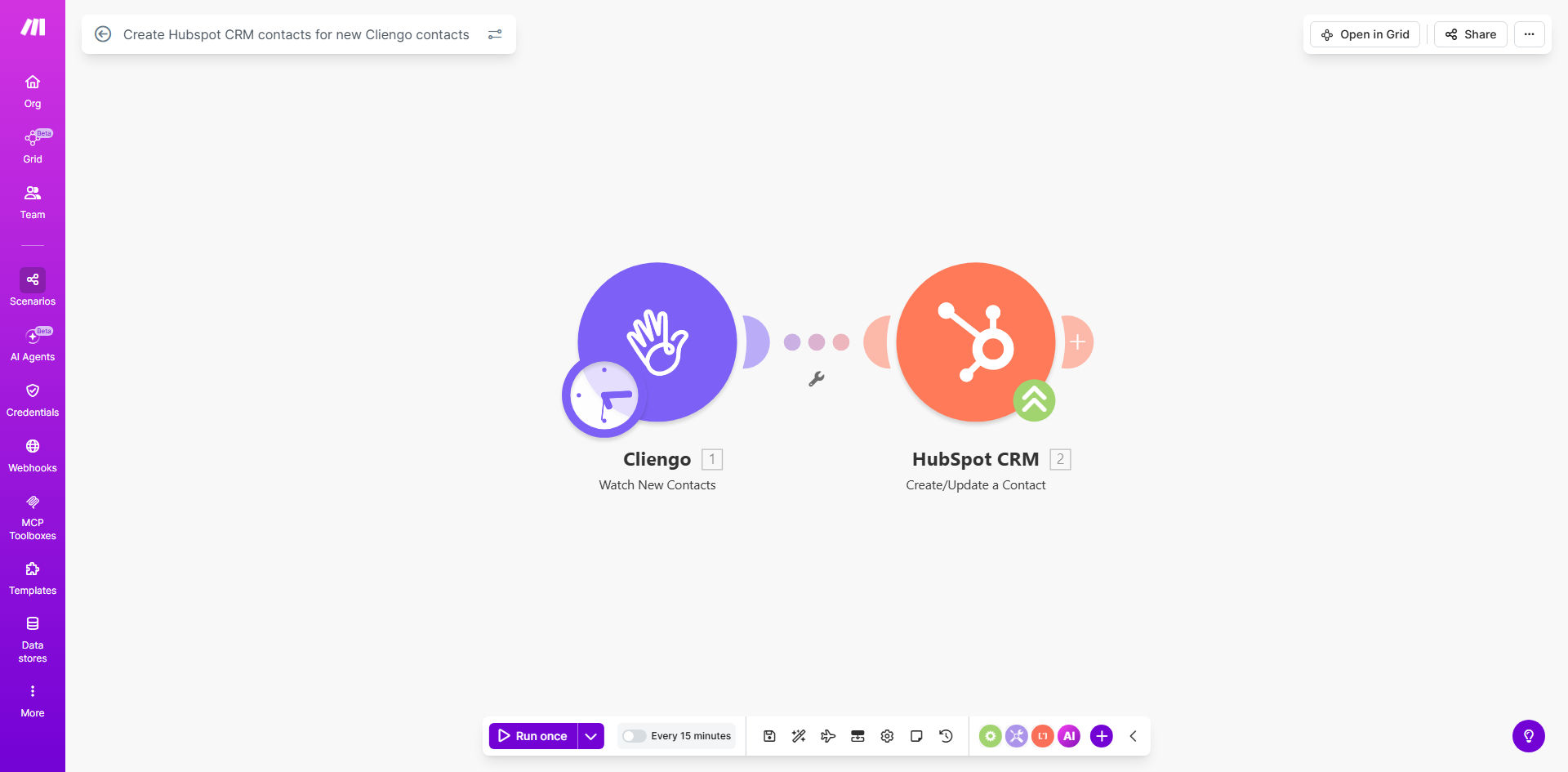
What This Workflow Does
Every minute a sales lead sits in a chat widget without being actioned is a minute you risk losing them. Manually copying visitor details from Cliengo into HubSpot is a tedious, error-prone task that slows down your sales team and can lead to missed opportunities.
This automation solves that problem by creating a seamless bridge between your website's front door and your CRM's heart. Whenever a new contact is captured through a Cliengo chat conversation—whether they asked for a demo, downloaded a guide, or just shared their email—this workflow instantly triggers and creates a corresponding, fully-fledged contact record in your HubSpot CRM. The lead's information, including their initial query, is transferred accurately and immediately, ensuring your sales pipeline is always fed with fresh, actionable leads.
The business value is clear: you eliminate a repetitive administrative task, guarantee data consistency, and dramatically reduce the time between lead capture and sales follow-up. This isn't just about saving time; it's about increasing revenue by ensuring no potential customer falls through the cracks.
How It Works
The automation is elegantly simple, running silently in the background to connect two critical business tools.
Step 1: Trigger on New Cliengo Contact
The workflow is activated the moment Cliengo registers a new contact from a chat session. Make.com watches for this event, capturing the payload of data which includes the visitor's name, email address, phone number, the page they were on, and the chat transcript.
Pro tip: Use Cliengo's custom fields to capture specific qualifying information (e.g., "Company Size," "Use Case"). This data can be mapped directly to custom properties in HubSpot for highly targeted follow-up.
Step 2: Create Contact in HubSpot CRM
Make.com then takes the collected data and uses it to create or update a contact in your specified HubSpot portal. It maps the Cliengo fields to the correct HubSpot contact properties (like first name, email, etc.). The new contact is instantly available in HubSpot, ready for your sales team to engage, add to lists, or trigger nurturing sequences.
Who This Is For
This template is a perfect fit for B2B and B2C companies that use Cliengo for live chat or conversational marketing and HubSpot as their central CRM. It's especially valuable for:
- Sales Teams: Who need immediate notifications and complete context on new leads to follow up while interest is highest.
- Marketing Operations: Professionals looking to automate lead routing and ensure clean, synchronized data between acquisition channels and the CRM.
- Small Business Owners: Wearing multiple hats, who can't afford to manually manage leads and need a "set-and-forget" system to grow their pipeline.
- Agencies: Managing client websites who want to provide a seamless, professional lead management process as part of their service.
What You'll Need
To implement this automation, you will need the following accounts and access:
- A Make.com account (free or paid plan).
- An active Cliengo account with contacts being generated.
- A HubSpot account (Sales Hub or Marketing Hub) with administrator or integration access to generate API keys.
- The API credentials or OAuth access for both Cliengo and HubSpot to authorize the connection in Make.com.
Quick Setup Guide
You can have this automation running in under 15 minutes.
- Get the Template: Click "Get This Workflow" to copy the template into your Make.com account.
- Authorize Connections: In the Make.com scenario editor, connect your Cliengo and HubSpot accounts by following the OAuth or API key prompts.
- Map the Data: Review the data mapping between the Cliengo module and the HubSpot "Create a Contact" module. Ensure fields like email, first name, and last name are correctly aligned.
- Test the Flow: Initiate a test by creating a dummy contact in Cliengo or using the "Run once" feature in Make. Verify that a contact appears correctly in your HubSpot CRM.
- Activate: Turn on the scenario scheduler. It will now run automatically, watching for new Cliengo contacts in real-time.
Key Benefits
Eliminate Manual Data Entry: Save your team 5-10 hours per week previously spent copying and pasting lead information from chat logs into the CRM. This time can be redirected towards high-value selling activities.
Accelerate Sales Response Time: Leads are created in HubSpot within seconds, not hours or days. This allows your sales team to reach out while the lead's intent is hottest, potentially increasing conversion rates by up to 10x.
Ensure 100% Lead Capture: No lead is ever forgotten or lost in a spreadsheet or email inbox. Every website conversation is systematically logged as a contact, giving you a complete view of your acquisition funnel.
Improve Data Accuracy & Richness: Automated data transfer removes human error. Furthermore, you can enrich the HubSpot contact record with the full chat transcript, providing invaluable context for personalized follow-up.
Scale Your Operations Seamlessly: As your website traffic and lead volume grow, this automation scales effortlessly with you, handling one lead or one thousand with the same reliability, without requiring additional staff.