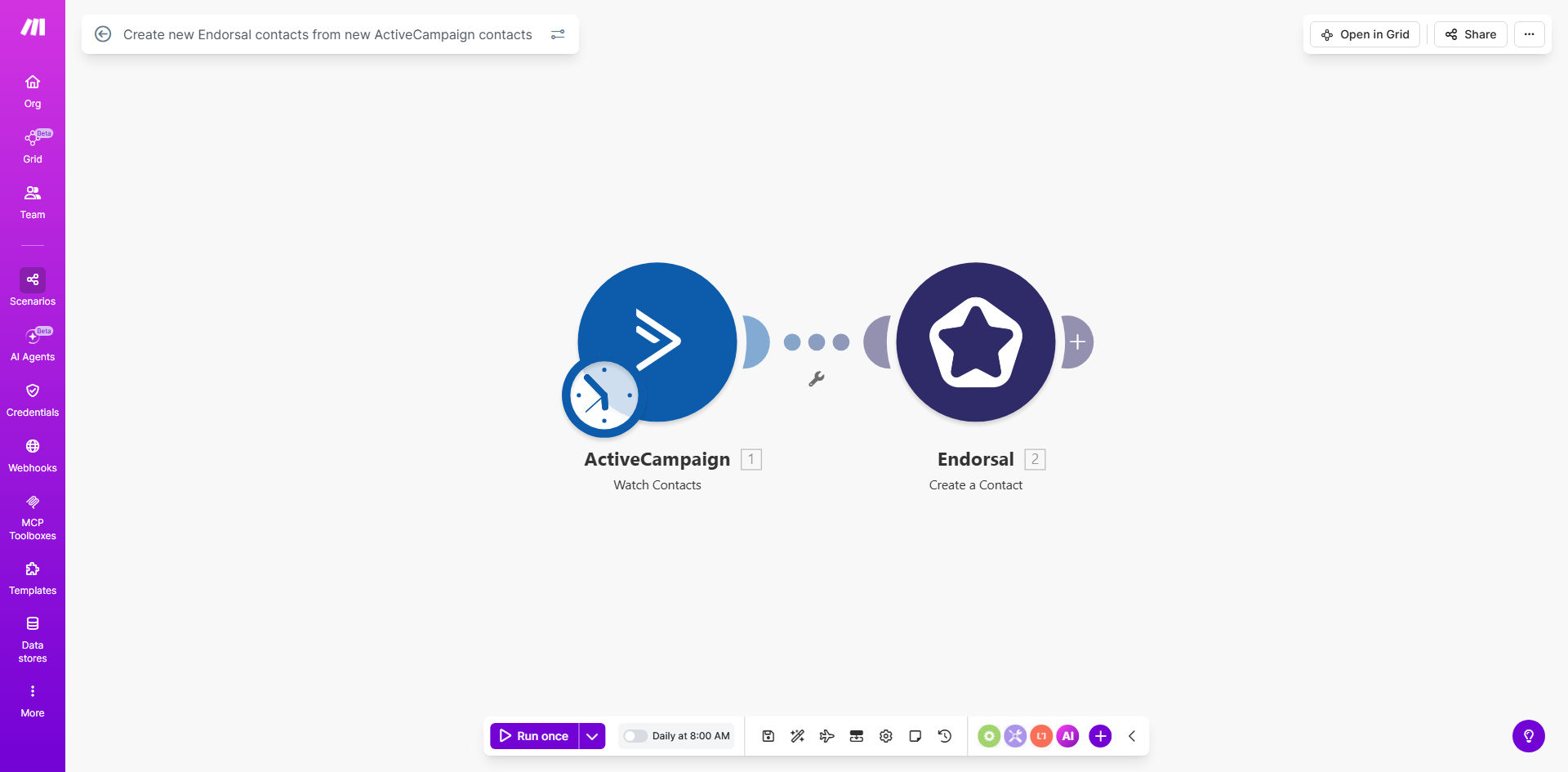
What This Workflow Does
For businesses using ActiveCampaign for email marketing and Endorsal for collecting and managing testimonials, a major bottleneck is manual data transfer. Every new lead or customer who signs up needs to be manually added to Endorsal to request a testimonial. This process is time-consuming, prone to error, and causes delays that can result in missed feedback opportunities when the customer experience is freshest.
This automation solves that problem by creating a seamless bridge between your marketing automation and social proof platforms. It periodically checks ActiveCampaign for new contacts and automatically uploads them as new contacts in Endorsal. The result is a fully automated testimonial collection pipeline that works in the background, saving your team hours each month and ensuring a steady stream of potential reviewers.
Pro tip: Use this automation in tandem with a post-purchase or onboarding email sequence in ActiveCampaign. Time your testimonial request in Endorsal to trigger a few days after a positive customer interaction for the highest response rates.
How It Works
The workflow is a scheduled, event-driven process built on Make.com. It acts as a reliable middleman, ensuring data consistency between the two platforms.
Step 1: Scheduled Check for New Contacts
The scenario is triggered on a schedule you define (e.g., every hour). It connects to your ActiveCampaign account and searches for contacts created since the last check.
Step 2: Data Mapping and Validation
For each new contact found, the workflow maps the relevant fields. It extracts the contact's first name, last name, email, and critically, their phone number. Since a phone number is mandatory in Endorsal, the workflow can be configured to handle cases where it's missing, such as logging an error or using a placeholder.
Step 3: Create Contact in Endorsal
The mapped contact data is then sent via the Endorsal API to create a new contact in your specified Endorsal account. The contact is instantly ready to be added to a testimonial collection campaign.
Step 4: Error Handling and Logging
The workflow includes error-handling routes. If a contact fails to create in Endorsal (e.g., duplicate email, API issue), the error is captured and can be sent to a log or notification channel like Slack or email, allowing for quick troubleshooting without breaking the entire automation.
Who This Is For
This automation is ideal for marketing teams, customer success managers, SaaS founders, and agencies who rely on social proof for growth.
- Marketing Teams: Who want to systematize testimonial collection as part of their customer journey without manual intervention.
- SaaS Companies: That onboard new users via ActiveCampaign and need to gather user feedback efficiently to display on their website.
- E-commerce Brands: Using ActiveCampaign for post-purchase sequences and Endorsal to collect product reviews from verified buyers.
- Service-Based Agencies: That need to request client testimonials after project completion, ensuring no happy client slips through the cracks.
What You'll Need
- An active Make.com account (free tier may suffice for low volume).
- An ActiveCampaign account with API access enabled (Admin > Developer settings).
- An Endorsal account with an active subscription and API key ready.
- Contacts in ActiveCampaign that include a phone number field (or a plan to handle missing data).
- Basic understanding of how to copy and activate a public template in Make.com.
Quick Setup Guide
You can have this automation running in under 15 minutes.
- Get the Template: Click the "Get This Workflow" button above to open the template on Make.com and create a copy in your own account.
- Connect Your Apps: In the new scenario, update the connections for both the ActiveCampaign and Endorsal modules with your own API credentials.
- Configure the Schedule: Set the schedule module to run at your desired frequency (e.g., every 6 hours).
- Map Your Fields: Verify that the field mapping between ActiveCampaign and Endorsal matches your custom fields. The template uses standard fields, but you can adjust them.
- Test and Activate: Run the scenario once manually to test with a single contact. Check that the contact appears correctly in Endorsal. Once confirmed, activate the scenario to run automatically.
Key Benefits
Save 5-10 hours per month on manual data entry. Eliminate the repetitive task of exporting CSV files from ActiveCampaign and importing them into Endorsal. Your team can focus on higher-value activities like crafting better testimonial requests.
Increase testimonial response rates by reaching customers immediately. Automation ensures new contacts are added to Endorsal within hours, not days or weeks. You can request feedback when their positive experience is top of mind, leading to more and better testimonials.
Ensure 100% data consistency and eliminate human error. Manual copying and pasting leads to typos and missed contacts. This automated sync guarantees that every qualified lead or customer is accurately transferred, building a complete testimonial pipeline.
Scale your social proof efforts effortlessly as you grow. Whether you add 10 or 1,000 new contacts a month, the automation handles the volume without any additional work from your team, making your testimonial collection process infinitely scalable.
Gain a competitive edge with a continuous stream of fresh social proof. A steady flow of new testimonials keeps your website, sales decks, and case studies updated, directly influencing buying decisions and building trust with prospective clients.