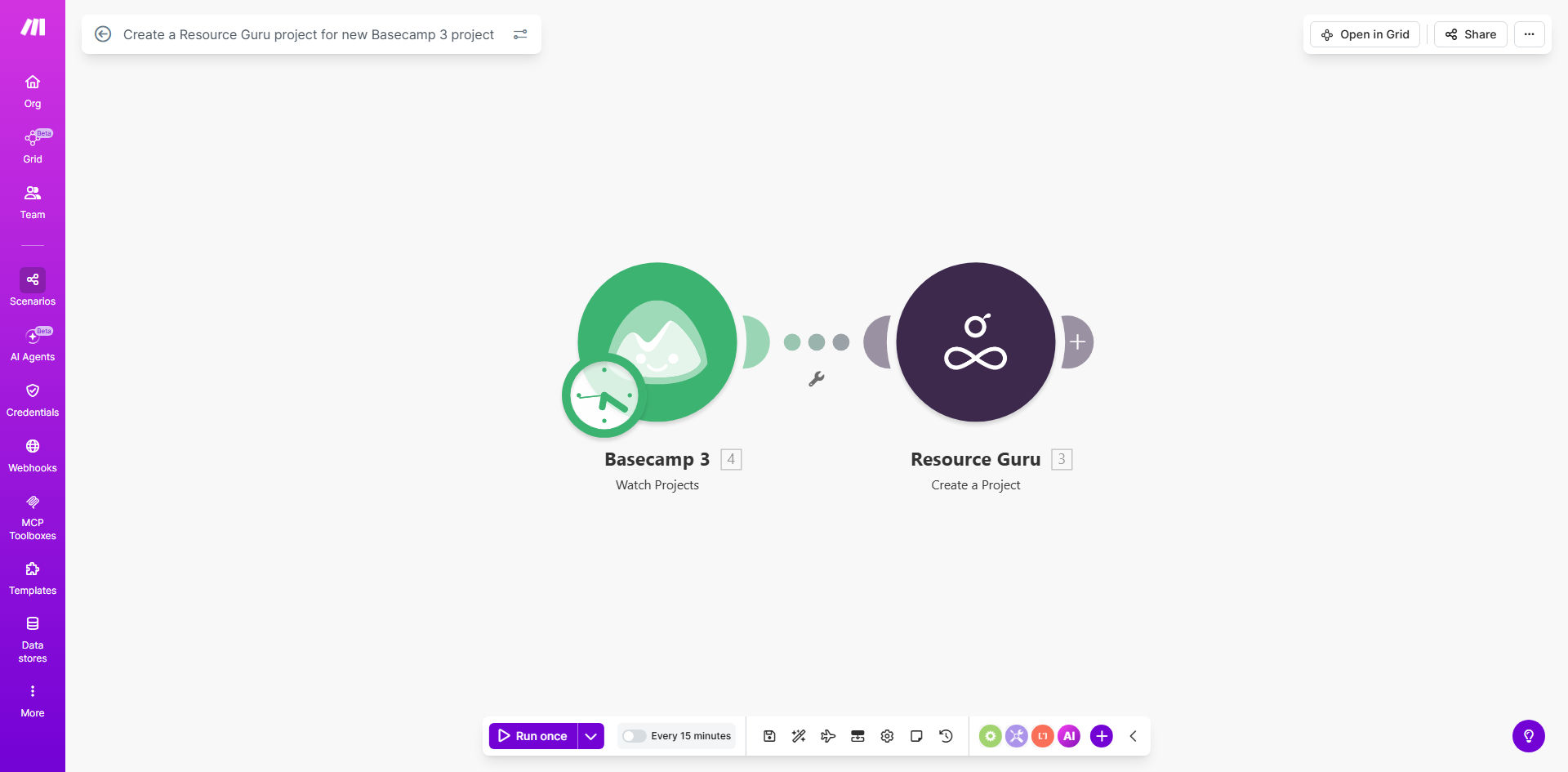
What This Workflow Does
For agencies, consultancies, and internal project teams, launching a new project often involves a frustrating shuffle between tools. A project manager creates a project in Basecamp 3 to manage tasks and communication, but then must manually open Resource Guru to create a corresponding project for scheduling people and tracking capacity. This duplicate entry is time-consuming, prone to typos or missed details, and creates a lag between project approval and resource planning.
This automation solves that disconnect. It acts as a digital bridge between your project management and resource scheduling software. Every time a new project is created in Basecamp 3, this Make.com workflow triggers instantly. It captures the key project details—name, description, dates, client—and uses them to automatically create a matching project in Resource Guru. This ensures your resource plan is always aligned with your active project portfolio, giving you accurate visibility into team availability from the moment a project begins.
How It Works
The workflow is a straightforward, reliable sequence that runs silently in the background, requiring zero manual intervention after setup.
Step 1: Monitor Basecamp 3 for New Projects
The scenario starts with a Make.com "Watch Projects" module connected to your Basecamp 3 account. It continuously polls Basecamp for new project creations. The instant a project is added, the workflow captures the event and retrieves all relevant data.
Step 2: Format and Prepare the Project Data
Make.com then processes the incoming data. It maps Basecamp fields (like project name, description, start date) to the corresponding fields required by Resource Guru's API. This step can include data transformation, such as reformatting dates or combining fields to create a specific project code.
Pro tip: Use this step to add custom logic. For example, you can route projects to different Resource Guru "portfolios" based on the Basecamp team name or client code, ensuring perfect organizational alignment.
Step 3: Create the Project in Resource Guru
The formatted data is sent to Resource Guru via its API. The workflow instructs Resource Guru to create a new project, populating all the predefined fields. Upon successful creation, Resource Guru returns a confirmation, and the project immediately appears in your resource schedule, ready for team assignments.
Who This Is For
This automation is a game-changer for any business that uses Basecamp 3 for project execution and Resource Guru for capacity planning. It's ideal for digital marketing agencies onboarding new clients, software development teams kicking off new sprints or products, and internal IT or operations departments managing a portfolio of internal initiatives. If your project managers, account managers, or team leads waste even 15 minutes per project on manual setup across tools, this workflow will deliver immediate ROI.
What You'll Need
- A Make.com account (Free or paid plan).
- An active Basecamp 3 account with admin or API access to the projects you want to monitor.
- An active Resource Guru account with administrator privileges to create projects via API.
- API credentials for both Basecamp 3 and Resource Guru, which are obtained from each platform's account settings.
Quick Setup Guide
You can have this automation running in under 30 minutes.
- Clone the Template: Click "Get This Workflow" to copy the template into your Make.com account.
- Connect Your Apps: In the Make.com scenario editor, authorize the connections to your Basecamp 3 and Resource Guru accounts using your API keys.
- Test the Trigger: Create a test project in a Basecamp 3 sandbox or a specific folder to trigger the workflow and see the data flow.
- Map Your Fields: Review the data mapping between Basecamp and Resource Guru. Adjust field names (like "Project Title" to "Name") to match your internal naming conventions.
- Activate & Monitor: Turn the scenario on. Create a real project in Basecamp and verify it appears correctly in Resource Guru within seconds.
Key Benefits
Save 2–5 hours per month per project manager by eliminating the manual process of creating projects in two systems. This time can be redirected to client strategy, risk management, and team leadership.
Eliminate 100% of scheduling errors caused by manual data entry, such as incorrect start dates or misspelled project names, ensuring your resource plan is always accurate and reliable.
Accelerate project kickoff by 24–48 hours by making the project instantly available for resource assignment in Resource Guru, allowing team leads to plan workloads without waiting for administrative updates.
Improve operational visibility by guaranteeing that every Basecamp project has a corresponding resource plan, providing leadership with a single source of truth for project portfolio and capacity tracking.
Scale your operations seamlessly as adding more projects no longer increases administrative overhead. The automation handles the setup work, allowing your team to focus on delivery rather than data entry.