What This Workflow Does
For businesses that rely on contracts—whether for services, partnerships, or client onboarding—the gap between sending a contract and starting the work is a critical vulnerability. Manually checking for new contracts, copying details, and creating tasks in project management tools like ClickUp is slow, error-prone, and leads to delays. This automation bridges that gap instantly.
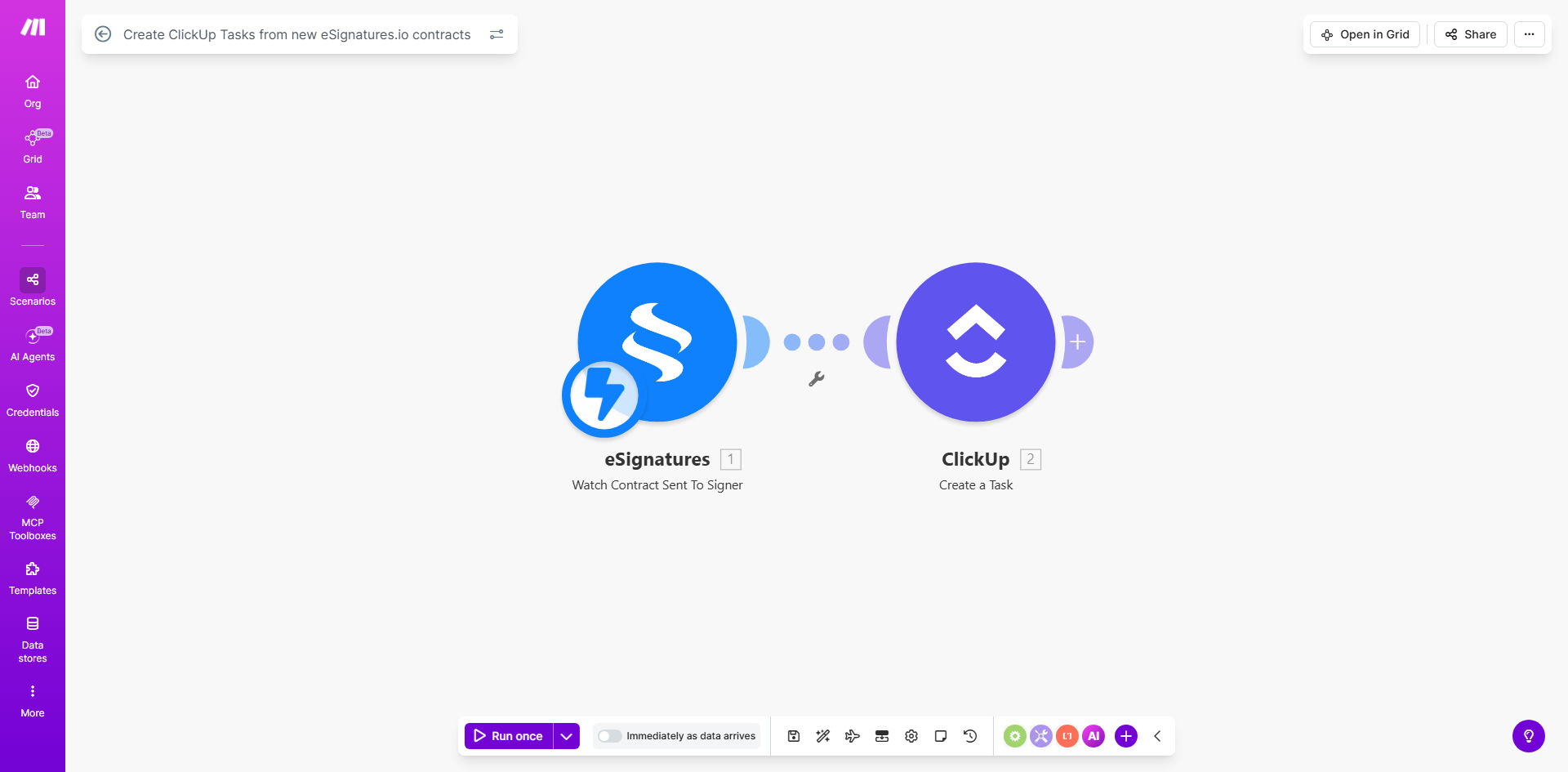
This workflow connects eSignatures.io, a popular electronic signature platform, with ClickUp, a powerful project management tool. Every time a new contract is sent out for signature via eSignatures.io, this Make.com scenario automatically triggers and creates a corresponding task in your designated ClickUp workspace. It transforms a contractual event into an immediate, trackable action item for your team.
The business value is clear: it eliminates manual handoffs, reduces administrative overhead, and ensures that project kickoff or service delivery begins the moment a contract is in play. This leads to faster revenue realization, improved client satisfaction, and gives managers complete visibility into the pipeline from signature to execution.
How It Works
The automation follows a simple but powerful sequence, ensuring data flows securely and accurately between your apps.
Step 1: Monitor for New Contracts
The workflow starts with a "Watch Contract" module in Make.com, connected to your eSignatures.io account. It continuously monitors for a new event: a contract being sent out for signatures. As soon as this happens, the scenario is triggered, and data like the contract title, recipient details, and unique ID is captured.
Step 2: Structure the Task Data
Make.com then processes this information. You can map the contract details to the specific fields required in ClickUp. For example, the contract title can become the ClickUp task name, the client email can be added to the description, and a due date can be calculated based on the contract's sent date.
Pro tip: Use this step to add context. You can pull in data from other apps (like your CRM) using the client's email to enrich the task with project value or previous history.
Step 3: Create the Task in ClickUp
The final action is the "Create a Task" module in ClickUp. The workflow sends the structured data to your specified ClickUp workspace, list, and folder. It creates the task with all the predefined details, and can even assign it to a specific team member or set a priority level based on the contract type.
Who This Is For
This automation is a game-changer for service-based businesses, agencies, consultants, legal teams, and SaaS companies. It's ideal for anyone whose workflow involves sending contracts and then immediately requiring internal actions.
- Agencies & Freelancers: Automatically create project briefs and assign tasks the second a client agreement is sent.
- Sales Teams: Ensure the operations team is notified instantly when a deal moves to the contract stage, speeding up onboarding.
- HR Departments: Trigger onboarding task lists for new hires as soon as their offer letter is dispatched.
- Legal & Compliance: Create review and filing tasks for every new vendor or partnership agreement executed.
What You'll Need
- A Make.com account (free tier available).
- An active eSignatures.io account with contracts you send.
- A ClickUp account with a Workspace and specific List where you want tasks created.
- API connections (OAuth) set up between Make.com and both eSignatures.io and ClickUp. The template guides you through this.
Quick Setup Guide
- Get the Template: Click "Get This Workflow" to copy the scenario to your Make.com account.
- Connect Your Apps: In the Make.com scenario editor, authorize the connections to your eSignatures.io and ClickUp accounts when prompted.
- Configure the Trigger: Select the specific eSignatures.io account you want to monitor for new "contract sent" events.
- Map the Task Details: In the ClickUp module, choose your target Workspace, Space, Folder, and List. Then, map the data from eSignatures.io to the ClickUp task fields (Name, Description, Assignee, Due Date, etc.).
- Test & Activate: Send a test contract in eSignatures.io and verify that a task appears correctly in your ClickUp list. Once confirmed, turn on the scenario to run automatically.
Key Benefits
Eliminate Manual Entry & Reduce Errors: Save 15-30 minutes per contract by removing the need to switch apps, copy-paste details, and manually create tasks. This also eliminates typos and missed assignments.
Accelerate Project Kickoff: Reduce the lag between contract signature and work commencement from days to minutes. This faster turnaround improves cash flow and client satisfaction by delivering value sooner.
Improve Accountability & Visibility: Every contract sent automatically creates a trackable task. Managers gain a real-time dashboard in ClickUp showing all active contracts and their associated action items, improving oversight.
Scale Your Operations Seamlessly: As your business grows and you send more contracts, this automation scales effortlessly. It handles 10 or 1000 contracts with the same reliability, freeing your team to focus on high-value work.
Enhance Client Experience: Prompt internal task creation means your team can proactively reach out to the client for onboarding or next steps immediately after the contract is sent, creating a professional and responsive impression.