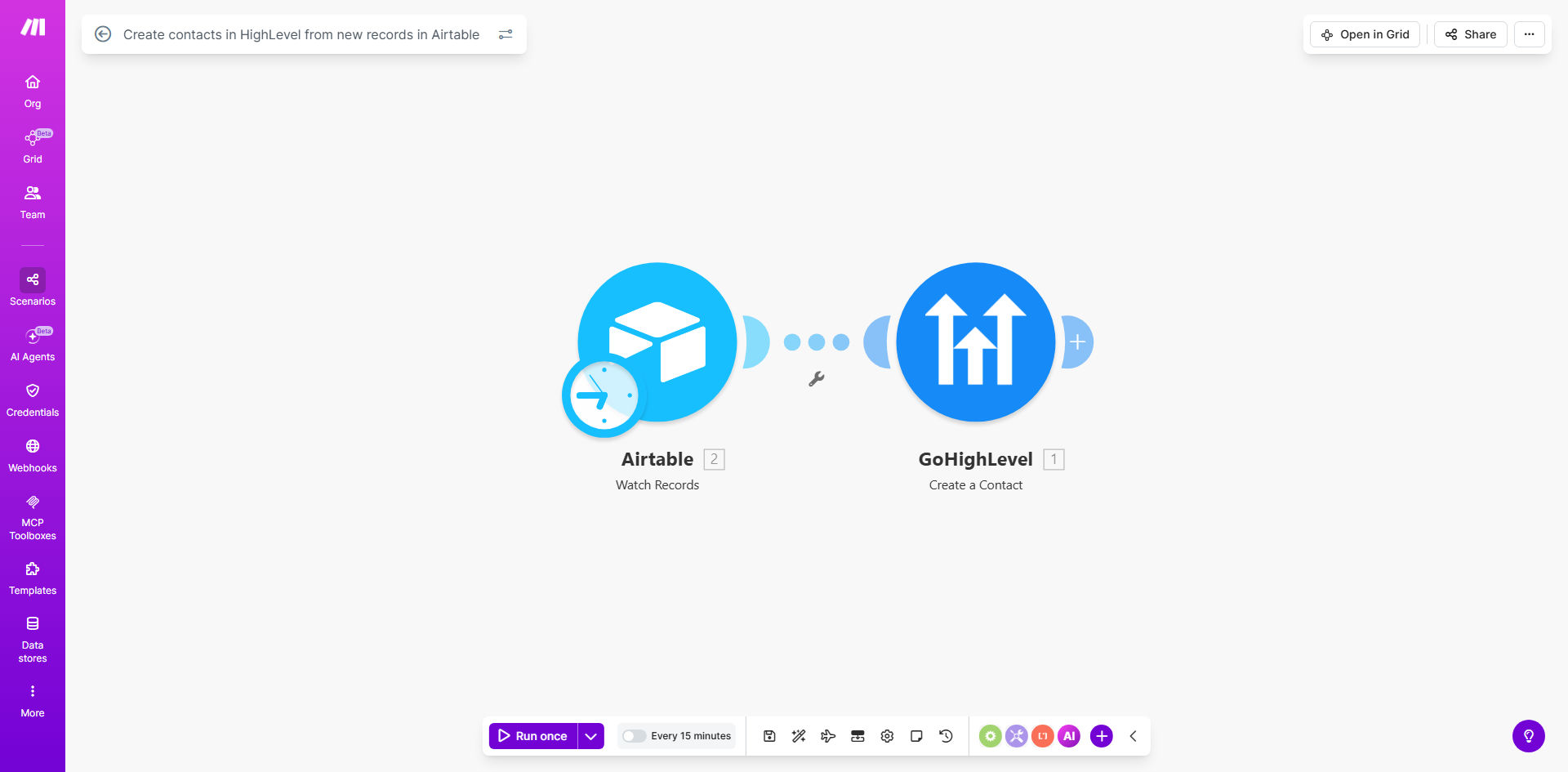
What This Workflow Does
If you collect leads, customer information, or event sign-ups in Airtable, you know the frustration of manually copying that data into your CRM. This process is slow, error-prone, and causes delays in sales follow-up. Valuable leads can sit in a spreadsheet for days before anyone acts on them.
This automation solves that by creating a live bridge between Airtable and HighLevel. Every time a new record is added to your specified Airtable base—whether from a form, an import, or manual entry—the workflow instantly creates a corresponding contact in your HighLevel account. The contact is populated with all relevant details like name, email, phone, and custom notes, ready for your sales or marketing team to engage.
The result is a seamless, zero-touch data flow that ensures your CRM is always up-to-date. You eliminate duplicate entry, reduce human error, and accelerate your sales pipeline by getting leads in front of reps the moment they come in.
How It Works
Step 1: Airtable Triggers the Workflow
The workflow watches a specific Airtable base and table for new records. Using Make.com's Airtable module, it polls for additions at regular intervals or triggers instantly via webhook if configured.
Pro tip: Structure your Airtable with clear column names (e.g., "Full Name," "Email," "Company") that match common HighLevel contact fields for easier mapping.
Step 2: Data is Parsed and Prepared
Each new record's data is extracted. The workflow can transform or validate information if needed—for example, formatting a phone number or splitting a full name into first and last name fields before sending to HighLevel.
Step 3: Contact is Created in HighLevel
Using the HighLevel API module, the workflow creates a new contact in your specified HighLevel location. It maps the Airtable fields to the correct HighLevel contact properties, ensuring all data lands in the right place.
Step 4: Success Confirmation and Error Handling
The workflow confirms the contact was created and can log the result. If an error occurs (like a missing required field), it can send an alert or route the record for manual review, preventing data loss.
Who This Is For
This automation is ideal for businesses using Airtable as a lead capture or data collection tool and HighLevel as their primary CRM and sales platform.
- Marketing Agencies: Sync client leads from campaign tracking bases to HighLevel for immediate follow-up.
- Event Organizers: Automatically add event registrants from Airtable sign-up lists as contacts in HighLevel to trigger post-event sequences.
- Sales Teams: Ensure leads from inbound forms, spreadsheets, or team submissions instantly become trackable deals in the CRM.
- Small Business Owners: Connect a simple Airtable contact list to HighLevel to start automating follow-ups without complex CRM data entry.
What You'll Need
- A Make.com account (free tier available).
- An Airtable account with a base containing the contact data you want to sync.
- A HighLevel (GoHighLevel) account with API access enabled for your location.
- Your Airtable API key and base/table IDs.
- Your HighLevel API key and location ID.
Quick Setup Guide
- Get the template: Click "Get This Workflow" to copy the scenario into your Make.com account.
- Connect Airtable: In the first module, authenticate your Airtable account and select the base and table to watch for new records.
- Connect HighLevel: In the HighLevel module, authenticate your account and select the location where new contacts should be created.
- Map your fields: Match the column names from your Airtable to the corresponding contact property fields in HighLevel (e.g., map "Email" to "email").
- Test and activate: Add a test record to your Airtable and run the scenario once to verify a contact appears in HighLevel. Then schedule the workflow to run automatically.
Key Benefits
Eliminate manual data entry forever. Save 5–15 hours per week that your team currently spends copying and pasting information between systems. This time can be redirected to revenue-generating activities.
Accelerate lead response time. Contacts appear in HighLevel within seconds, not hours or days. This allows for immediate follow-up, which can increase conversion rates by up to 400%.
Ensure 100% data accuracy. Remove human errors from duplicate entry. Every contact is created with the exact data captured at the source, improving CRM hygiene and reporting reliability.
Scale your lead capture processes. Handle any volume of incoming leads without adding administrative staff. The automation works just as efficiently for 10 or 10,000 new records.
Create a unified customer view. By centralizing leads from Airtable into HighLevel, you build a single source of truth for all customer interactions, enabling better segmentation and personalized automation.