Make.com HighLevel Telegram Sales Automation Instant Alerts

HighLevel to Telegram Opportunity Alert

Get instant Telegram notifications for every new sales opportunity in your HighLevel CRM. Never miss a hot lead again.

Get This Workflow → Make.com · HighLevel · Free Template
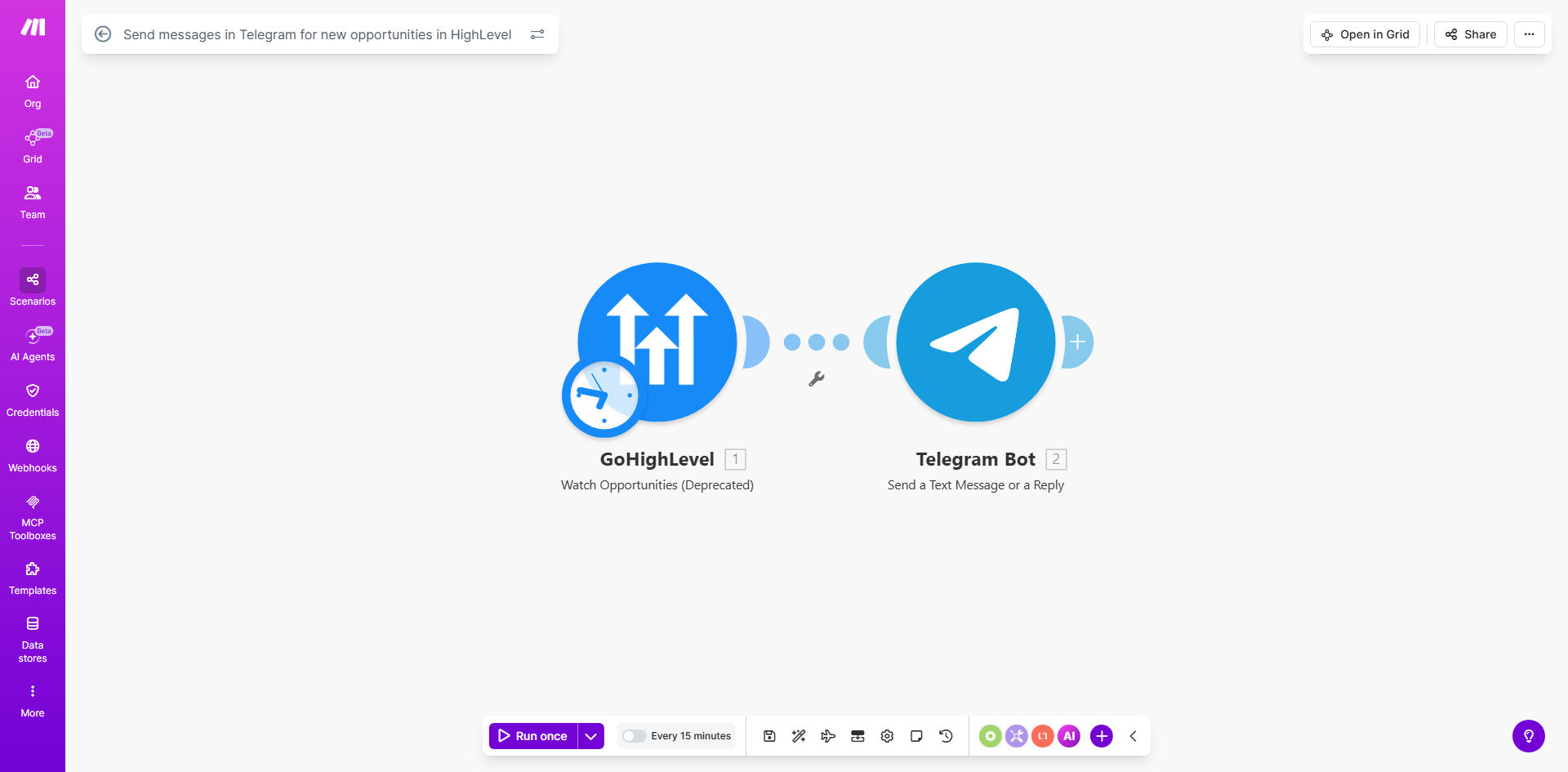
Make.com workflow diagram showing HighLevel triggering a Telegram message for new opportunities

What This Workflow Does

In sales, speed is everything. The longer a new lead sits unnoticed in your CRM, the colder it gets. Manually checking HighLevel for new opportunities creates delays, missed connections, and lost revenue. This automation solves that by creating a direct, real-time bridge between your HighLevel CRM and your sales team's preferred communication channel: Telegram.

Every time a new opportunity is created in HighLevel—whether from a web form, a call, or an imported list—this workflow instantly triggers a formatted message to a specified Telegram chat or group. This means your sales reps get a mobile notification with key details the moment a potential customer expresses interest, enabling them to respond in minutes, not hours or days.

The business value is clear: reduced lead response time, increased conversion rates, and a more agile, responsive sales process. It transforms your CRM from a passive database into an active alert system, ensuring your team is always the first to engage.

How It Works

This Make.com scenario acts as a vigilant watcher and a swift messenger, operating silently in the background to keep your team informed.

Step 1: Monitoring HighLevel for New Opportunities

The workflow starts with a "Watch Opportunities" module in Make.com, which polls your HighLevel account at regular intervals. It looks for any new records created in the Opportunities module. You can configure it to monitor specific pipelines or locations if needed.

Step 2: Formatting the Alert Message

Once a new opportunity is detected, the workflow extracts relevant data such as the contact name, opportunity title, estimated value, pipeline stage, and a direct link to the HighLevel record. It then structures this information into a clean, readable message tailored for Telegram.

Pro tip: Customize the message template to include emojis (e.g., 🔥 for hot leads) and action-oriented text like "New Lead: Contact within 5 min!" to drive urgency.

Step 3: Sending the Telegram Notification

The formatted message is sent via the Telegram Bot API to a pre-defined chat ID. This could be a private chat with a sales manager, a broadcast channel for the entire team, or a dedicated sales alert group. The notification appears instantly on your team's mobile devices and desktops.

Who This Is For

This automation is ideal for sales-driven businesses using HighLevel as their CRM. It's perfect for sales teams, agencies, coaches, and consultants who need to act fast on inbound leads. If your business model relies on quickly converting inquiries into calls or demos, this workflow is essential. It's also highly valuable for distributed or remote teams who rely on digital communication tools like Telegram for daily coordination.

What You'll Need

  1. A Make.com account (free or paid plan).
  2. A HighLevel account with API access enabled.
  3. A Telegram account and a Telegram Bot created via BotFather.
  4. The Chat ID of the Telegram user or group where you want to receive alerts.
  5. Basic information about your HighLevel opportunities structure (pipeline names, custom fields).

Quick Setup Guide

You can have this automation running in under 15 minutes.

  1. Clone the Template: Click "Get This Workflow" to copy the scenario to your Make.com account.
  2. Connect HighLevel: In the first module, authorize Make.com to access your HighLevel account using OAuth.
  3. Configure the Telegram Bot: In the Telegram module, paste the API token from your BotFather bot and enter the target Chat ID.
  4. Test the Flow: Create a test opportunity in HighLevel and verify the Telegram message arrives correctly.
  5. Activate: Turn on the scenario. It will now run automatically, checking for new opportunities at your set interval.

Key Benefits

Cut lead response time from hours to seconds. Studies show contacting a lead within 5 minutes makes them 21x more likely to qualify. This automation ensures your team is alerted the moment a lead enters the system.

Eliminate manual CRM checking and context switching. Your sales team no longer needs to constantly refresh their HighLevel dashboard. Notifications come to them, saving dozens of hours per month in administrative overhead.

Improve team alignment and accountability. By sending alerts to a group chat, the entire team sees new opportunities in real-time, fostering transparency and ensuring leads are never dropped due to an individual being unavailable.

Gain a competitive edge through superior responsiveness. In competitive markets, the fastest responder often wins the deal. This system positions your business as highly responsive and professional from the first touchpoint.

Scale your sales process without adding overhead. As lead volume grows, this automation scales effortlessly, ensuring every opportunity gets immediate attention without requiring you to hire more people to monitor the CRM.

Frequently Asked Questions

Common questions about HighLevel and Telegram automation and integration

Connecting HighLevel to Telegram provides instant, mobile-first notifications for your sales team whenever a new opportunity is created. This eliminates delays from checking dashboards or emails, allowing reps to respond to hot leads within minutes, which can significantly increase conversion rates and improve customer experience.

For example, a marketing agency can have their sales director get a ping the second a "Request a Quote" form is submitted, enabling them to call the prospect while they're still on the website. This level of responsiveness often converts curious visitors into paying clients.

An effective Telegram alert should include the contact's name, the opportunity value or stage, the source of the lead, and a direct link back to the HighLevel record for quick action. This gives your team immediate context without needing to log into another system, enabling faster prioritization and response.

You can also include custom fields like "Service Interest" or "Urgency Level." The goal is to provide enough data for a rep to understand the lead's potential at a glance, so they can craft a personalized, relevant first message immediately.

  • Always include a clickable link to the CRM record.
  • Use clear labels like "Value: $5,000" or "Stage: Qualified".
  • Keep the message concise to avoid notification overload.

Yes, you can configure the Telegram bot to send alerts to a dedicated group chat for your sales or management team. This fosters transparency and allows multiple team members to see new opportunities, discuss them in real-time, and ensure coverage if a primary rep is unavailable.

Many businesses create a "Sales-Alerts" group where the bot posts all new leads. Team members can then quickly claim a lead by replying in the thread, creating a simple, auditable workflow for lead distribution right within Telegram.

Instant notification automation reduces the lead response time from hours to seconds. Studies show contacting a lead within 5 minutes makes them 21x more likely to qualify. This workflow ensures your team acts on fresh, high-intent opportunities immediately, directly boosting pipeline velocity and closing rates.

Beyond speed, it also reduces cognitive load. Salespeople can focus on selling instead of monitoring tools. The automation handles the alerting, so they can dedicate their mental energy to building relationships and closing deals, leading to higher productivity and job satisfaction.

Common mistakes include sending too much data that clutters the message, not including a direct link to the CRM record, failing to filter out low-priority opportunities (like low-value leads), and not setting up error handling for when the automation fails, which can cause missed alerts.

Another frequent error is not securing the Telegram bot token or chat ID properly. Always store these credentials in Make.com's encrypted settings, not in plain text within the scenario. Start with a small test group to ensure the flow works before rolling it out to the entire sales team.

Telegram offers Secret Chats with end-to-end encryption, but for standard bot notifications, it's best to avoid sending highly sensitive personal data. The alert should contain enough information to act but not full confidential details. For most businesses, sharing a lead name, value, and a secure link to the CRM is a safe and effective practice.

If you deal with extremely sensitive information, consider using the alert only as a trigger—sending a generic "New High-Value Lead Added" message that prompts the rep to log into the secure HighLevel portal for full details, keeping all private data within the CRM.

Yes, GrowwStacks specializes in building custom automations that connect HighLevel with Telegram and other tools. We can tailor alerts based on specific opportunity stages, values, or custom fields, route alerts to different teams, and integrate additional steps like creating follow-up tasks or logging the alert in your internal systems.

Our team will work with you to understand your unique sales process and design an automation system that fits seamlessly into your workflow. We handle the technical setup, testing, and documentation, so you get a reliable, business-ready solution without the complexity.

  • Custom filtering rules for different lead types.
  • Integration with other apps like Google Sheets or Slack.
  • Ongoing support and optimization.

Need a Custom HighLevel Automation?

This free template is a starting point. Our team builds fully tailored automation systems for your specific business needs.