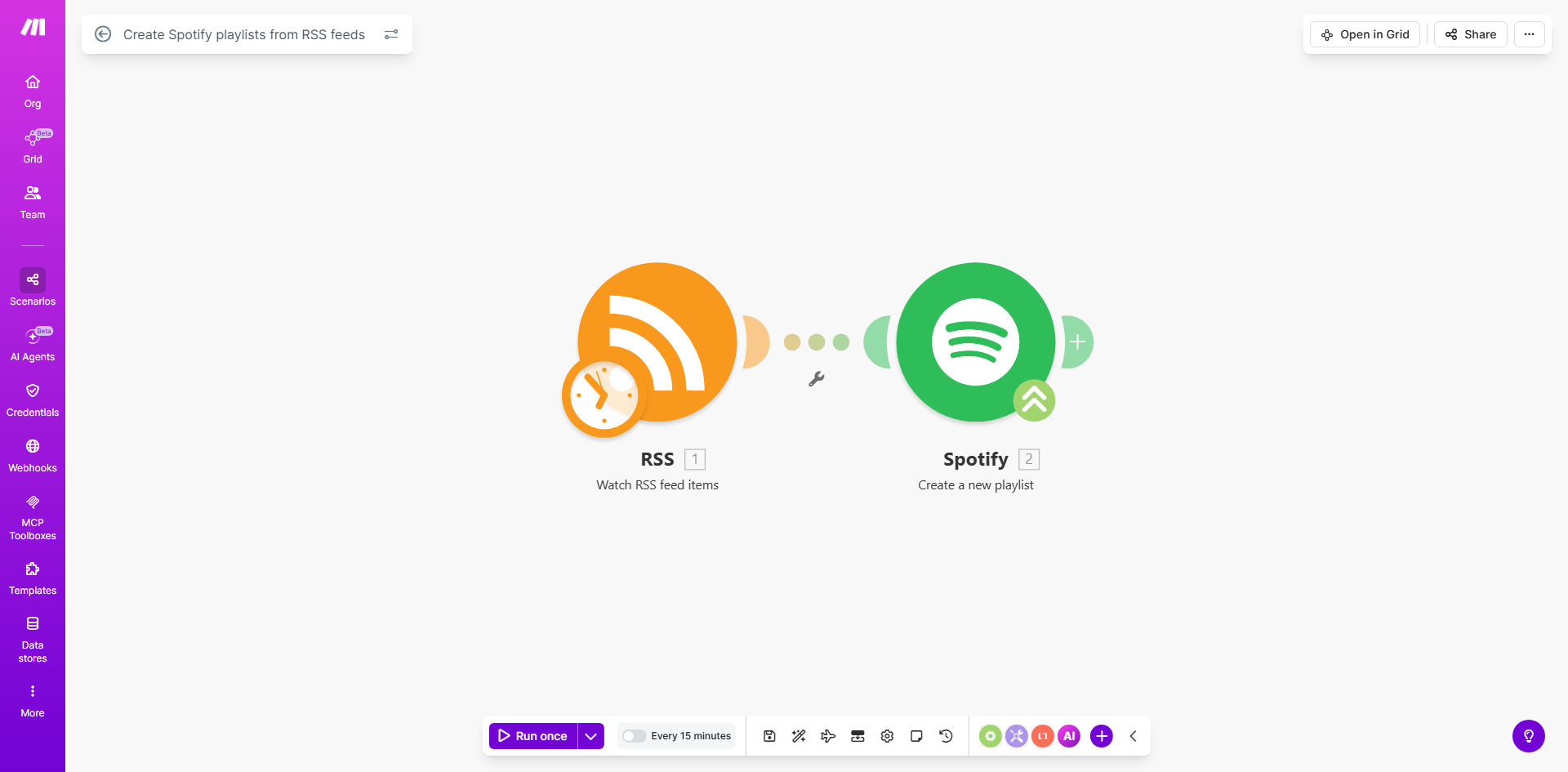
What This Workflow Does
For music lovers, curators, and content creators, manually building playlists based on new articles or podcast episodes is a tedious, time-consuming process. You have to read the content, identify mentioned songs, search for them on Spotify, and then add them to a playlist. This workflow solves that by fully automating the process.
Whenever a new item is published in an RSS feed—like a music blog post, a podcast show notes page, or an entertainment news article—this automation instantly parses the content, searches Spotify for the relevant tracks, and creates a new, themed playlist. It transforms static written content into a dynamic, shareable music experience, keeping your Spotify library constantly updated with zero daily effort.
How It Works
The automation acts as a intelligent bridge between content and music. Here’s the step-by-step process:
Step 1: Monitor the RSS Feed
The workflow uses Make.com's RSS module to watch a specified feed URL. It triggers instantly whenever a new feed item is posted, capturing the title, description, publication date, and other metadata.
Step 2: Parse and Prepare Content
The text from the RSS item is processed. The system can be configured to look for specific patterns, keywords, or even use simple text analysis to identify potential song titles, artists, or albums mentioned in the article or show notes.
Pro tip: Use feeds from sources that consistently format music mentions (e.g., "Song Title by Artist"). This dramatically improves the accuracy of the subsequent Spotify search.
Step 3: Search Spotify
Using the prepared data, the workflow calls the Spotify API's search endpoint. It looks for tracks matching the extracted criteria. The first or best-matching result is selected for addition to the playlist.
Step 4: Create and Populate the Playlist
The automation then uses your Spotify credentials to create a new playlist (often named after the RSS item title or publication date). It adds the found tracks to this playlist and can even set a description and public/private status.
Who This Is For
This template is a powerful tool for several audiences:
- Content Creators & Podcasters: Automatically generate a soundtrack playlist for each new blog post or episode, providing added value to your audience.
- Music Bloggers & Critics: Instantly turn your reviews or "best of" lists into listenable playlists, enhancing reader engagement.
- Social Media Influencers & Community Managers: Keep your branded Spotify profile active with fresh, automated playlists based on trending topics or news feeds.
- Businesses in Hospitality or Retail: Create ambient or mood playlists for your space based on news, weather, or cultural event feeds.
What You'll Need
- A Make.com account (free tier available).
- A Spotify account and access to the Spotify Developer Dashboard to create an app and obtain API credentials (Client ID and Client Secret).
- The URL of an RSS feed you want to monitor. This could be from a blog, podcast hosting platform, or news site.
- Basic understanding of how to copy and paste API keys and URLs into a Make.com scenario.
Quick Setup Guide
You can have this automation running in under 15 minutes:
- Get the Template: Click the "Get This Workflow" button above to clone the template into your Make.com account.
- Set Up Spotify Connection: In your Spotify Developer Dashboard, create a new app. Copy the Client ID and Client Secret into the designated Spotify module in Make.com. Authorize the connection.
- Configure the RSS Trigger: In the first module of the workflow, paste the URL of the RSS feed you want to monitor.
- Map Your Data (Optional): Review the workflow's data mapping. You can adjust which parts of the RSS item (title, full description, etc.) are used to search for songs on Spotify.
- Test and Activate: Run a test cycle with a recent RSS item to ensure it finds songs and creates a playlist correctly. Once satisfied, turn on the scenario. It will now run automatically for every new feed item.
Key Benefits
Save 2-5 hours per week on manual music curation. Eliminate the repetitive task of reading, identifying, searching, and adding songs. The automation does it in seconds, freeing you for creative or strategic work.
Enhance audience engagement and content value. By providing a playlist alongside your content, you give your audience a new way to interact and spend more time with your brand. It's a tangible, shareable asset.
Ensure consistency and never miss an update. The workflow runs 24/7. Whether you're on vacation or focused on other projects, your Spotify profile will continuously receive fresh, relevant playlists, keeping your audience engaged.
Discover new music effortlessly. The automation can introduce you to tracks mentioned in sources you follow but might have missed, effectively turning your RSS reader into a personalized music discovery engine.
Build a unique, automated content marketing channel. A regularly updated Spotify profile with themed playlists can attract followers, improve brand perception, and serve as a cross-promotional tool for your other content.