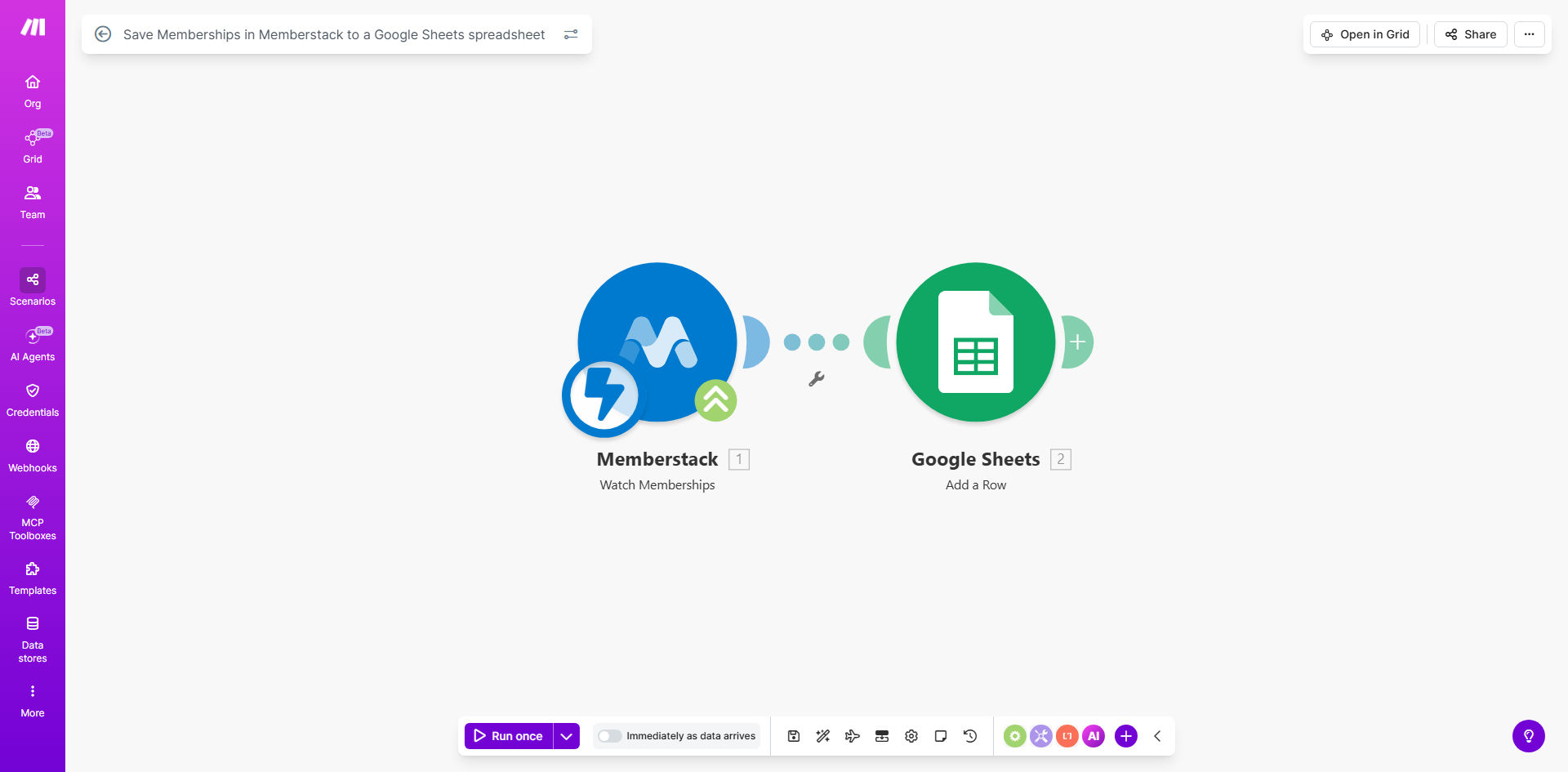
What This Workflow Does
Managing a membership site involves constantly tracking who joins, what plan they're on, and when they leave. Relying on manual checks within Memberstack or exporting data periodically is time-consuming and prone to error. This creates blind spots in understanding your community's health, growth rate, and revenue trends.
This automation solves that by creating a live, synchronized log of all membership activity directly in Google Sheets. Every time a member signs up, changes their plan, updates their profile, or cancels in Memberstack, this workflow instantly captures the event and adds it as a new row in your spreadsheet. It turns your static member list into a dynamic, queryable database.
How It Works
The workflow acts as a intelligent bridge between Memberstack and Google Sheets, triggered in real-time by member actions.
Step 1: Memberstack Triggers the Workflow
When a membership event occurs (like a new sign-up), Memberstack sends a webhook notification containing all the relevant member data to Make.com. This webhook is the starting trigger for the entire automation.
Step 2: Make.com Parses the Member Data
Make.com receives the webhook and extracts key information such as the member's name, email address, subscription plan, event type (created, updated, deleted), and timestamp. You can configure the workflow to filter for specific events if you don't want to log everything.
Step 3: Data is Formatted for Google Sheets
The parsed data is then mapped to correspond with the column headers in your designated Google Sheets spreadsheet. The workflow ensures dates, statuses, and other fields are formatted correctly for clear readability and analysis.
Step 4: A New Row is Added to Your Spreadsheet
Finally, the formatted data is appended as a new row at the bottom of your chosen Google Sheet. Your spreadsheet now contains a chronological record of every membership event, creating a perfect audit trail and data source for reporting.
Pro tip: Use a separate tab within your master sheet for "Raw Data" from this automation. Then, create a second "Dashboard" tab that uses formulas like QUERY or FILTER to organize and visualize the data, keeping your reporting clean and automated.
Who This Is For
This template is ideal for community builders, SaaS founders, course creators, and any business using Memberstack to manage paid subscriptions or gated content. It's especially valuable for:
- Community Managers who need to track member onboarding and engagement over time.
- Founders & Operators who require accurate, up-to-date metrics on monthly recurring revenue (MRR) and churn.
- Marketing Teams that want to segment members based on plan type or join date for targeted campaigns.
- Freelancers & Agencies managing memberships for clients who need transparent reporting on community growth.
What You'll Need
- A Memberstack account with an active membership site or project.
- A Google Sheets spreadsheet (you can start with a new one or use an existing file).
- A Make.com account (free tier available) to host and run the automation.
- Access to configure webhooks in your Memberstack dashboard.
- Permission to connect your Google account to Make.com via OAuth.
Quick Setup Guide
You can have this automation running in under 15 minutes by following these steps:
- Get the Template: Click "Get This Workflow" to copy the ready-made scenario into your Make.com account.
- Connect Memberstack: In the first module, set up a webhook in Make.com and copy its unique URL. Paste this URL into the Webhooks section of your Memberstack dashboard to establish the connection.
- Connect Google Sheets: Authorize Make.com to access your Google account. Then, select the specific spreadsheet and worksheet where you want the membership data to be saved.
- Map Your Data: Review the data mapping between the Memberstack webhook and the Google Sheets columns. Adjust if you want to capture additional or different fields from the member object.
- Turn It On: Activate the scenario in Make.com. Perform a test action in Memberstack (like updating a test member's profile) to verify a new row appears in your sheet.
Key Benefits
Eliminate manual data entry and human error. Your membership records are updated instantly and accurately, freeing up hours per month previously spent on administrative tracking.
Gain real-time visibility into community health. With a live feed of all activity, you can immediately spot trends, celebrate growth milestones, and identify potential churn risks before members leave.
Create powerful, custom reports in minutes. Since all data is already in Google Sheets, you can use built-in charts, pivot tables, and formulas to analyze MRR, active user counts, and plan popularity without any extra tools.
Build a secure, off-platform backup of your member data. Your Google Sheet serves as an independent record of your community, protecting your business data beyond the primary Memberstack platform.
Unlock advanced automation possibilities. This spreadsheet becomes a trigger for countless other workflows, enabling personalized onboarding emails, support ticket creation, or dashboard updates based on member activity.