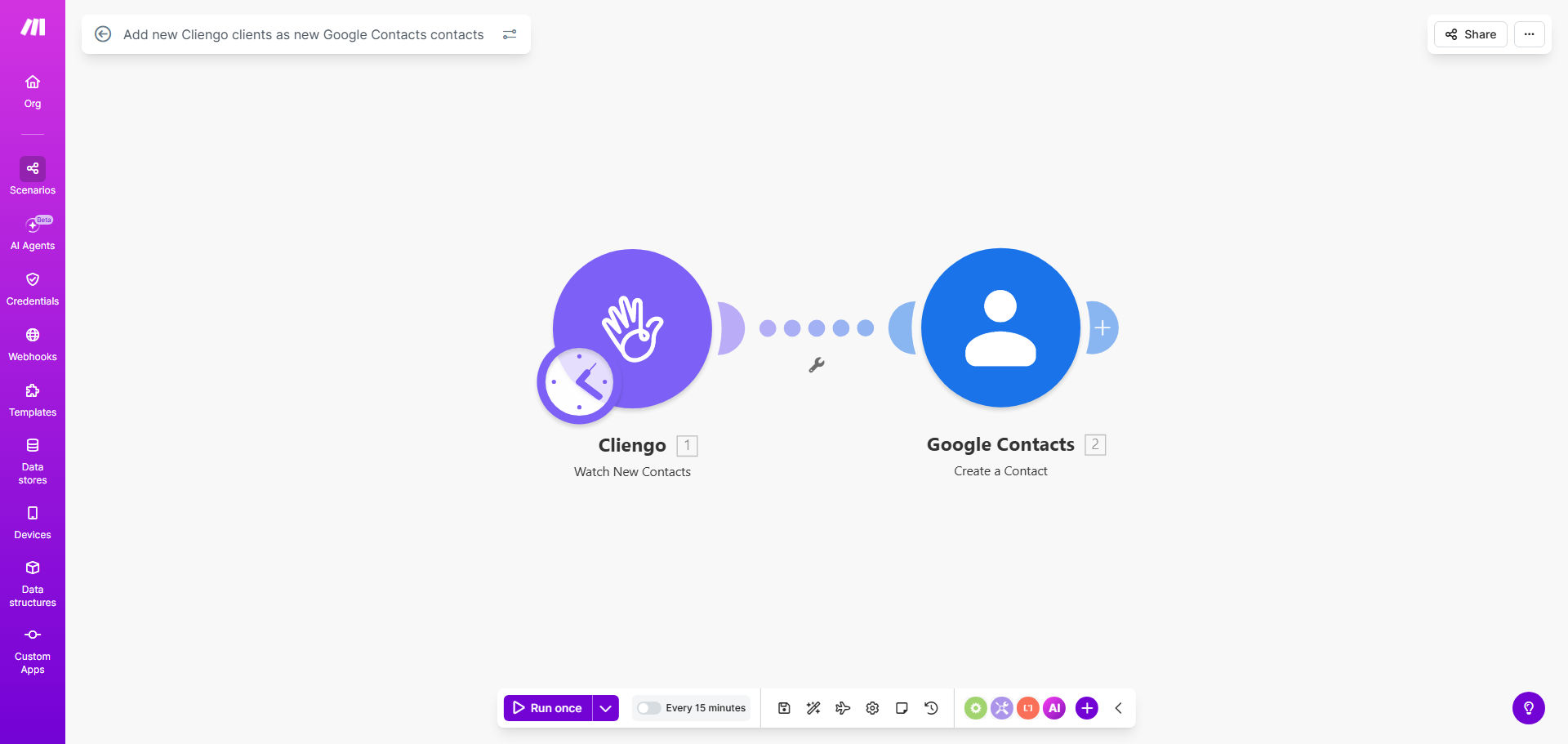
What This Workflow Does
Every conversation on your website chatbot is a potential lead, but manually transferring that information into your contact management system is a slow, error-prone task. This automation solves that problem by creating a seamless bridge between Cliengo, your AI-powered chatbot, and Google Contacts, your central address book.
The workflow acts as a silent assistant, checking for new client records in your Cliengo account at regular intervals (default is every 15 minutes). When it finds a new lead—a visitor who provided their contact details during a chat—it automatically formats their information and creates a new, fully populated contact in your specified Google Contacts list. This ensures no lead falls through the cracks due to administrative delay.
The business value is clear: accelerated lead response times. When a contact is instantly available in Google Contacts, your sales team can initiate a follow-up email or call within minutes of the website conversation ending, dramatically increasing conversion rates and improving the customer experience.
How It Works
The automation follows a simple, reliable sequence to transfer data securely and accurately.
Step 1: Scheduled Trigger
A scheduler module initiates the workflow on a recurring basis. You can set this to run as often as every minute or as infrequently as once a day, depending on your lead volume and need for immediacy.
Step 2: Fetch New Clients from Cliengo
The workflow connects to your Cliengo account via API and retrieves a list of recent clients. It is designed to only fetch records that have been created since the last time the automation ran, ensuring it processes only new, un-synced leads.
Step 3: Map and Format Contact Data
This is the intelligence layer. The automation takes the raw data from Cliengo (like name, email, phone, company) and maps it to the correct fields in Google Contacts. It can also combine fields or add context, such as noting "Source: Website Chatbot" in the contact notes.
Step 4: Create Contact in Google Contacts
The formatted data is sent to the Google Contacts API, which creates a new contact in your chosen Google account. The contact is immediately available in Gmail, Google Calendar, and any other app in the Google Workspace ecosystem.
Pro tip: Use the "Notes" field in Google Contacts to store the initial query or conversation snippet from Cliengo. This gives your sales team invaluable context for a personalized follow-up.
Who This Is For
This automation is ideal for any business using Cliengo to engage website visitors and Google Workspace for daily operations. It's particularly powerful for:
- Sales Teams & SMBs: Who need fast lead turnaround and can't afford to waste time on manual data entry between tools.
- Marketing Agencies: Managing multiple client websites with chatbots, needing a standardized way to capture and centralize leads for reporting and handoff.
- Service-Based Businesses: Like consultants, lawyers, or clinics, where website inquiries are high-intent and require prompt, professional follow-up.
- Real Estate Agents & Brokers: Who generate leads 24/7 from property listings and need to instantly add potential buyers or renters to their CRM for nurturing.
What You'll Need
- A Make.com account (free tier available).
- An active Cliengo account with client/lead data being collected.
- A Google account with Google Contacts enabled.
- API connection credentials (handled via secure OAuth within Make.com).
- Basic understanding of which Google Contact list you want to add new leads to.
Quick Setup Guide
You can have this automation running in under 10 minutes.
- Clone the Template: Click "Get This Workflow" to copy the template into your own Make.com account.
- Connect Cliengo: In the first module, click to add your Cliengo account. Make.com will guide you through a secure OAuth login to authorize the connection.
- Connect Google Contacts: Repeat the process for the Google Contacts module, signing into the Google account where you want contacts saved.
- Configure the Schedule: Open the scheduler and adjust the interval (e.g., every 5, 15, or 60 minutes) based on how quickly you need leads to appear.
- Test & Activate: Run the scenario once manually to ensure a test lead flows from Cliengo to Google Contacts correctly. Then, turn the scenario "ON" to let it run automatically.
Key Benefits
Eliminate 100% of manual data entry for chatbot leads. Your team will never have to copy-paste a name or email from Cliengo again, freeing them for higher-value tasks like sales calls and customer service.
Reduce lead response time from hours to minutes. Instant syncing means a sales rep can be on the phone with a warm lead while they're still browsing your website, capitalizing on peak interest.
Ensure 100% data capture and accuracy. The automated transfer removes human error—no more typos in email addresses or forgotten phone numbers. Every captured field is transferred perfectly.
Centralize all prospect data in one searchable location. With all chatbot leads in Google Contacts, you have a unified view for email campaigns, call logs, and meeting scheduling, improving team coordination.
Scale your lead generation efforts without adding admin staff. Whether you get 10 leads or 1000 leads a day, the automation handles the influx effortlessly, allowing your business to grow without proportional increases in overhead.