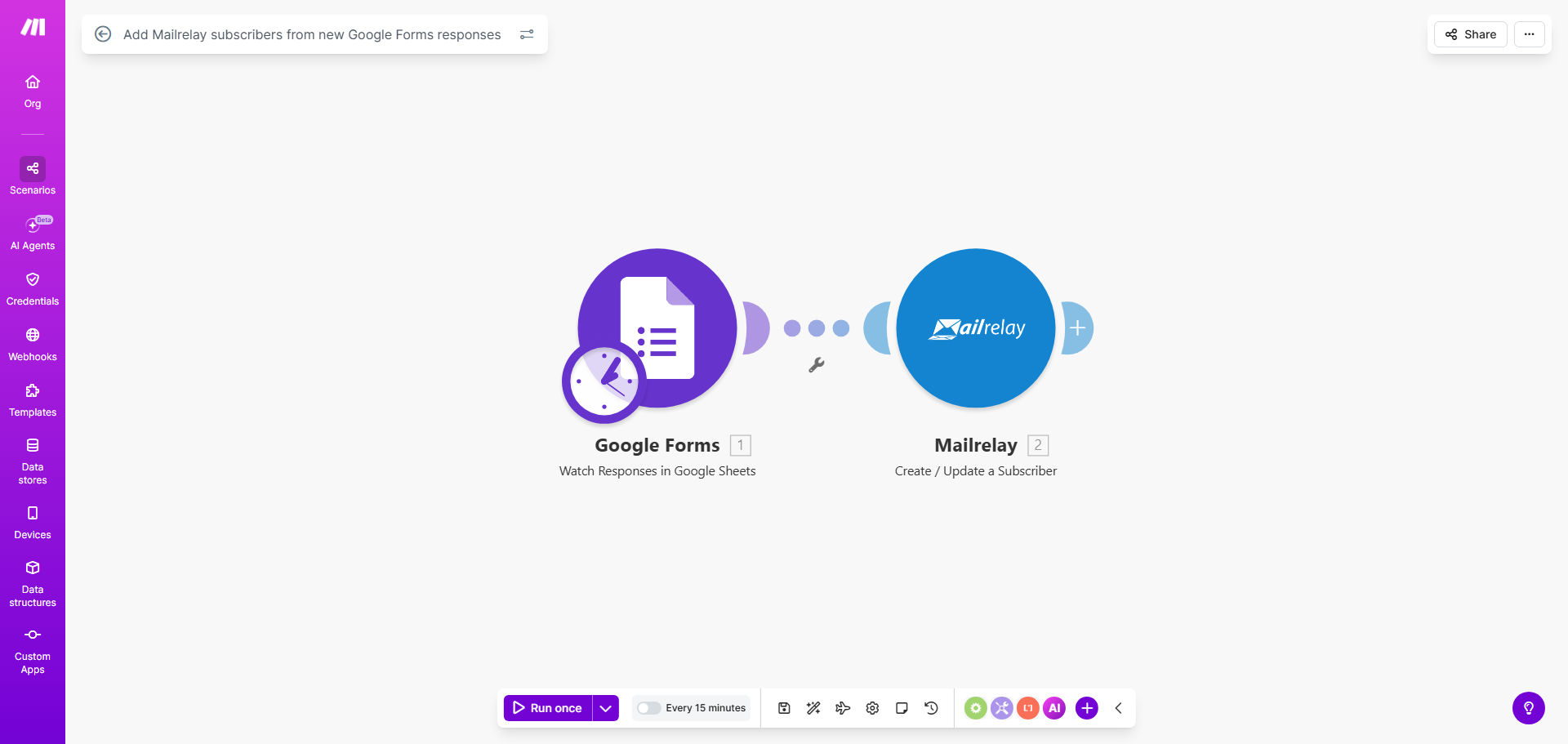
What This Workflow Does
Manually transferring leads from a Google Form into your email marketing platform is a repetitive, error-prone task that wastes valuable time. Every missed email or typo is a potential customer lost. This automation solves that by creating a seamless bridge between your lead capture forms and your Mailrelay subscriber lists.
The workflow monitors your Google Form for new responses. The moment someone submits their details, Make.com instantly processes the data and adds that person as a new subscriber to your specified Mailrelay list. This ensures your email marketing campaigns can begin engaging new leads within seconds, not hours or days, dramatically improving conversion rates and list growth efficiency.
How It Works
The automation follows a simple, reliable sequence to ensure no lead falls through the cracks.
Step 1: Trigger on New Form Response
The workflow is activated every time a new submission arrives in your connected Google Form. Make.com watches for this event in real-time, capturing all the form data like email address, name, and any other custom fields you've set up.
Step 2: Map and Prepare Data
The data from the form is then structured to match Mailrelay's subscriber fields. This step involves mapping the Google Form response items (e.g., "Email Address", "First Name") to the correct parameters required by Mailrelay's API for adding a contact.
Pro tip: Use this mapping step to clean and standardize data. You can add formulas to ensure proper capitalization of names or to validate email formats before they're sent to your precious email list.
Step 3: Add Subscriber to Mailrelay
Finally, the prepared data is sent to Mailrelay via its API. The new contact is added to your chosen group or list. You can configure the workflow to assign specific tags or custom fields based on which form was submitted or answers given, enabling sophisticated segmentation from day one.
Who This Is For
This automation is a game-changer for marketers, business owners, educators, and community managers who use Google Forms for lead generation. It's ideal for:
- Digital Marketers running webinar registrations, newsletter signups, or lead magnet downloads.
- Small Business Owners using contact forms or customer feedback surveys who want to build their email list.
- Event Organizers managing ticket registrations and needing to communicate with attendees instantly.
- Course Creators & Coaches capturing interest for waitlists or free consultations.
- Non-Profits growing their supporter base through petition signings or volunteer registrations.
What You'll Need
To set up this workflow, ensure you have the following ready:
- A Google account with a live Google Form that collects email addresses.
- An active Mailrelay account with API access enabled (check your Mailrelay settings).
- A Make.com account (free tier available) to host and run the automation.
- The API key from your Mailrelay account to authorize the connection in Make.
- Knowledge of which Mailrelay list or group you want to add new subscribers to.
Quick Setup Guide
Get your automation live in under 15 minutes by following these steps:
- Clone the Template: Click "Get This Workflow" and duplicate the provided Make.com scenario into your own account.
- Connect Google Forms: In the first module, authorize Make.com to access your Google account and select the specific form you want to monitor.
- Connect Mailrelay: In the Mailrelay module, add your API key (found in your Mailrelay account under SMTP & API) to establish a secure connection.
- Map Your Fields: Adjust the data mapping between your form's questions and Mailrelay's subscriber fields (email, name, custom fields).
- Choose Your List: Select the target Mailrelay list or group where new subscribers should be added.
- Test and Activate: Run a test by submitting a dummy response to your form. Check Mailrelay to confirm the subscriber appears. Then, turn the scenario on.
Key Benefits
Eliminate 100% of manual data entry. Free up 2-5 hours per week that your team spends on copying, pasting, and importing CSV files. Redirect that time to strategy and content creation.
Achieve zero-lead latency. New leads are added to your email list within seconds of form submission. This allows you to trigger immediate welcome or nurture sequences, capitalizing on peak engagement moments.
Ensure 99.9% data accuracy. Automation removes human error from the equation. No more typos in email addresses or forgotten fields, leading to a cleaner list and better email deliverability.
Scale your lead generation effortlessly. Whether you get 10 or 1,000 form responses a day, the automation handles the volume instantly without any additional work on your part, supporting business growth seamlessly.
Improve marketing ROI. Faster list growth and more accurate segmentation mean your email campaigns become more effective, driving higher open rates, click-through rates, and ultimately, more sales.