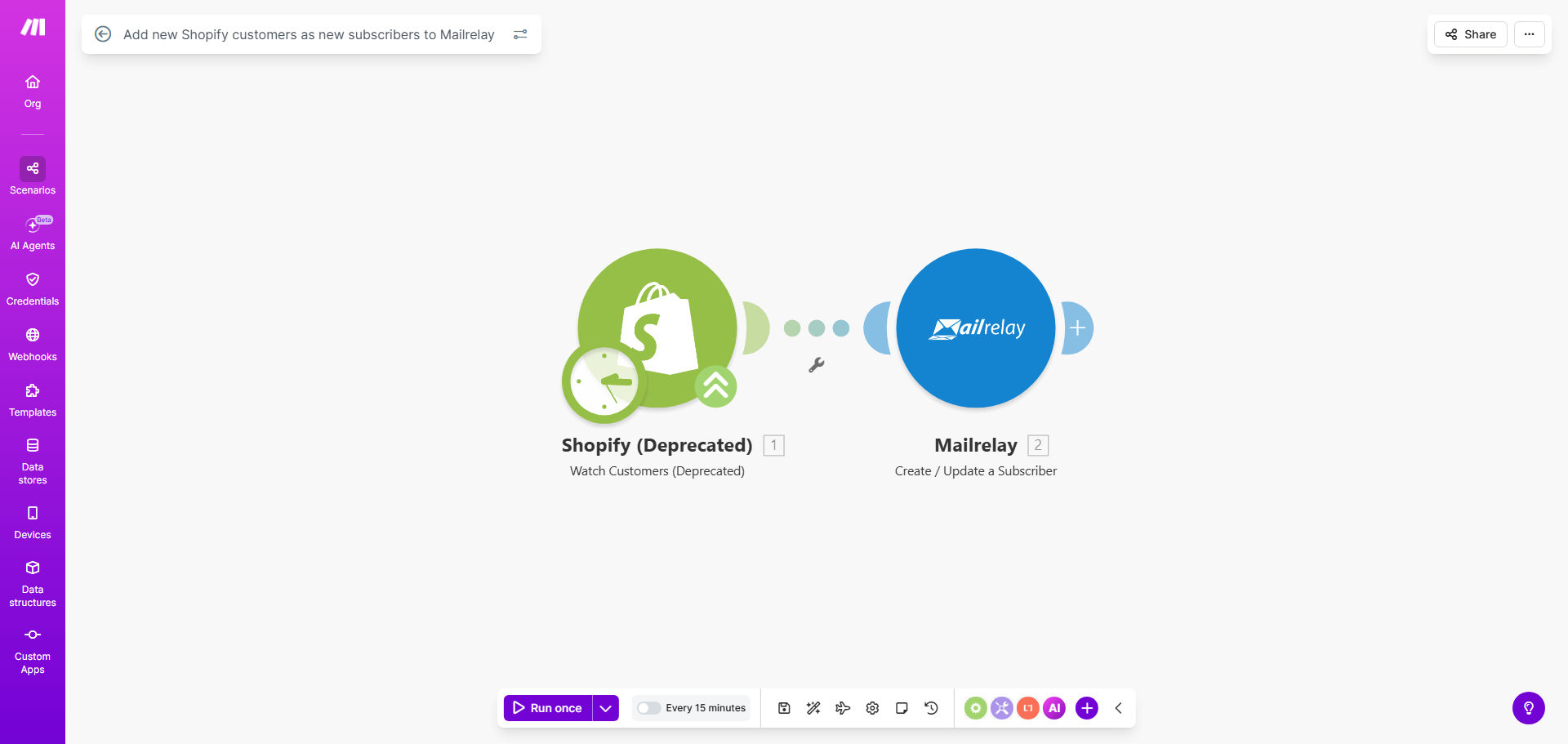
What This Workflow Does
For e-commerce businesses, a new customer is the most valuable lead. Yet, many store owners miss the critical opportunity to immediately engage them through email marketing. Manually exporting customer lists from Shopify and importing them into an email service like Mailrelay is tedious, error-prone, and often forgotten.
This automated workflow solves that problem completely. It acts as a silent bridge between your store and your marketing platform. The moment a customer creates an account or completes a purchase on your Shopify store, their contact details are instantly and accurately added as a new subscriber to your designated Mailrelay list. This ensures your email marketing funnel is always populated with warm, qualified leads ready to be nurtured.
The business value is clear: you transform a transactional event into the start of a marketing relationship. This automation directly contributes to higher customer lifetime value by enabling timely follow-up sequences, personalized offers, and brand loyalty campaigns from day one.
How It Works
The automation runs on Make.com, monitoring your Shopify store and acting on new data in real-time.
Step 1: Trigger on New Customer
The workflow is activated by the "Customer Created" event in Shopify. Whenever a new customer profile is saved in your Shopify admin—whether from a checkout, account sign-up, or manual addition—it sends a webhook with all the customer data to Make.com.
Step 2: Map the Customer Data
Make.com receives the customer information, including email, first name, last name, and any other available fields. This step involves mapping the Shopify data fields to the corresponding subscriber fields required by Mailrelay (e.g., email, name).
Pro tip: Use this step to clean or format data. For example, you can combine first and last name into a single "Full Name" field for Mailrelay, or add a default tag like "Shopify Customer" to all imported subscribers for easy segmentation later.
Step 3: Create Subscriber in Mailrelay
The final module uses Mailrelay's API to create a new subscriber in your chosen group or list. The mapped data is sent securely, and the subscriber is added instantly. The workflow can be configured to handle duplicates or errors gracefully, ensuring list hygiene.
Who This Is For
This template is ideal for any business using Shopify that wants to grow its email marketing efforts efficiently.
- E-commerce Store Owners: Who want to automatically build their email list from their most valuable asset—their customers.
- Marketing Managers: Looking to eliminate manual data entry between sales and marketing platforms to ensure campaign lists are always up-to-date.
- Small Business Teams: With limited time, who need a "set and forget" solution to integrate their store with their email marketing tool.
- Agencies: Managing multiple client stores who need a reliable, standardized way to connect Shopify to email marketing for all their clients.
What You'll Need
- A Shopify store with admin access to create a private app or use the built-in Make.com integration.
- A Mailrelay account with an active subscription and API access enabled (typically found in the account settings).
- A Make.com account (free tier available) to host and run the automation scenario.
- The API key or login credentials for both Shopify and Mailrelay to authenticate the connection within Make.com.
- (Recommended) A specific Mailrelay group/list created to receive your Shopify customers for better organization.
Quick Setup Guide
You can have this automation running in under 15 minutes.
- Get the Template: Click "Get This Workflow" to copy the template into your Make.com account.
- Connect Shopify: In the first module, authenticate your Shopify store by logging in or providing API credentials from your Shopify admin.
- Connect Mailrelay: In the Mailrelay module, authenticate with your account's API key (found in Mailrelay's Control Panel under "API & SMTP").
- Map the Fields: Ensure the customer email and name fields from Shopify are correctly mapped to the subscriber fields in Mailrelay. The template provides a standard mapping you can adjust.
- Choose Your List: Select the specific Mailrelay group ID where you want new subscribers to be added.
- Test & Activate: Turn on the scenario and perform a test by creating a dummy customer in Shopify. Check your Mailrelay list to confirm the subscriber appears.
Key Benefits
Grow Your List on Autopilot: Never miss a potential subscriber again. Every new customer is automatically added to your email marketing funnel, ensuring your list growth is directly tied to your sales growth.
Save 5+ Hours Per Month: Eliminate the repetitive, manual task of exporting CSV files from Shopify and uploading them to Mailrelay. This time can be reinvested into strategy and content creation.
Improve Campaign Timeliness & Relevance: New customers can be added to a "Welcome" or "Thank You" email sequence within minutes of their purchase, dramatically increasing open rates and engagement compared to adding them days later.
Ensure 100% Data Accuracy: Remove human error from the data transfer process. Customer emails and names are transferred exactly as they were entered in Shopify, improving deliverability and personalization.
Build a Foundation for Advanced Marketing: This sync is the first step toward sophisticated segmentation. Once customers are in Mailrelay, you can tag them based on purchase data and run targeted upsell, cross-sell, and loyalty campaigns.