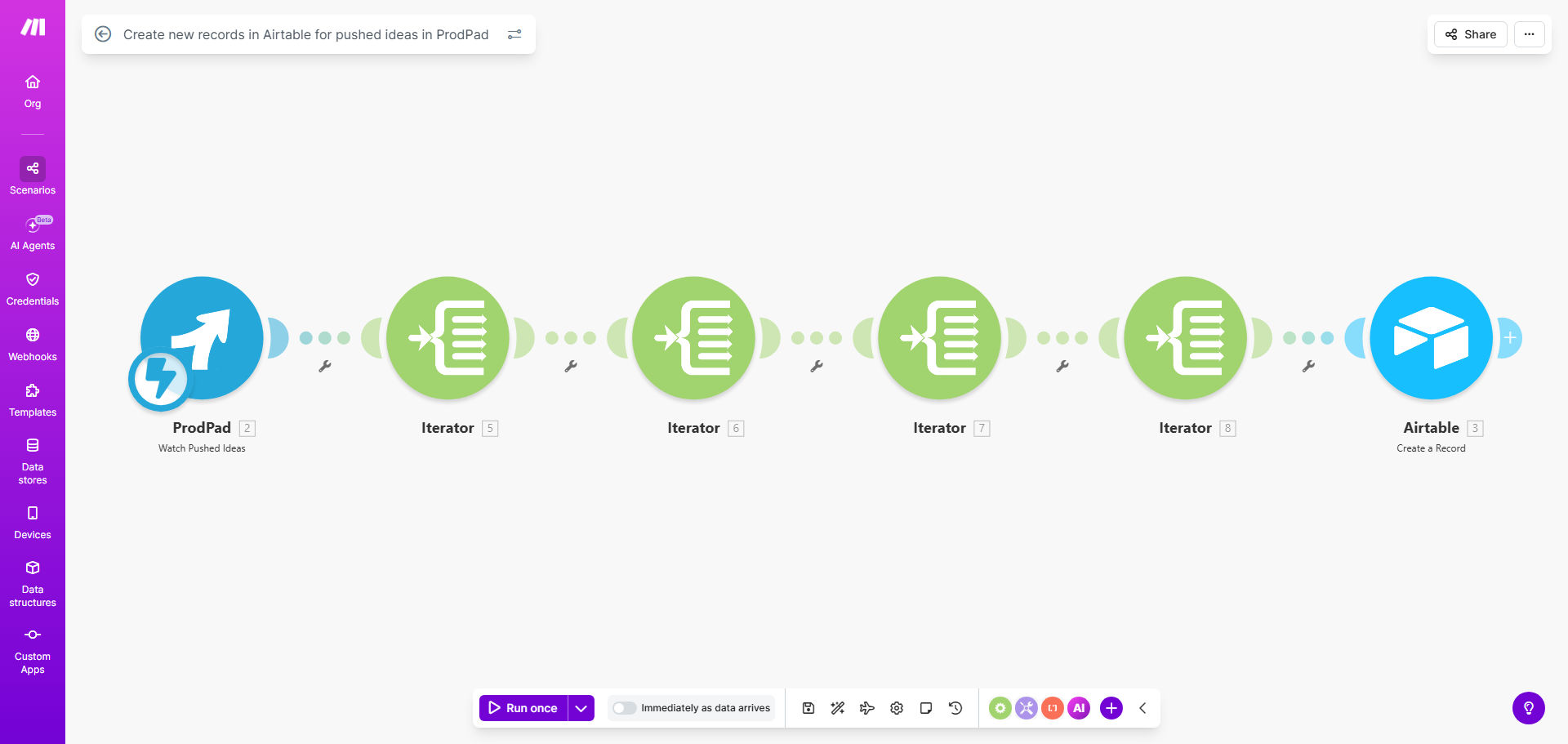
What This Workflow Does
For product teams, the gap between capturing a great idea in ProdPad and making it actionable for the wider company is often filled with manual, error-prone work. Someone has to copy-paste details, update spreadsheets, and notify stakeholders. This process is slow, leads to version control issues, and causes valuable ideas to stall.
This automation solves that by creating a seamless bridge between your idea management platform (ProdPad) and your collaborative database (Airtable). The moment an idea reaches a defined stage—like being "pushed" for consideration—this workflow triggers. It captures all relevant idea data—title, description, tags, priority, and more—and creates a corresponding, richly formatted record in a designated Airtable table. This turns your Airtable base into a live, centralized product backlog that's always in sync.
Pro tip: Use this automation to create a "single source of truth" for your product pipeline. Link the new Airtable records to other bases for resource planning, customer feedback analysis, or executive reporting.
How It Works
The workflow is an elegant, three-step process that runs silently in the background, ensuring data flows without any manual intervention.
Step 1: Monitor ProdPad for "Pushed" Ideas
The scenario starts with a watchful module in Make.com that monitors your ProdPad account. It is configured to listen for a specific event: when an idea's status changes to "Pushed" or when a new idea is directly added to a pushed state. This instant trigger is the starting gun for the automation.
Step 2: Map and Transform the Idea Data
Once triggered, the workflow receives a package of data from ProdPad. This step involves mapping each piece of relevant information (like the idea title, detailed description, associated tags, effort score, and the submitting team member) to the corresponding field in your Airtable. You can customize this mapping to include only the data your team needs, ensuring a clean and useful record.
Step 3: Create the Record in Your Airtable Base
The final step takes the formatted data and uses Airtable's API to create a new row in your pre-defined table. The record appears instantly with all the mapped information populated. You can structure your Airtable table to include columns for status tracking, assignees, timelines, and related documents, making it immediately useful for prioritization and planning discussions.
Who This Is For
This template is a game-changer for product managers, heads of product, and innovation teams who use ProdPad for idea capture and Airtable for project tracking or roadmap visualization. It's ideal for SaaS companies, tech startups, and product-led organizations that need to democratize the innovation process while maintaining rigorous tracking. If your team wastes time in weekly meetings manually updating spreadsheets from various idea sources, this automation is for you.
What You'll Need
- A Make.com account (free or paid plan) to host and run the automation scenario.
- An active ProdPad account with administrative or API access to set up the webhook or watch trigger.
- An Airtable account with a base and a table pre-configured to receive idea data. The table should have columns matching the data you wish to import (e.g., Idea Name, Description, Status, Priority).
- The API keys or connection credentials for both ProdPad and Airtable to authorize the Make.com scenario.
Quick Setup Guide
You can have this workflow running in under 15 minutes by following these steps:
- Get the Template: Click the "Get This Workflow" button to copy the template into your Make.com account.
- Connect Your Apps: In the Make.com scenario editor, authorize the connections to your ProdPad and Airtable accounts by entering your API credentials when prompted.
- Configure the Trigger: In the ProdPad module, specify which "push" event you want to monitor (e.g., "Idea Pushed to Backlog").
- Map Your Airtable: In the Airtable module, select your base and table. Then, map the fields from the incoming ProdPad data to the correct columns in your Airtable table.
- Test and Activate: Use the "Run once" feature to test the scenario with an existing pushed idea. Verify the record appears correctly in Airtable, then turn the scenario to "ON" to let it run automatically.
Key Benefits
Eliminate 100% of manual data entry between ProdPad and Airtable. This reclaims hours each week for product managers, allowing them to focus on strategy and validation instead of administrative copy-pasting.
Ensure absolute data consistency and accuracy. Automated transfers remove human error, guaranteeing that the information in your roadmap (Airtable) perfectly matches the source of truth (ProdPad), building stakeholder trust.
Accelerate your product decision cycle. With ideas instantly available in a shared Airtable, prioritization discussions can happen faster based on live data, reducing time-to-decision by days.
Create a scalable foundation for advanced workflows. Once ideas are in Airtable, you can easily build additional automations to notify teams in Slack, create tasks in Jira, or generate reports for leadership.
Improve cross-functional visibility. Engineering, marketing, and sales teams can view the centralized roadmap in Airtable without needing ProdPad access, fostering better alignment and collaboration.