Make.com Google Analytics Rocket.Chat Marketing Automation Daily Reports

Automate Google Analytics Reports to Rocket.Chat

Get daily performance insights delivered automatically to your team chat platform

Get This Workflow → Make.com · Google Analytics · Free Template
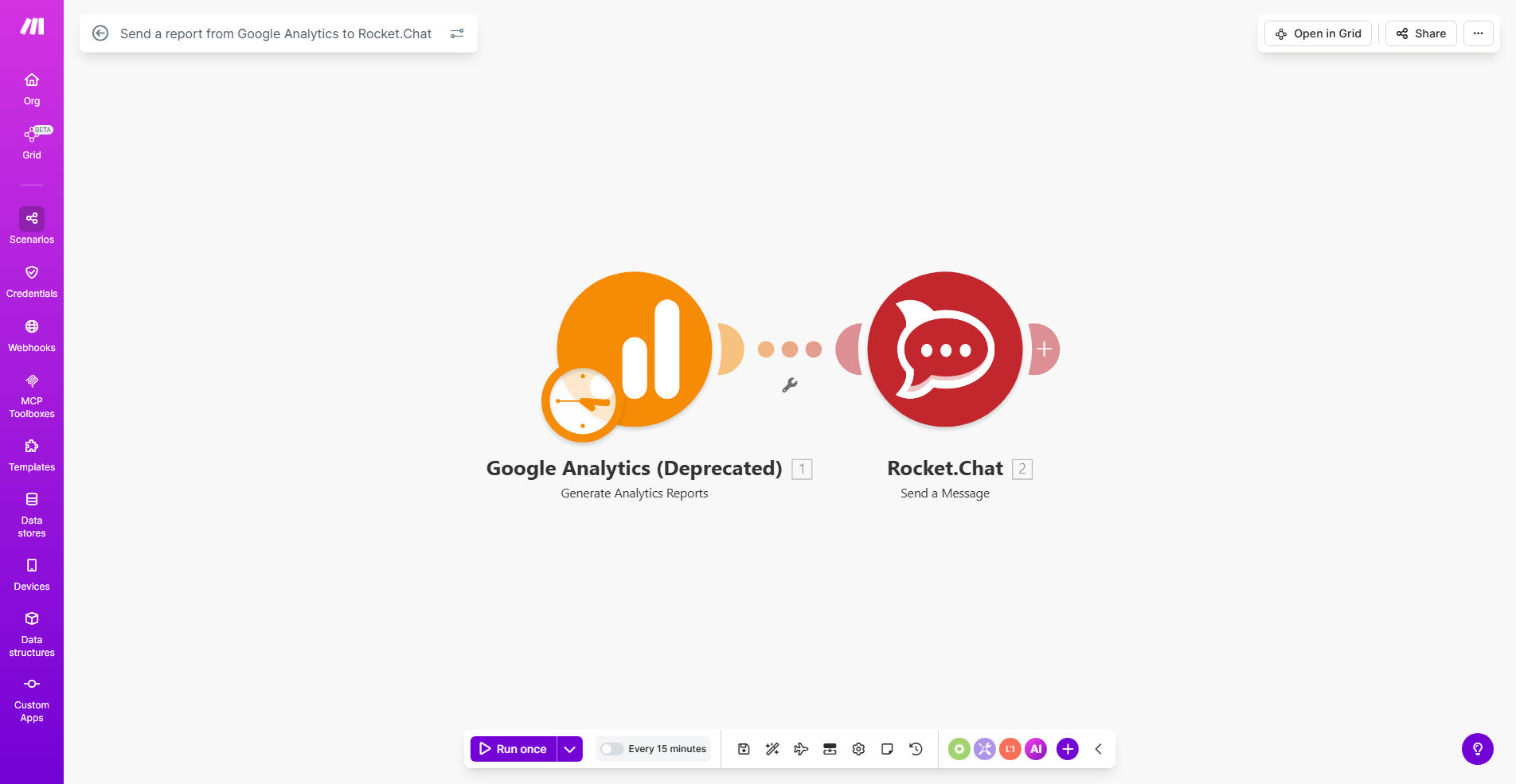
Google Analytics to Rocket.Chat workflow diagram

What This Workflow Does

This automation solves the time-consuming manual process of extracting Google Analytics data and sharing it with your team. Marketing teams often waste hours each week compiling reports when they could be analyzing insights and optimizing campaigns.

The workflow automatically pulls key metrics from Google Analytics for the previous day, formats them into an easy-to-read report, and posts them directly to your designated Rocket.Chat channel. This ensures your entire team wakes up to fresh performance data without any manual intervention.

How It Works

1. Scheduled Trigger

The workflow runs daily at your specified time (typically early morning) using Make.com's scheduler module.

2. Google Analytics Data Fetch

It connects to your Google Analytics account via API and retrieves pre-configured metrics like sessions, bounce rate, conversions, and traffic sources.

3. Report Formatting

The raw data gets transformed into a clean, branded report format with visual elements like progress bars or comparison metrics.

4. Rocket.Chat Delivery

The formatted report gets posted to your specified Rocket.Chat channel, complete with @mentions for key stakeholders.

Pro tip: Add conditional logic to highlight significant metric changes (like conversion rate drops over 15%) with alert emojis to draw attention.

Who This Is For

This automation delivers maximum value for:

  • Marketing teams needing daily campaign performance updates
  • Ecommerce businesses tracking conversion metrics
  • Content publishers monitoring engagement trends
  • Remote teams using Rocket.Chat for collaboration
  • Executives who need regular performance snapshots

What You'll Need

  1. A Make.com account (free tier works)
  2. Google Analytics admin access
  3. Rocket.Chat admin permissions
  4. List of key metrics to track
  5. Target Rocket.Chat channel ID

Quick Setup Guide

  1. Clone the template in your Make.com account
  2. Connect your Google Analytics account via OAuth
  3. Configure which metrics to include in reports
  4. Set your preferred report time (we recommend 6-7 AM)
  5. Connect to Rocket.Chat and specify the channel
  6. Test with a manual run before enabling scheduling

Key Benefits

Save 5-10 hours weekly by eliminating manual report compilation and distribution across teams.

Improve data-driven decisions with consistent, timely performance insights available to all stakeholders.

Enhance team alignment by discussing metrics in the same platform where collaboration happens.

Reduce human errors in data collection and reporting calculations.

Customizable for any KPIs - adapt as your business goals evolve.

Frequently Asked Questions

Common questions about analytics automation and team reporting

Automating Google Analytics reports saves marketing teams 5-10 hours weekly by eliminating manual data collection and distribution. It ensures stakeholders receive consistent, timely insights without human delays or errors.

Manual reporting often leads to version control issues when different team members pull data at different times. Automation guarantees everyone works from the same numbers.

Focus on key performance indicators like sessions, bounce rate, conversions, and traffic sources. Customize metrics based on your business goals - ecommerce sites track revenue while content sites monitor engagement.

Start with 5-7 core metrics to avoid overwhelming your team. You can always add more later as the reporting culture matures.

  • Essential: Sessions, bounce rate, goal completions
  • Ecommerce: Revenue, conversion rate, AOV
  • Content: Pages/session, avg. engagement time

Rocket.Chat delivers reports directly to team channels where discussions happen, increasing engagement with data. Teams can instantly comment on trends without switching between platforms.

Unlike email reports that get buried, chat-based analytics become part of the daily workflow. Team members can react with emojis, tag colleagues, or start threads about specific metrics.

Schedule reports for early morning before standup meetings when teams review daily metrics. Avoid weekends unless tracking time-sensitive campaigns.

Consider your team's time zones - sending at 6 AM local time ensures reports are fresh for morning discussions without waking people with notifications.

Yes, Make.com templates allow full customization of data visualizations, time ranges, and formatting to match your team's preferred reporting style.

You can add your company logo, brand colors, and even include conditional formatting that highlights metrics exceeding or missing targets.

Make.com uses enterprise-grade encryption for all data transfers between Google Analytics and Rocket.Chat, with optional IP restrictions and OAuth authentication.

The connection only has permissions to read specified analytics data and post to designated channels - it can't modify or delete anything in either system.

Yes, GrowwStacks specializes in building tailored analytics automation systems that connect your specific data sources with internal communication platforms.

Our team can create custom dashboards, add advanced filtering, incorporate data from multiple sources (like Google Ads or CRM systems), and build interactive reporting experiences.

  • Multi-source data consolidation
  • Executive summary versions
  • Anomaly detection alerts

Need a Custom Analytics Automation?

This free template is a starting point. Our team builds fully tailored automation systems for your specific business needs.