Make.com Google Calendar Todoist Productivity Task Automation

Create new Todoist tasks when your Google Calendar event starts

Automatically convert calendar events into actionable tasks to streamline your workflow and never miss a follow-up

Get This Workflow Make.com · Google Calendar · Free Template
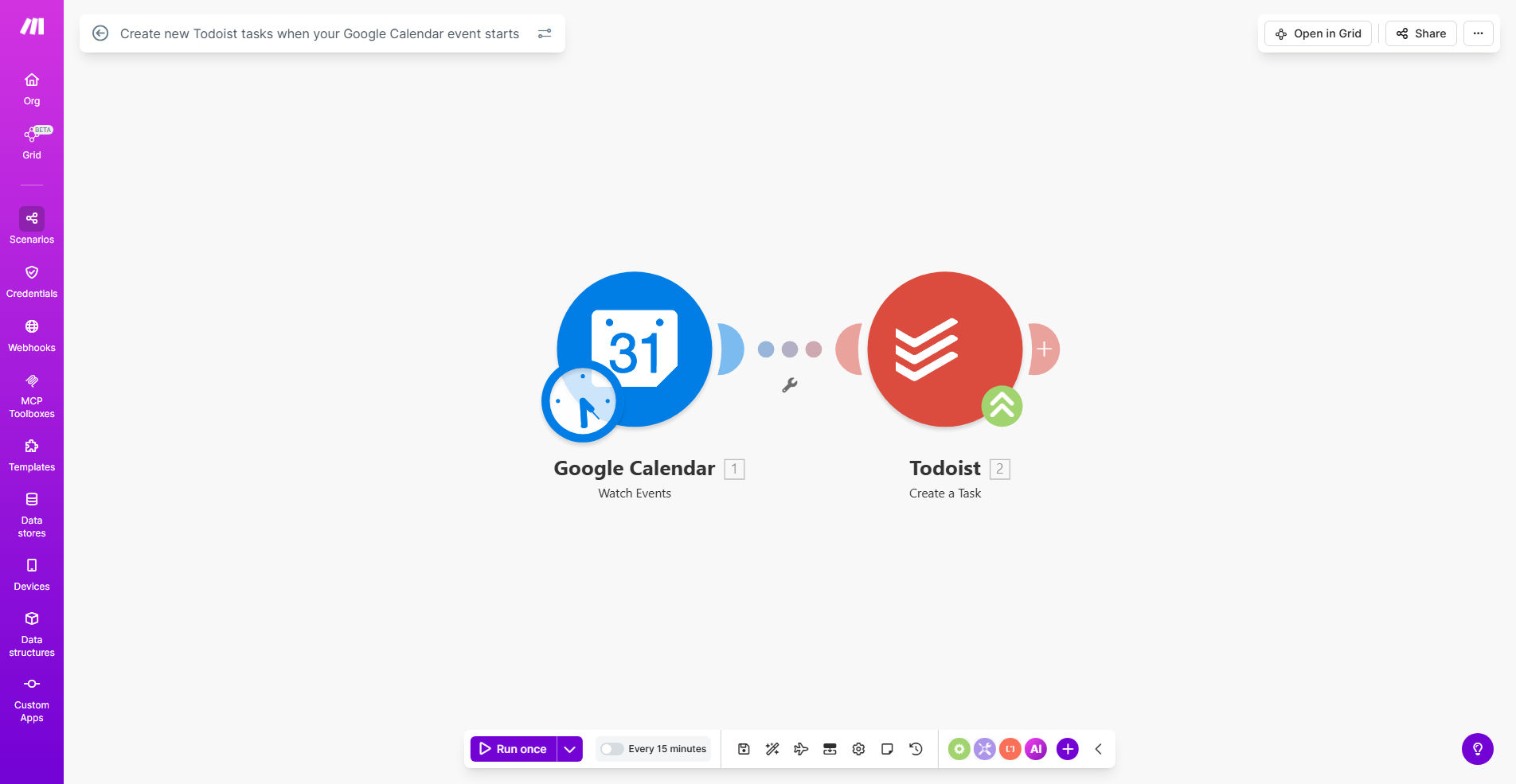
Make.com workflow diagram showing Google Calendar connected to Todoist

What This Workflow Does

This automation bridges the gap between scheduling and task execution by automatically converting Google Calendar events into Todoist tasks. When an event starts in your calendar, the workflow creates a corresponding task in your Todoist account with all relevant details.

For busy professionals and teams, this eliminates manual task creation after meetings or appointments. The system ensures follow-up actions from calendar events don't get forgotten in the transition from scheduling to execution. It's particularly valuable for converting meeting outcomes into assigned action items.

How It Works

1. Event detection

The workflow continuously monitors your Google Calendar for new events that meet your specified criteria (specific calendars, keywords, etc.).

2. Data extraction

When an event starts, the system extracts key details like event title, description, attendees, and duration.

3. Task creation

These details are formatted into a Todoist task with the event title as task name, description as notes, and start time as due date.

Pro tip: Configure filters to only create tasks for events from specific calendars or containing certain keywords to avoid task overload.

Who This Is For

This workflow is ideal for:

  • Executives and managers who need to convert meeting outcomes into action items
  • Consultants who schedule client calls and need to track follow-ups
  • Teams that want to automatically assign tasks from group meetings
  • Anyone using both Google Calendar and Todoist who wants to reduce manual data entry

What You'll Need

  1. A Make.com account (free tier available)
  2. Google Calendar with events you want to convert
  3. Todoist account with projects set up
  4. Google and Todoist API connections configured in Make

Quick Setup Guide

  1. Click "Get This Workflow" to open the template in Make.com
  2. Connect your Google Calendar account
  3. Connect your Todoist account
  4. Specify which calendar(s) to monitor
  5. Set your preferred Todoist project for new tasks
  6. Activate the scenario

Key Benefits

Save 2-3 hours weekly by eliminating manual task entry after meetings and appointments. The automation handles the busywork so you can focus on execution.

Reduce missed follow-ups by 80% by automatically converting meeting outcomes into tracked tasks with deadlines. No more forgotten action items.

Improve team accountability by ensuring calendar events become assigned tasks with clear owners and due dates.

Maintain context with all event details (description, attendees, links) automatically carried over into the corresponding task.

Frequently Asked Questions

Common questions about calendar-to-task automation and integration

Connecting Google Calendar with Todoist creates a seamless workflow between scheduling and task execution. When your calendar events automatically become actionable tasks, you eliminate manual data entry and reduce the chance of missing important follow-ups from meetings or appointments.

This integration is particularly valuable for professionals who frequently transition between scheduling events and executing related tasks. For example, after a client call, all agreed action items can automatically appear in your task manager without any additional effort.

The workflow can be configured to check for new events at intervals that match your schedule needs - from every 15 minutes to daily. Most users find hourly checks provide the right balance between responsiveness and system efficiency.

For critical time-sensitive events, you might set more frequent checks. For less urgent matters, daily checks may suffice. The interval affects your Make.com operation count, so choose what makes sense for your workflow.

The template transfers event title as task name, description as task notes, start time as due date, and attendees as collaborators. You can customize which fields to include based on your specific workflow requirements.

Additional metadata like event location, attachments, and video conference links can also be included in the task notes. This ensures all relevant context from the calendar event is preserved in the resulting task.

Yes, you can set filters to only create tasks for events from specific calendars, containing certain keywords, or meeting duration criteria. This prevents cluttering your task manager with unimportant events.

Common filters include excluding all-day events, events marked as "free," or events from shared calendars that don't require follow-up actions. You maintain complete control over what gets converted into tasks.

The workflow handles recurring events by creating a new Todoist task for each instance. You can configure whether to create all future instances at once or only upcoming ones within a specified timeframe.

For standing meetings, this ensures consistent task creation without manual intervention. The system can even mark completed tasks from previous instances while keeping future ones active.

Teams benefit by automatically converting meeting outcomes into assigned action items. When calendar events become tracked tasks with deadlines, accountability increases and fewer action items fall through the cracks between meetings.

The automation also standardizes how follow-ups are documented and assigned across the team. Everyone works from the same task system with clear ownership and deadlines derived directly from calendar events.

Absolutely. Our team specializes in building custom automations that connect calendar systems with task managers tailored to your specific workflows. We can incorporate additional triggers, filters, and integrations beyond this template.

Custom solutions might include multi-step approval workflows, integration with additional apps like Slack or email, or specialized reporting on task completion rates. We design automations that fit seamlessly into your existing processes.

  • Tailored to your specific calendar and task management needs
  • Integration with your full tech stack
  • Ongoing support and optimization

Need a Custom Calendar-to-Task Automation?

This free template is a starting point. Our team builds fully tailored automation systems for your specific business needs.