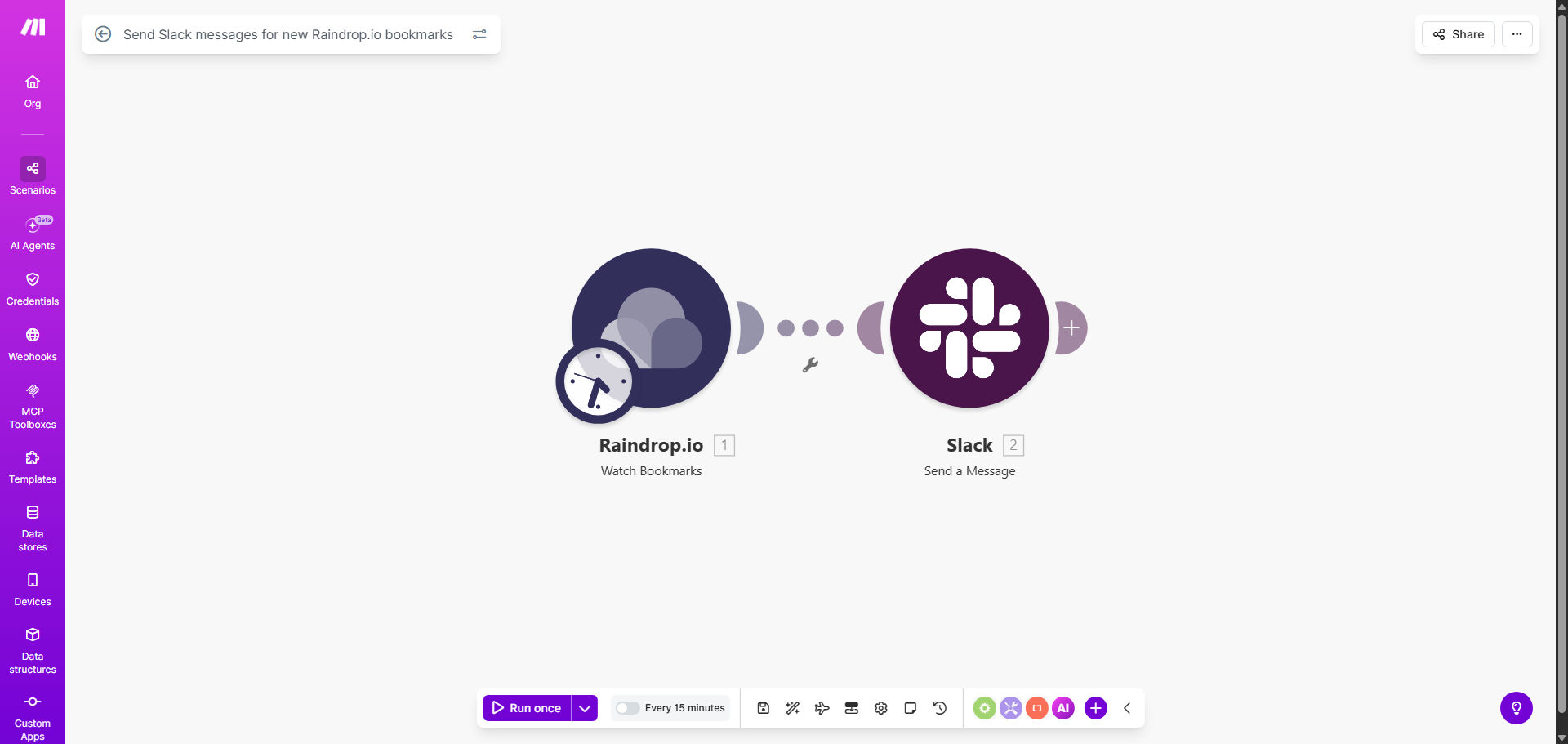
What This Workflow Does
In today's fast-paced work environment, valuable articles, tools, and resources are discovered daily. But when these links are saved privately in a bookmark manager like Raindrop.io, their value is limited to one person. This creates a knowledge silo and forces team members to waste time searching for information others have already found.
This automation solves that problem by creating a seamless bridge between personal bookmarking and team collaboration. Every time you or a teammate saves a new bookmark in a designated Raindrop.io collection, this Make.com workflow instantly posts a formatted message to a chosen Slack channel. It transforms a solitary act of saving a link into a proactive act of team-wide knowledge sharing, ensuring everyone stays informed and has access to the same valuable resources.
The business value is clear: reduced information friction, accelerated learning, and better-aligned teams. Instead of asking "Has anyone seen a good article on X?" your team can simply browse the dedicated Slack channel, saving hours of collective search time each month and fostering a culture of continuous, shared learning.
How It Works
The workflow is a straightforward, reliable automation built on Make.com. It acts as an intelligent messenger between Raindrop.io and your Slack workspace.
Step 1: Trigger on New Bookmark
The scenario starts by watching a specific Raindrop.io collection for any new bookmarks. You can configure it to monitor your "Work Resources," "Competitor Analysis," or "Industry News" collection. As soon as a new item is added, Make.com captures all its details: the title, URL, description, tags, and even the cover image.
Step 2: Format the Slack Message
Make.com then processes this data to create a clean, informative Slack message. It can pull the bookmark's title as the main headline, use the description as the body text, and include relevant tags for context. This step ensures the Slack post is useful and scannable, not just a raw URL.
Step 3: Post to Your Slack Channel
Finally, the workflow sends the formatted message to a pre-defined Slack channel of your choice, such as #team-resources or #weekly-finds. The message appears as if posted by a dedicated bot, clearly indicating it's an automated share from Raindrop.io. Your team gets an instant notification or can discover the link when they check the channel.
Pro tip: Use Raindrop.io's tagging system to your advantage. You can set up the automation to only share bookmarks with a specific tag like #share-with-team, giving you full control over what gets broadcasted.
Who This Is For
This automation is ideal for any team or business that relies on shared knowledge and wants to break down information silos. It's perfect for marketing teams sharing competitor insights and campaign ideas, development teams circulating new tools and libraries, research departments distributing industry reports, and remote teams building a central repository of useful links.
Content creators, agency owners, and consultants will also find immense value. By automatically sharing curated resources with clients or a community via Slack, they position themselves as thought leaders and provide continuous value beyond direct services. Essentially, any group that uses Raindrop.io for curation and Slack for communication is a prime candidate.
What You'll Need
- A Make.com account (free tier is sufficient to start).
- A Raindrop.io account with at least one collection of bookmarks.
- Access to a Slack workspace where you have permission to create a webhook or connect an app.
- The API tokens or OAuth credentials for both Raindrop.io and Slack, which Make.com will guide you to obtain during setup.
Quick Setup Guide
You can have this automation running in under 10 minutes by following these steps.
- Clone the Template: Click the "Get This Workflow" button above to open the template on Make.com and create a copy in your own account.
- Connect Raindrop.io: In the first module, authorize Make.com to access your Raindrop.io account and select the specific collection you want to monitor for new bookmarks.
- Connect Slack: In the Slack module, authorize the connection to your workspace and choose the exact channel where messages should be posted (e.g., #resources).
- Customize the Message (Optional): Edit the message formatting module to include the bookmark data you find most valuable—like title, URL, and a custom emoji.
- Turn it On: Activate the scenario. Save a new bookmark in your chosen Raindrop.io collection to test it. You should see a formatted message appear in your Slack channel within seconds.
Key Benefits
Save 2–3 hours per month per team member by eliminating the manual process of copying links, switching to Slack, and posting updates. The automation handles it instantly and consistently.
Improve team alignment and knowledge retention by ensuring everyone has access to the same curated resources. New team members can browse the shared channel to get up to speed quickly.
Increase the ROI of your research and curation efforts. A link saved by one person now educates and informs the entire team, multiplying the value of that single action.
Create a searchable, living knowledge base right inside Slack. All shared bookmarks are archived in the channel, making them easily discoverable via Slack's search function long after they're posted.
Foster a proactive culture of sharing without requiring any extra effort from your team. The automation encourages contribution by making sharing the default, effortless outcome of saving a useful link.