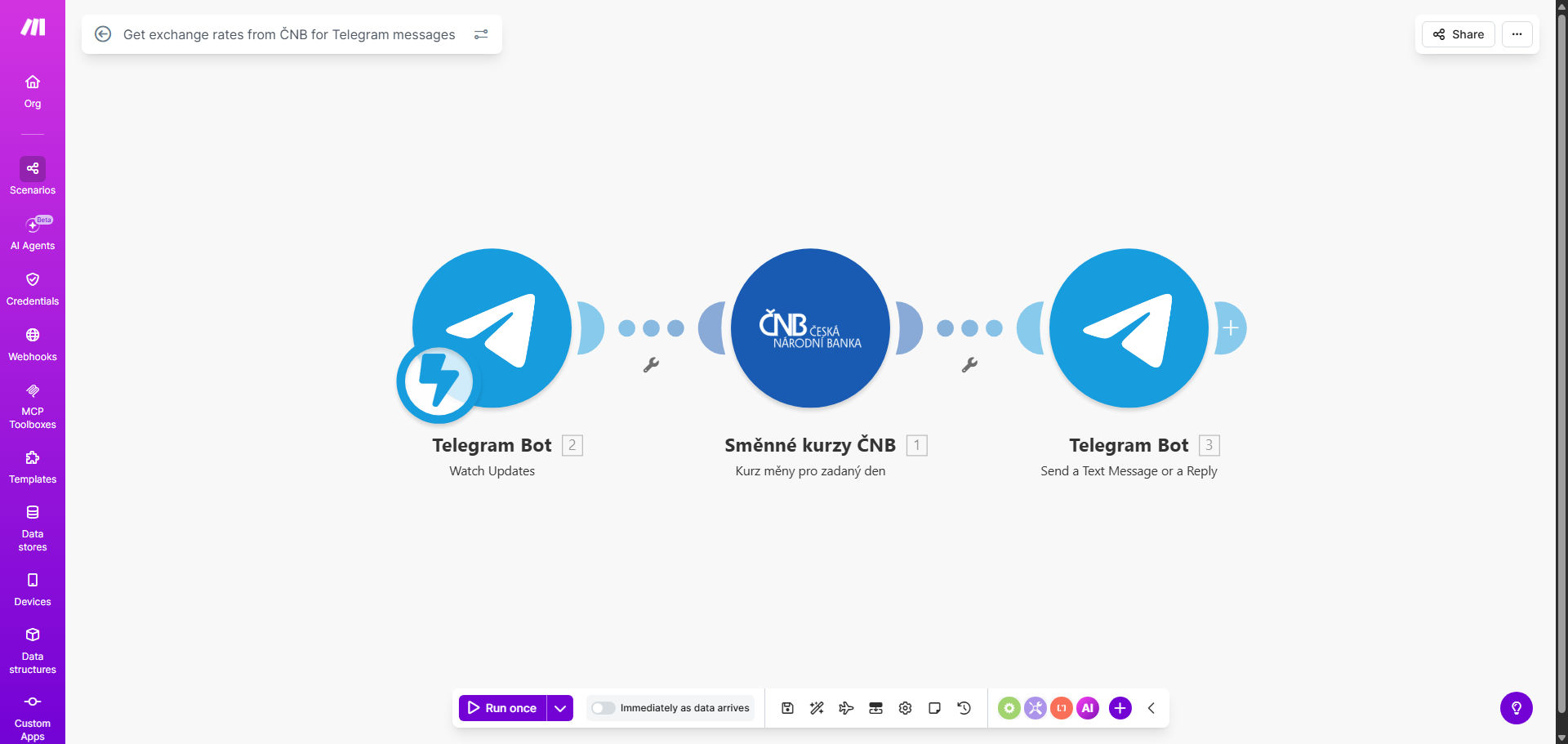
What This Workflow Does
For businesses and individuals dealing with international transactions, travel, or finance in the Czech Republic, accessing real-time exchange rates is a daily necessity. Manually checking the Czech National Bank (ČNB) website or financial apps is a repetitive, time-consuming task that interrupts workflow. This automation solves that by bringing the data directly to where your team communicates: Telegram.
Whenever a user sends a valid currency code (like USD, EUR, GBP) to your dedicated Telegram bot, this Make.com workflow springs into action. It validates the input, fetches the latest official exchange rate relative to the Czech koruna (CZK) from the ČNB's reliable API, and instantly sends a formatted response back to the chat. It turns a simple message into an immediate, authoritative financial data point.
Pro tip: This template is perfect for finance teams, travel agencies, freelancers with international clients, or expats managing finances between currencies. It eliminates the friction of context-switching between apps.
How It Works
The automation operates on a simple trigger-process-response model, seamlessly connecting Telegram with a trusted financial data source.
Step 1: Message Reception & Filtering
The workflow is triggered by a new message in your Telegram bot. It first checks if the message contains text (ignoring commands, stickers, or media). Then, it validates whether the text matches a standard three-letter ISO currency code (e.g., USD, JPY, AUD). This filter ensures the automation only runs for relevant queries, saving processing resources.
Step 2: Fetching Data from ČNB API
Once a valid code is confirmed, Make.com sends an HTTP request to the Czech National Bank's public JSON API. This API returns a daily-updated list of exchange rates for numerous currencies against the CZK. The workflow parses this response to find the exact rate for the requested currency, including the official amount and the country name.
Step 3: Formatting & Sending the Response
The raw data is then formatted into a clear, user-friendly message. The response typically includes the currency code, full currency name, the exchange rate (how many CZK for 1 unit of foreign currency), and the date of the rate. This formatted message is sent back as a reply from the Telegram bot to the original chat, completing the loop in seconds.
Who This Is For
This automation delivers tangible value to several key audiences. Finance professionals and accountants in Czech-based firms can get quick rates for invoicing and reporting without leaving their communication flow. E-commerce store owners selling internationally can quickly check rates for pricing or refund calculations.
Travel agencies and tour operators catering to international visitors can provide staff with instant rate information for cost estimations. Freelancers and remote workers paid in foreign currencies can easily track their earnings in CZK. Finally, expat communities and individuals managing personal finances across borders will find this a convenient daily tool.
What You'll Need
- A Make.com Account: A free or paid plan to build and run the automation.
- A Telegram Account & Bot: You must create a bot via Telegram's BotFather to get a unique API token.
- The Bot's API Token: This secret key from BotFather allows Make.com to connect to and control your bot.
- Basic Understanding of Currency Codes: Know the ISO codes (like EUR, USD) for the currencies you need to query.
- Webhook Access (Handled by Make): Make.com will set up the webhook to receive messages from Telegram automatically.
Quick Setup Guide
You can have this automation running in under 15 minutes by following these steps.
- Create Your Telegram Bot: Message @BotFather on Telegram, use the /newbot command, and follow the prompts to get your bot's name and API token.
- Clone the Template: Click the "Get This Workflow" button above to open the template on Make.com and create a copy in your own account.
- Configure the Telegram Module: In the first module of your cloned scenario, paste the API token from BotFather to establish the connection.
- Test the Connection: Activate your scenario and send a message like "USD" to your new bot. You should receive an instant reply with the current CZK rate.
- Refine & Deploy: Optionally, customize the response message format or add error handling. Then, share your bot's username with your team for everyday use.
Pro tip: For team use, pin the bot's response in a dedicated group chat to create a live, searchable log of all rate queries made by the team throughout the day.
Key Benefits
Save 15–30 minutes daily per team member by eliminating manual website visits or app switching for rate checks. This time compounds quickly in finance-heavy roles.
Ensure data accuracy and authority by pulling directly from the Czech National Bank, reducing errors from using unofficial or outdated rate sources in critical business decisions.
Improve team productivity and flow by keeping information access within the communication tool (Telegram) they already use, minimizing disruptive context shifts.
Provide instant customer and internal service by allowing anyone with bot access to get a rate in under 5 seconds, far faster than searching online or asking a colleague.
Create a scalable knowledge base as every query and response is logged in Telegram, building a searchable history of rate data points over time.