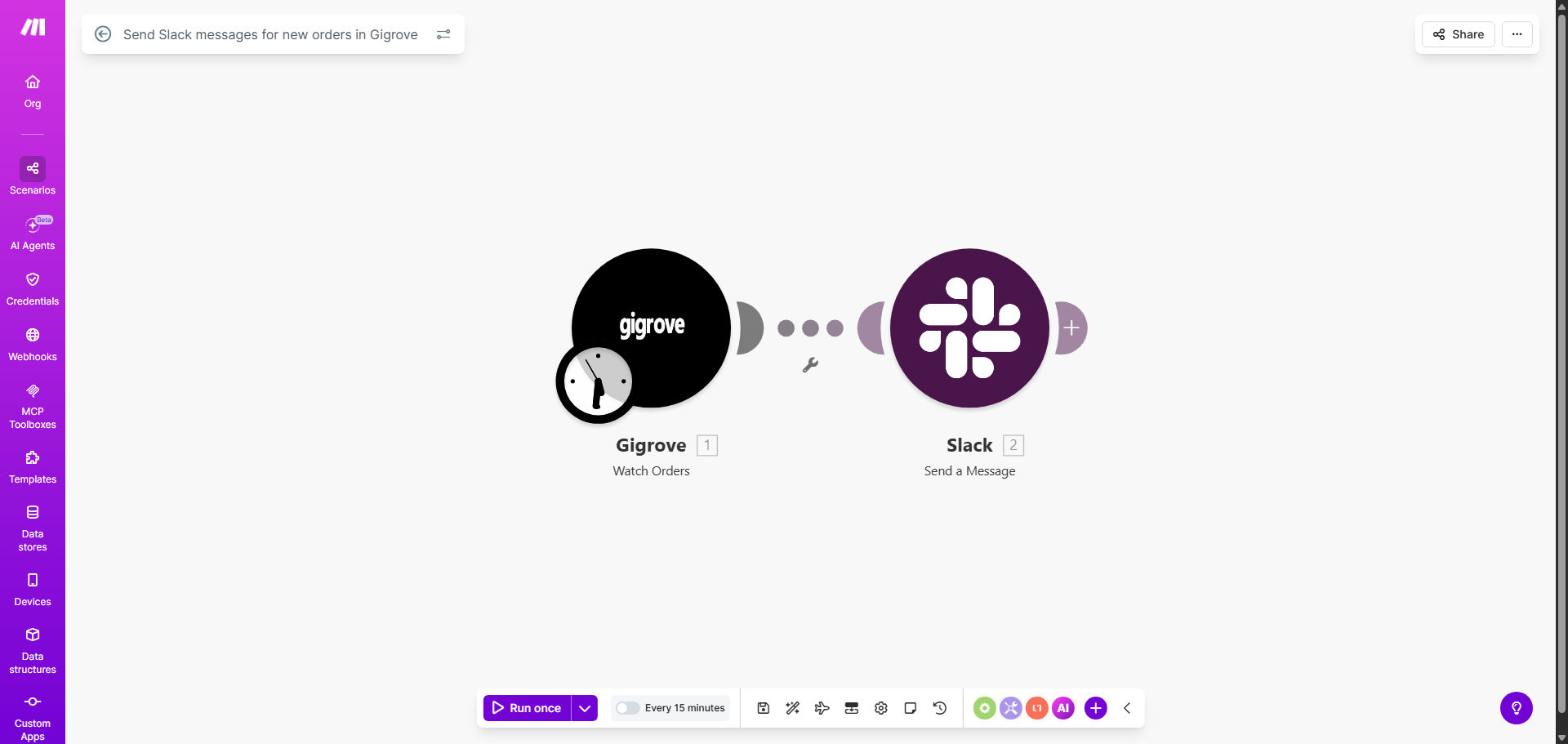
What This Workflow Does
For e-commerce businesses using Gigrove, manually checking for new orders creates delays and risks missed sales. This silent gap between a customer placing an order and your team acting on it can slow down fulfillment and hurt customer satisfaction.
This automated workflow solves that problem by creating a direct, real-time bridge between your Gigrove store and your team's communication hub, Slack. Every time a new order is created, the workflow triggers instantly, pulling the order details and posting a formatted notification directly into a designated Slack channel. This transforms a previously manual, time-sensitive task into a seamless, automatic process.
The result is a synchronized team that can respond to new business the moment it happens. Whether it's preparing a shipment, starting a customer service follow-up, or simply celebrating a new sale, the entire process begins minutes faster, creating a more professional and responsive operation.
How It Works
The automation follows a simple but powerful sequence, ensuring data flows reliably from your store to your team.
Step 1: Monitor Gigrove for New Orders
The workflow starts with a Make.com module (often a "Watch Orders" trigger) that continuously monitors your Gigrove account. It is configured to detect the event of a new order being created. This trigger acts as the starting pistol for the entire automation process.
Step 2: Retrieve and Format Order Details
Once a new order is detected, the workflow captures the full order data from Gigrove. This includes critical information like the order ID, customer name, email, total amount, items purchased, and shipping details. The workflow then structures this data into a clear, readable format suitable for a Slack message.
Pro tip: Use Make.com's text formatter to create a clean, consistent message template. Include emojis (like 🚀 for new orders or ⚡ for high-value) to make alerts visually scannable in a busy Slack channel.
Step 3: Post the Alert to Your Slack Channel
The final step uses the Slack module in Make.com to send the formatted message. You specify the exact Slack channel (e.g., #new-orders, #sales-team) where the alert should appear. The message posts instantly, providing your entire team with a live update containing all the information they need to take immediate action.
Who This Is For
This automation is ideal for any business that sells through Gigrove and relies on team coordination. It's perfect for small e-commerce teams, digital agencies managing client stores, and product-based businesses where speed from order to acknowledgment is a competitive advantage. If your team uses Slack for daily communication and you want to eliminate the friction of checking multiple platforms for new sales, this workflow is for you.
What You'll Need
- A Gigrove account with an active store and API access.
- A Slack workspace where you have permission to create incoming webhooks or install apps.
- A Make.com account (free tier is sufficient to start).
- Basic information like your Gigrove API credentials and your target Slack channel name.
Quick Setup Guide
You can have this automation running in under 15 minutes by following these steps.
- Get the Template: Click the "Get This Workflow" button above to clone the template into your Make.com account.
- Connect Gigrove: In the first module, authorize Make.com to access your Gigrove account using your API credentials.
- Connect Slack: In the Slack module, authorize the connection to your workspace and select the channel (e.g., #orders) where notifications should be sent.
- Customize the Message: Edit the message template in the Slack module. You can add or remove order fields (like item names or customer email) to suit your team's needs.
- Turn it On: Save the scenario and activate it. Place a test order in your Gigrove store to see the instant notification appear in Slack.
Key Benefits
Reduce order processing time by up to 90%. By eliminating manual checks, your team can begin fulfillment within seconds of an order being placed, dramatically speeding up your delivery promise.
Eliminate missed orders and human error. Automated alerts ensure every single sale is captured and communicated, removing the risk of an order slipping through the cracks in a busy inbox.
Improve team alignment and visibility. With all key stakeholders seeing the same real-time alert in Slack, everyone from sales to shipping is on the same page, fostering better collaboration.
Create a foundation for advanced automation. This workflow is a perfect trigger point. You can easily extend it to automatically create tasks, update inventory, or log data into a spreadsheet, building a complete automated operations system.
Enhance the customer experience. Faster internal processes allow for quicker shipping confirmations and customer service follow-ups, leading directly to higher satisfaction and repeat business.