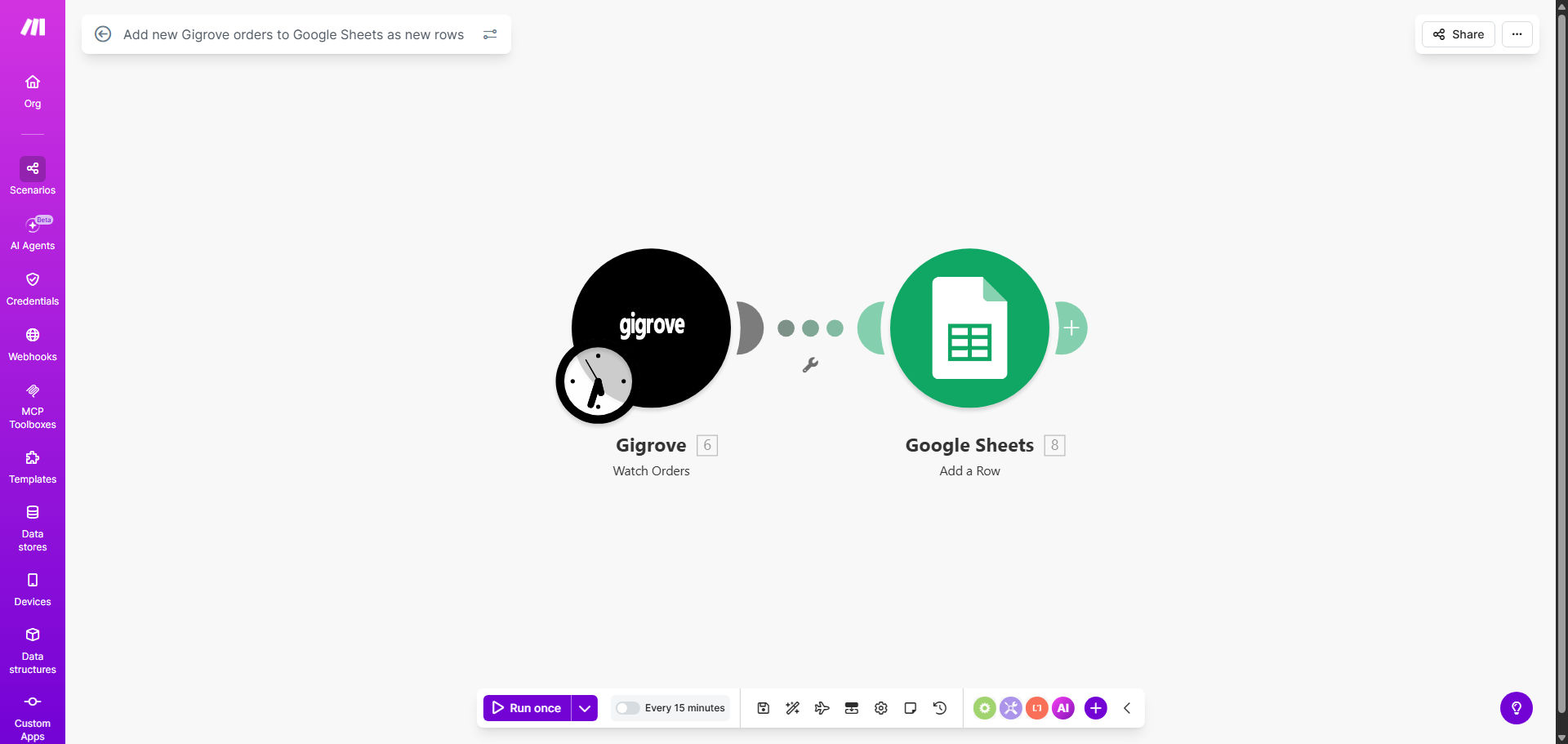
What This Workflow Does
For e-commerce businesses using Gigrove, managing order information often involves a tedious, manual process: checking the platform, copying customer details, product info, and totals, then pasting them into a spreadsheet for record-keeping, reporting, or accounting. This is not only time-consuming but also prone to human error, leading to inaccurate sales data, delayed reporting, and potential fulfillment mistakes.
This automation solves that problem completely. It acts as a digital bridge between your Gigrove store and Google Sheets. Every time a customer completes a purchase, the workflow is triggered automatically. It captures the new order details and appends them as a fresh row in your designated Google Sheets spreadsheet. The result is a continuously updated, centralized, and accurate log of all your sales activity without you or your team lifting a finger.
How It Works
The workflow follows a simple, reliable sequence to ensure no order is missed and all data is transferred correctly.
Step 1: Monitor for New Orders
The scenario starts with a "Watch Orders" module from Gigrove. It continuously monitors your Gigrove store for any new order creation events. This is the trigger that kicks off the entire automation process.
Step 2: Extract and Structure Order Data
Once a new order is detected, Make.com retrieves the complete order payload. This includes essential data points like the unique Order ID, customer name, email, shipping address, the items purchased (with names, SKUs, quantities, and prices), the order total, status, and the timestamp.
Pro tip: You can customize which data points are captured. Focus on the fields most critical for your reporting, like product variants or custom order notes, to tailor the log to your business needs.
Step 3: Add a New Row to Google Sheets
The final step is where the magic happens. The workflow connects to your specified Google Sheets file and uses the "Add a Row" module. It maps each piece of extracted Gigrove data (e.g., Order ID, Customer Email, Total) to a corresponding column in your spreadsheet. A new row is instantly created, populating your live sales log.
Who This Is For
This automation is a game-changer for small to medium-sized e-commerce businesses, solo entrepreneurs, and online store managers who use Gigrove. It's perfect for:
- Store owners who spend hours each week manually compiling sales reports.
- Marketing managers who need clean, updated customer and sales data for campaign analysis.
- Accountants or bookkeepers who require accurate, chronological sales records for reconciliation.
- Operations teams that use Google Sheets as a lightweight order management or inventory tracking system.
What You'll Need
- A Gigrove account with an active store and orders.
- A Google account with access to Google Sheets.
- A Make.com account (free tier available).
- A Google Sheets spreadsheet set up with column headers for the data you wish to capture (e.g., Order ID, Date, Customer, Items, Amount).
Quick Setup Guide
You can be up and running in under 10 minutes by following these steps:
- Clone the Template: Click the "Get This Workflow" button to copy the template into your Make.com account.
- Connect Gigrove: In the first module, authorize Make.com to access your Gigrove account by logging in when prompted.
- Connect Google Sheets: In the final module, authorize the connection to Google and select the specific spreadsheet and worksheet where you want orders to appear.
- Map Your Data: Review the data mapping. Ensure the information from Gigrove (like 'order.total') is going into the correct Sheets column (like 'Total Amount').
- Test & Activate: Create a test order in Gigrove or use an existing one. Turn on the scenario and verify that a new row appears in your Sheets with the correct data.
Key Benefits
Eliminate 5–10 hours of manual data entry per month. Free your team from the repetitive, low-value task of copying and pasting order information, allowing them to focus on customer service, marketing, and growth.
Achieve 100% data accuracy in your sales logs. Remove the risk of human error from typos, missed orders, or incorrect figures, ensuring your financial and sales reports are always reliable.
Gain real-time visibility into your sales performance. With orders logging instantly, you can monitor daily sales, track best-selling products, and understand customer trends as they happen, not days later.
Create a centralized hub for all order data. Use your Google Sheet as a single source of truth that can easily be connected to other tools for advanced dashboards, accounting, or email marketing campaigns.
Scale your operations without adding administrative overhead. As your order volume grows, this automation scales effortlessly, handling 10 or 10,000 orders with the same reliability and speed.