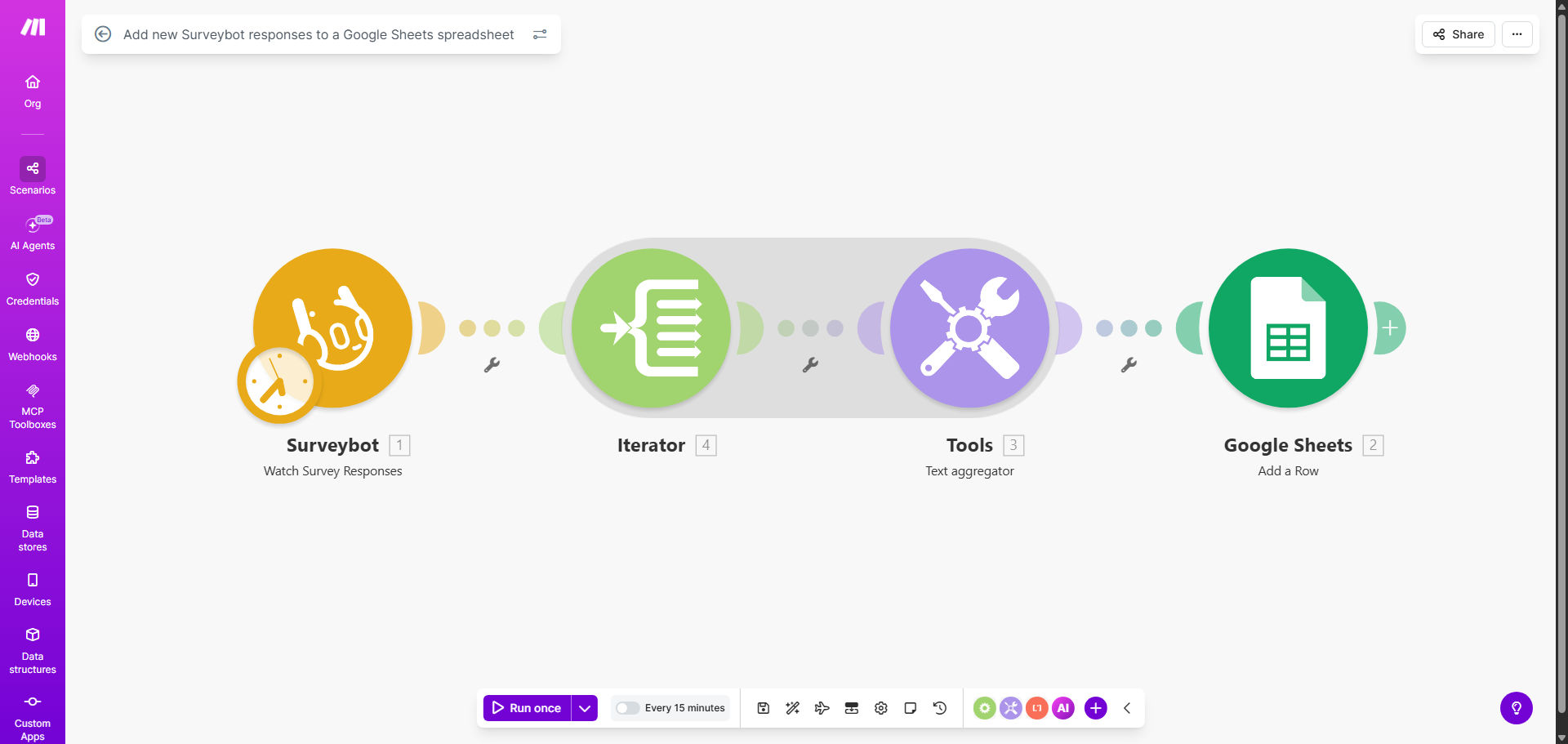
What This Workflow Does
Collecting customer feedback through tools like Surveybot is essential, but the real work begins after the survey ends. Manually copying and pasting responses from Surveybot into a spreadsheet is a tedious, error-prone, and time-consuming task that delays analysis. This process often leads to data silos, inconsistent formatting, and missed opportunities to act on feedback quickly.
This free Make.com template solves that problem by creating a seamless, automated bridge between Surveybot and Google Sheets. Every time a new response is submitted, the workflow instantly captures all the data—from ratings and multiple-choice answers to open-text comments—and appends it as a perfectly formatted new row in your designated Google Sheets spreadsheet. This transforms your spreadsheet into a live, centralized database of customer insights, updated in real-time without any manual intervention.
How It Works
The automation operates on a simple but powerful trigger-action principle, ensuring no response is ever missed.
Step 1: The Trigger – A New Survey Response
The workflow is initiated the moment a respondent clicks "Submit" on your Surveybot survey. Make.com watches your Surveybot account continuously for this specific event.
Step 2: Data Capture & Routing
Make.com receives the complete response packet from Surveybot. This includes metadata like the respondent's email and timestamp, plus the full content of every survey question answered.
Step 3: Formatting for Google Sheets
The workflow maps each piece of data from the Surveybot response to a corresponding column in your Google Sheets template. It ensures text, numbers, and dates are formatted correctly for clean, consistent data entry.
Step 4: Automatic Row Creation
Finally, the workflow sends the formatted data to your specified Google Sheets spreadsheet, adding it as a new row at the bottom of your dataset. The entire process from submission to spreadsheet update takes seconds.
Pro tip: Structure your Google Sheet with clear, descriptive headers (e.g., "Customer Email", "NPS Score", "Feedback Comment", "Submission Date") before activating the automation. This ensures data lands in the right place every time and makes analysis much easier.
Who This Is For
This automation is a game-changer for any business or team that relies on customer or employee feedback. It's ideal for Customer Success Managers tracking NPS or CSAT scores, Product Teams collecting feature requests, Marketing Teams analyzing campaign feedback, and HR Departments managing employee engagement surveys. Freelancers and consultants who run client surveys will also find it invaluable for streamlining their reporting process.
What You'll Need
- A Make.com account (free tier available).
- A Surveybot account with an active survey collecting responses.
- A Google Sheets spreadsheet set up with column headers matching the data you want to capture from your survey.
- API connection access between Make.com and both Surveybot and Google Sheets (handled via OAuth during setup).
Quick Setup Guide
- Get the Template: Click "Get This Workflow" to copy the template into your Make.com account.
- Connect Your Apps: In the Make.com scenario editor, authorize the connections to your Surveybot and Google Sheets accounts when prompted.
- Configure the Trigger: Select the specific Surveybot survey you want to monitor for new responses.
- Map Your Data: In the Google Sheets module, select your target spreadsheet and worksheet. Map the data fields from Surveybot (like "Answer 1", "Respondent Email") to the correct column headers in your sheet.
- Test & Activate: Run a single test by submitting a dummy response to your survey. Verify the data appears correctly in your Google Sheet. Once confirmed, turn the scenario on. It will now run automatically for every new response.
Key Benefits
Eliminate 2-5 hours of manual data entry per week. Free your team from the repetitive, low-value task of copying survey data, allowing them to focus on analyzing insights and taking action.
Achieve 100% data accuracy and consistency. Remove the risk of human error from typos, missed responses, or incorrect copy-pasting, ensuring your analysis is based on reliable, clean data.
Gain real-time visibility into feedback trends. With data flowing in instantly, you can spot urgent issues, monitor sentiment shifts, and identify positive feedback as it happens, enabling proactive business decisions.
Create a single source of truth for all survey data. Centralize feedback from multiple surveys or periods into one master Google Sheet, simplifying reporting, dashboard creation, and historical analysis.
Scale your feedback collection effortlessly. Whether you receive 10 or 1,000 responses, the automation handles the logging workload seamlessly, allowing your survey programs to grow without administrative bottlenecks.