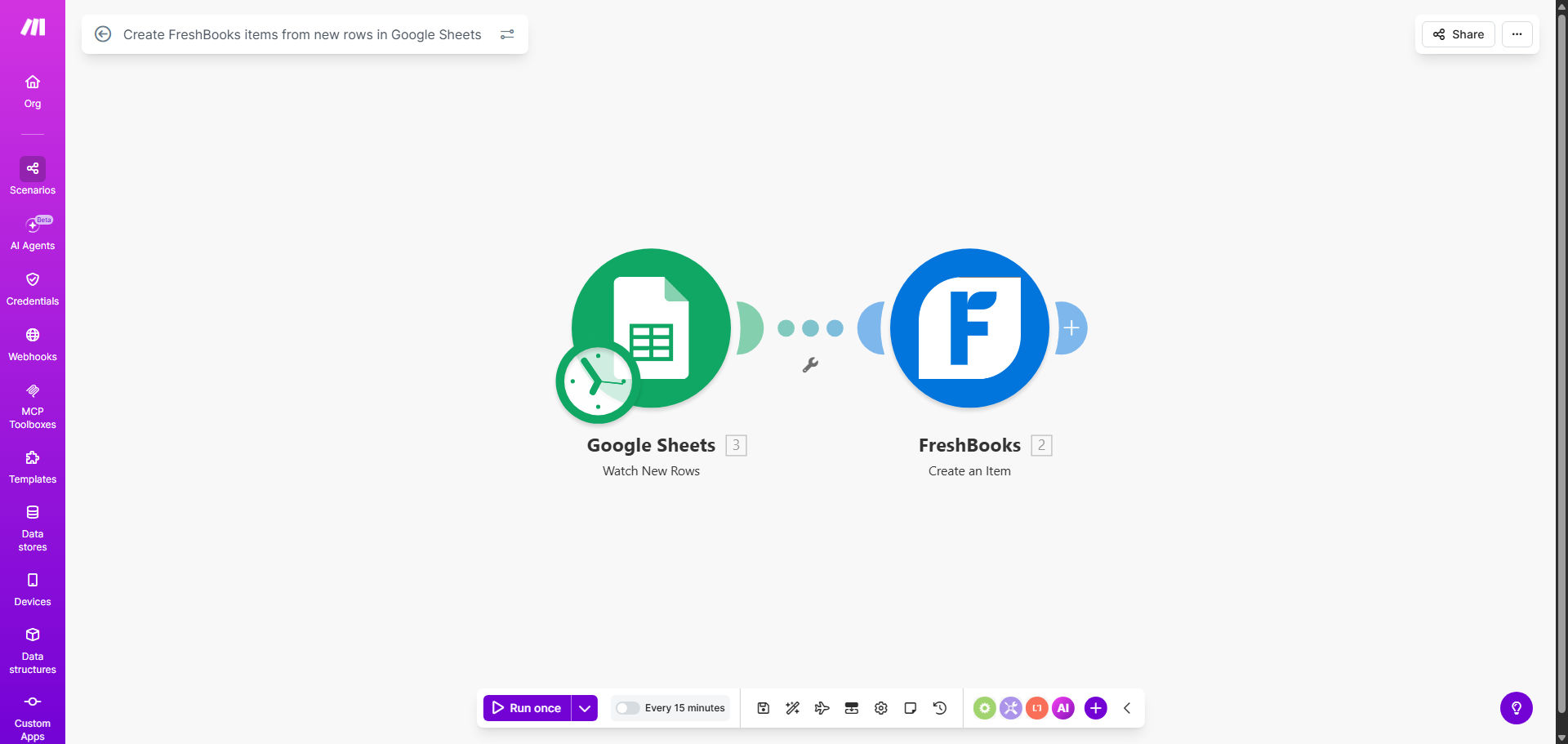
What This Workflow Does
For service businesses, agencies, and freelancers, managing a catalog of billable items across different systems is a constant headache. You might add a new service package or product to a shared Google Sheet used by your team, but then someone has to remember to manually log into FreshBooks and create the corresponding item. This manual process is slow, prone to typos, and leads to invoicing delays or errors.
This automation solves that by creating a live bridge between your operational data in Google Sheets and your financial system in FreshBooks. Every time a new row is added to your designated spreadsheet—whether it's a new consulting service, a digital product, or a project fee—the workflow instantly captures that data and creates a fully configured item in your FreshBooks account. This ensures your billing library is always current, accurate, and ready for invoicing.
How It Works
The workflow is triggered by a new entry in your Google Sheet and follows a precise sequence to ensure data is transferred correctly.
Step 1: Monitor the Google Sheet
The Make.com scenario watches a specific Google Sheet for new rows. You define the sheet and worksheet, and the automation polls it at regular intervals (e.g., every 15 minutes) or can be triggered instantly via webhook if needed.
Step 2: Extract and Map the Data
When a new row is detected, the workflow reads each column. It maps spreadsheet columns to the specific fields required by FreshBooks for an item, such as Item Name, Description, Unit Cost, Sales Price, and Taxability. The template uses a standard column structure for easy setup.
Pro tip: Structure your Google Sheet with clear column headers (e.g., 'Item Name', 'Description', 'Price'). This makes mapping in Make.com straightforward and keeps your data organized for other uses.
Step 3: Create the Item in FreshBooks
Make.com sends a formatted API request to FreshBooks with the new item data. The workflow handles the authentication and connection, creating the item in your FreshBooks account under the correct item type (e.g., Service, Product, Flat Rate).
Step 4: Confirm and Log (Optional)
After creation, the workflow can retrieve the new FreshBooks Item ID and log it back to the Google Sheet or send a notification to a Slack channel. This provides a clear audit trail and confirms the automation was successful.
Who This Is For
This automation is ideal for any business that uses FreshBooks for invoicing and maintains its service or product list in a collaborative spreadsheet. It's perfect for marketing agencies adding new campaign packages, consultants defining new engagement models, software developers with tiered service plans, and small retailers managing an inventory of products. If your team frequently updates a "menu" of offerings, this workflow ensures your finance system is never out of sync.
What You'll Need
- A Make.com account (free tier available).
- A FreshBooks account with admin access to generate API tokens.
- A Google Sheets spreadsheet with your item list, structured with clear column headers.
- The FreshBooks API credentials (OAuth2 token) to connect Make.com to your account.
- Google Sheets access granted to Make.com via a connected Google account.
Quick Setup Guide
You can have this automation running in under 30 minutes.
- Get the Template: Click "Get This Workflow" to copy the scenario to your Make.com account.
- Prepare Your Sheet: Duplicate the example Google Sheet or format your existing sheet to match its column structure (Item Name, Description, etc.).
- Connect Apps: In the Make.com scenario, establish the connections to your specific Google Sheet and your FreshBooks account using OAuth.
- Map the Fields: Verify that the module mapping the Google Sheets columns to the FreshBooks "Create an Item" module is correctly aligned with your sheet's headers.
- Test & Activate: Add a test row to your sheet, run the scenario once to check for errors, then schedule it to run automatically (e.g., every 15 minutes).
Key Benefits
Eliminate Costly Data Entry Errors: Manual typing mistakes in item names, descriptions, or prices lead to incorrect invoices and client disputes. Automation ensures 100% data accuracy from source to system.
Save 5–10 Hours Per Month on Admin Work: Free your team from the tedious, repetitive task of copying data between apps. That time can be redirected to client service or business growth activities.
Accelerate Your Billing Cycle: New services become billable items instantly, not "when someone gets around to it." This means you can invoice for new work immediately, improving cash flow.
Maintain a Single Source of Truth: Your Google Sheet becomes the master list that everyone on your team can edit. The automation propagates changes to FreshBooks, ensuring consistency across operations and finance.
Scale Your Service Offerings Effortlessly: Adding a new product line or service tier is as simple as adding a row to a spreadsheet. The automation handles the rest, allowing you to scale your offerings without proportional administrative overhead.