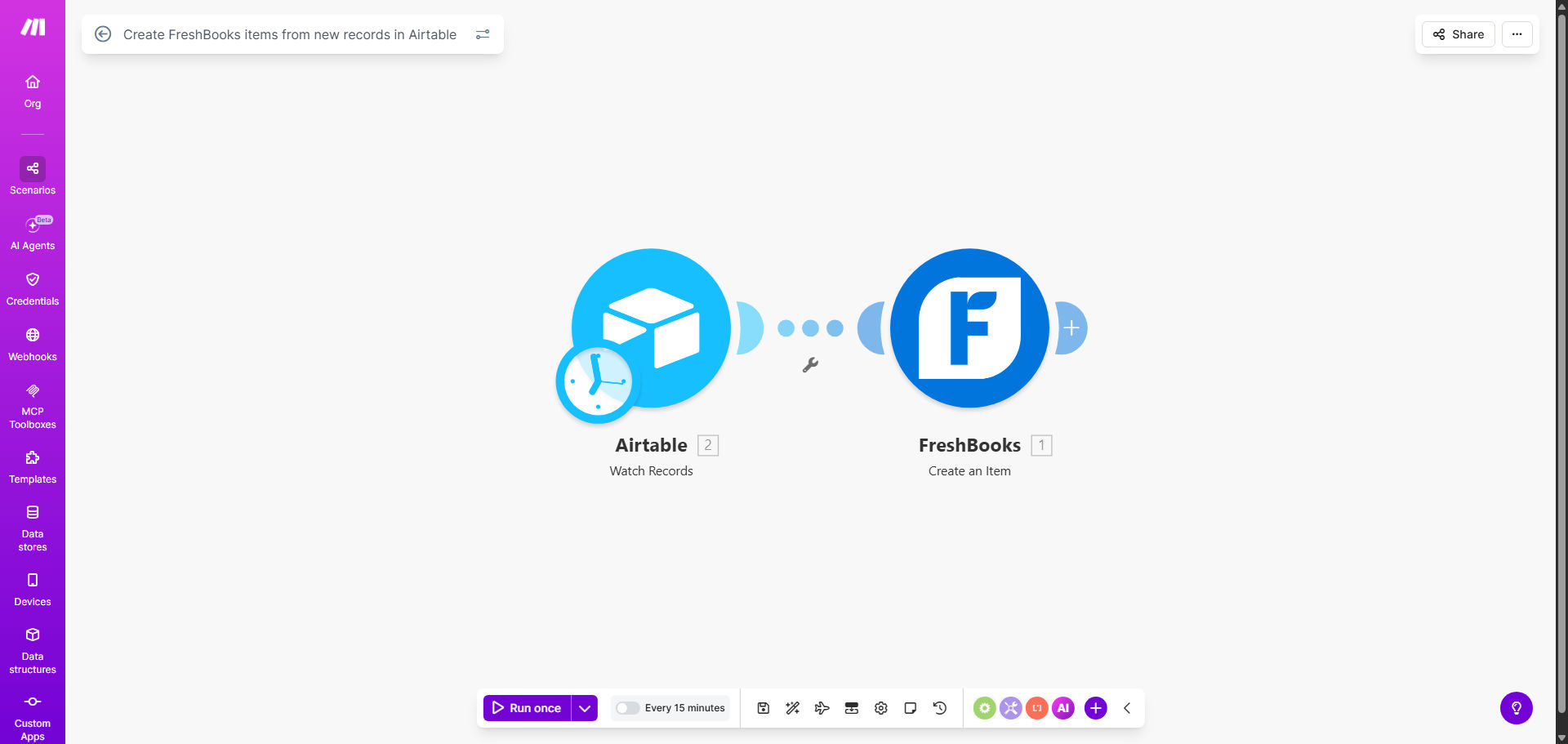
What This Workflow Does
For service businesses, consultants, and agencies, the gap between defining a billable service and actually invoicing for it is often filled with tedious, error-prone manual work. You might have a project tracker in Airtable where new services are logged, but then someone must manually re-enter all that information into FreshBooks to create an invoice item. This process wastes time, introduces data entry mistakes, and delays your cash flow.
This automation solves that by creating a seamless bridge between your operational data (Airtable) and your financial system (FreshBooks). Every time a new record is added to your designated Airtable base—whether it's a new consulting package, a web development service, or a product SKU—this Make.com workflow instantly creates a corresponding item in your FreshBooks account. The item is ready to be added to invoices immediately, ensuring your billing catalog is always current and accurate.
How It Works
The workflow follows a simple, reliable trigger-action sequence that runs automatically in the background.
Step 1: Monitor Your Airtable Base
The scenario starts by watching a specific Airtable table for new records. You configure it to monitor the table where you or your team logs new billable services, products, or projects. This is the trigger—the moment a new row appears, the automation springs into action.
Step 2: Extract and Format Item Data
Make.com retrieves the new record and maps the relevant fields from Airtable to the required format for FreshBooks. This typically includes the item name, description, unit cost or price, and any applicable tax settings or income account codes. The workflow ensures data types are correct (e.g., converting text to numbers for pricing).
Step 3: Create the Item in FreshBooks
Using the FreshBooks module in Make.com, the workflow authenticates with your account and creates a new item using the formatted data. The item is saved directly into your FreshBooks Items list, complete with all the details pulled from Airtable. You can configure it to categorize items by type or client for easy invoicing later.
Pro tip: Use a dedicated "Status" field in your Airtable (e.g., "Ready to Bill") to control when an item gets created. Configure the Make.com watch trigger to filter for records with that specific status, giving you manual oversight before automation runs.
Who This Is For
This template is ideal for any business that uses Airtable for project management, service cataloging, or product tracking and FreshBooks for invoicing and accounting.
- Digital Agencies & Freelancers: Automatically create service items for new website packages, SEO plans, or content bundles from your project pipeline.
- Consultants & Coaches: Turn new coaching program outlines or consulting offerings in Airtable into billable items without manual transfer.
- E-commerce & Product Businesses: Sync new product details from an Airtable inventory list directly into FreshBooks as sellable items.
- Small Business Owners: Anyone tired of switching between apps to keep their service list and invoicing software in sync.
What You'll Need
- A Make.com account (free tier available).
- An Airtable account with a base containing your services, products, or projects.
- A FreshBooks account with admin or staff permissions to create items.
- Your Airtable API key and Base ID for connection.
- Your FreshBooks API credentials (found in your FreshBooks settings).
Quick Setup Guide
- Clone the Template: Click "Get This Workflow" to copy the scenario into your Make.com account.
- Connect Your Apps: In the Make.com scenario editor, update the Airtable and FreshBooks modules with your API credentials. Test the connections.
- Map Your Fields: Identify which columns in your Airtable table correspond to FreshBooks item fields (Name, Description, Price, etc.). Adjust the field mapping in the Make.com modules accordingly.
- Set Your Trigger Table: Point the Airtable "Watch Records" module to your specific base and table. You may add a filter if you only want to trigger on records meeting certain criteria.
- Run a Test: Turn the scenario on and add a test record to your Airtable. Verify that a new item appears in your FreshBooks Items list with the correct details.
- Go Live: Once testing is successful, ensure the scenario is scheduled to run in real-time and let it handle the syncing automatically.
Key Benefits
Eliminate manual data entry and save 2-5 hours per week. Your team no longer needs to copy-paste item details between apps, freeing them for higher-value tasks like client service or business development.
Ensure 100% billing accuracy and faster invoicing. By automating the transfer, you remove typos and missed items. New services become billable instantly, accelerating your revenue cycle and improving cash flow.
Maintain a single source of truth. Your Airtable base becomes the definitive record for all service definitions. Any update there can be configured to sync to FreshBooks, keeping both systems perfectly aligned.
Scale your service offerings effortlessly. Adding a new service package or product line is as simple as adding a row in Airtable. The automation handles the rest, making it easy to experiment and grow your catalog.
Reduce onboarding time for new team members. New staff can add billable items directly in the familiar Airtable interface without needing training on FreshBooks, streamlining your operations.