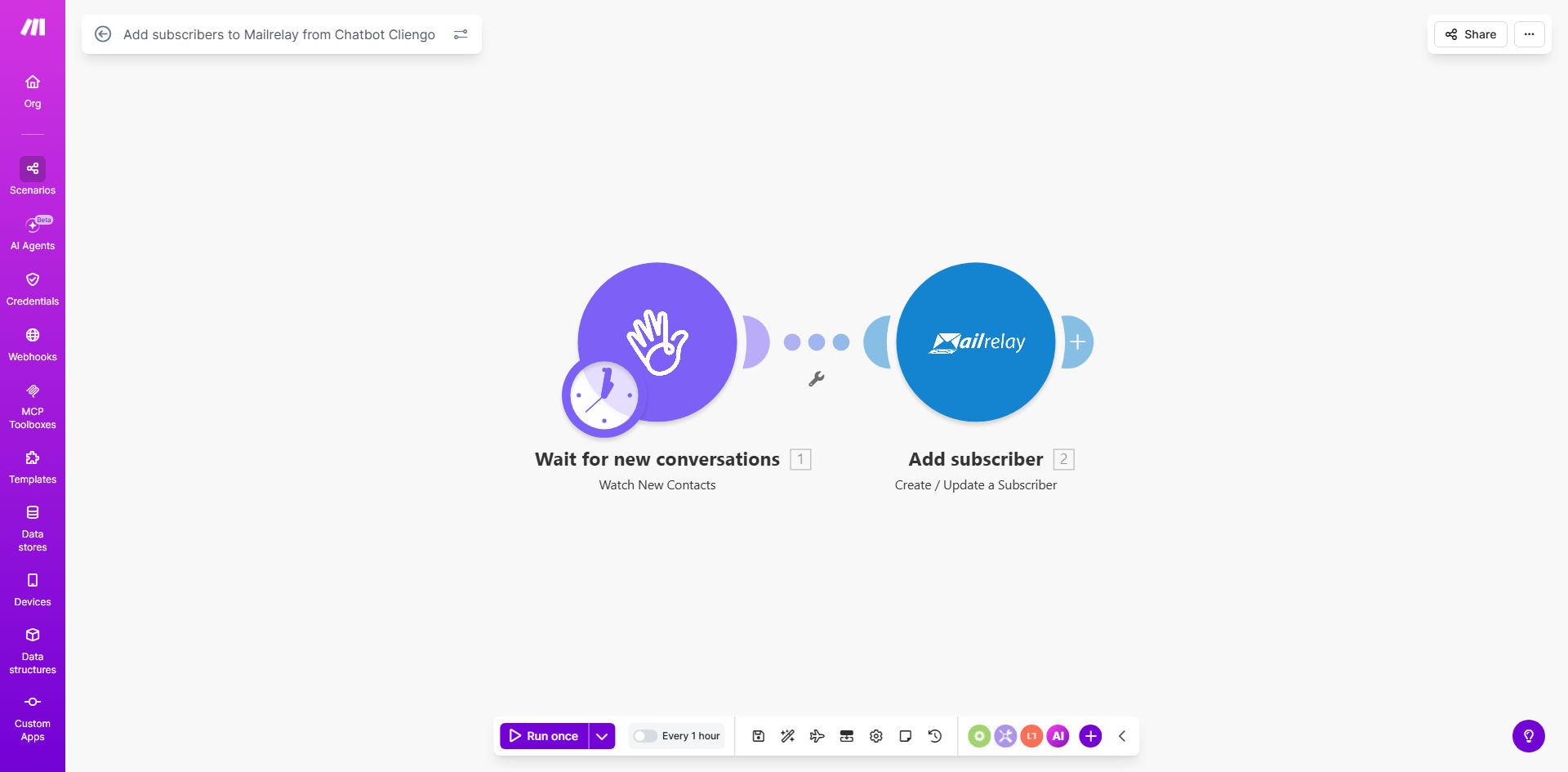
What This Workflow Does
Website chatbots are powerful for capturing leads, but that data often gets stuck in a separate system. Manually copying emails from Cliengo into Mailrelay is tedious, error-prone, and leads to missed opportunities. This automation solves that by creating a seamless bridge between conversation and campaign.
Every time a chat session ends on your website via Cliengo ChatBot, this Make.com workflow triggers. It takes the visitor's contact information—typically their email and name—and automatically adds them as a new subscriber to a specified list in your Mailrelay account. This turns real-time engagement into a long-term marketing relationship without a single manual step.
The business value is clear: you grow your email list consistently from your most engaged visitors. These are warm leads who have already shown interest by initiating a chat. By adding them to your email sequences instantly, you increase conversion rates and save your team hours of administrative work each week.
How It Works
The workflow operates on a simple trigger-action principle, orchestrated by Make.com to ensure reliability and speed.
Step 1: Monitor Cliengo for Completed Conversations
Make.com watches your Cliengo account using a scheduled trigger or webhook. When a chat conversation concludes, it captures the event data. This includes the timestamp, the contact details provided by the visitor, and any custom fields you've set up in your chatbot flow.
Step 2: Parse and Format the Lead Data
The workflow's router and data transformation modules extract the essential information. It maps the Cliengo fields (like 'email' and 'firstName') to the corresponding subscriber fields required by Mailrelay's API. This step ensures clean, structured data is ready for transfer.
Step 3: Add Subscriber to Mailrelay
Make.com sends an API call to your Mailrelay account with the formatted lead data. The contact is added to your chosen subscriber list. You can configure options like double opt-in or tagging based on the chat topic, making the integration adaptable to your email marketing strategy.
Pro tip: Use this workflow to segment leads automatically. Route contacts from chats about "pricing" to a "Hot Leads" list in Mailrelay, and those asking for "brochures" to a "Nurture" list for different email sequences.
Who This Is For
This automation is ideal for any business using Cliengo ChatBot on their website that wants to scale their email marketing efforts efficiently.
- Marketing Teams: Who need to grow their email list with qualified leads and hate manual data entry.
- Small Business Owners: Who use chatbots for customer service and want to follow up with promotional offers via email.
- Sales-Driven Companies: Where immediate lead follow-up is critical, and adding contacts to a CRM or email list instantly can shorten the sales cycle.
- Agencies: Managing multiple client websites who want to standardize and automate lead capture processes across all accounts.
What You'll Need
- A Make.com account (free tier available).
- An active Cliengo ChatBot account with conversations enabled on your website.
- A Mailrelay account with API access enabled (check your plan settings).
- The API keys or connection credentials for both Cliengo and Mailrelay, which you'll enter once during setup.
- A clear idea of which Mailrelay subscriber list you want to add new contacts to.
Quick Setup Guide
You can have this automation running in under 15 minutes.
- Clone the Template: Click "Get This Workflow" to open the template in your Make.com account and create a copy.
- Connect Cliengo: In the first module, authorize Make.com to access your Cliengo account using your API credentials.
- Connect Mailrelay: In the "Add Subscriber" module, authorize the connection to your Mailrelay account.
- Configure Mapping: Ensure the data from Cliengo (e.g., 'email') is correctly mapped to the required fields in Mailrelay (e.g., 'email').
- Select Your List: Choose the specific Mailrelay list where new subscribers should be added.
- Test & Activate: Run a test by having a simulated chat end. Check that a test subscriber appears in your Mailrelay list, then turn the scenario on.
Key Benefits
Eliminate Manual Data Entry: Save 2–5 hours per week that your team would spend copying and pasting lead information from the chatbot dashboard to your email marketing platform.
Capture 100% of Chatbot Leads: No lead falls through the cracks. Every conversation, even those that happen outside business hours, automatically grows your email list, potentially increasing lead volume by 20–30%.
Speed Up Lead Nurturing: Contacts are added to Mailrelay in real-time. This allows your automated welcome email sequence to start within minutes of their chat, significantly improving engagement and conversion rates.
Improve Data Accuracy: Automated transfer removes human error from the process. Email addresses are copied correctly every time, reducing bounce rates and ensuring clean list hygiene.
Scale Marketing Efforts: This setup works 24/7 without supervision. As your website traffic grows, your lead capture and list building system scales automatically alongside it.