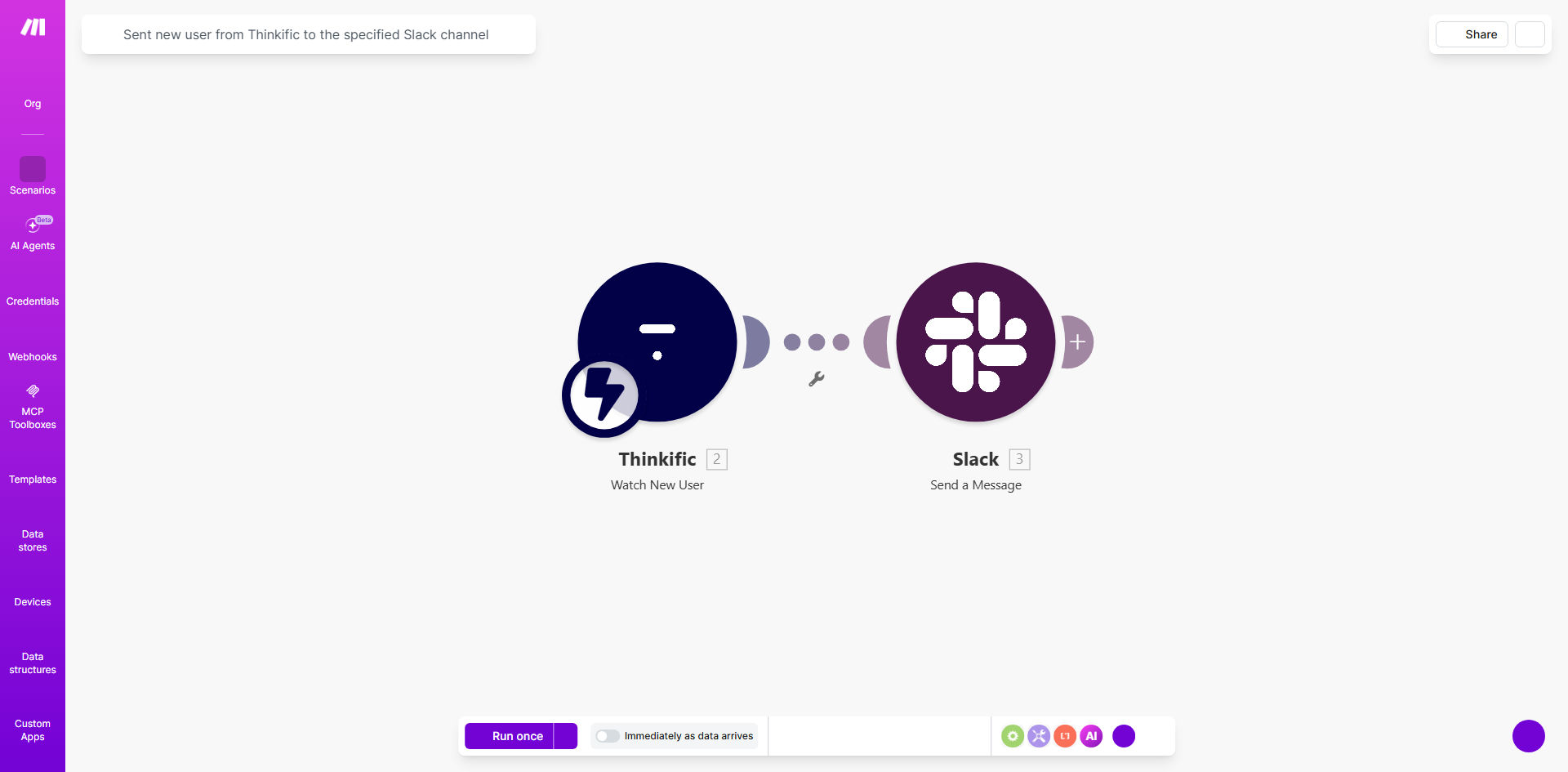
What This Workflow Does
For online course creators and educators using Thinkific, knowing the moment a new student enrolls is crucial. Manually checking your Thinkific dashboard is inefficient and can lead to delayed welcome messages and support. This automation solves that by creating a direct, real-time bridge between your Thinkific school and your team's communication hub on Slack.
Every time a new user is added to your Thinkific platform, this Make.com workflow triggers automatically. It captures the student's details—like their name, email, and enrolled course—and posts a formatted, informative message directly into a specified Slack channel. This ensures your entire team, from instructors to support staff, is immediately aware of new enrollments, enabling faster, more personalized onboarding and fostering a collaborative approach to student success.
How It Works
The workflow is a simple yet powerful sequence that operates silently in the background, turning an event in Thinkific into an actionable alert in Slack.
Step 1: Trigger on New Thinkific User
The automation starts when Thinkific registers a new student enrollment. Make.com watches for this specific event using a webhook or the Thinkific API module, ensuring no new sign-up goes unnoticed.
Step 2: Capture Student Data
Once triggered, the workflow pulls relevant data about the new student. This typically includes their full name, email address, the course they purchased, and the timestamp of enrollment. This data is structured and prepared for the next step.
Step 3: Format & Send Slack Message
Make.com then takes this data and uses the Slack module to post a message to your chosen channel. The message can be customized to include emojis, direct @mentions for specific team members, and clear calls-to-action like "Please welcome them!"
Pro tip: Use Slack message formatting to make alerts stand out. Consider adding the student's name in bold and the course title in italics. You can even include a direct link to the student's profile in Thinkific for quick access.
Who This Is For
This automation is ideal for any business or individual running online courses on Thinkific. Specifically, it's perfect for:
- Course Creators & Solopreneurs: Who wear multiple hats and need to stay on top of new students without constant manual checking.
- Education Teams: Where instructors, teaching assistants, and support staff need to be synchronized on new enrollments to coordinate welcome efforts.
- Coaching Businesses: That offer high-touch programs and want to provide an immediate, personal response to new clients.
- Marketing & Operations Teams: Who track enrollment metrics in real-time and need to trigger follow-up campaigns or internal tasks.
What You'll Need
To set up this automation, you will need the following accounts and permissions:
- A Thinkific account with administrative access to generate API keys or set up webhooks.
- A Slack workspace where you have permission to create apps and post messages to channels.
- A Make.com account (free tier is sufficient to run this workflow).
- The URL of the specific Slack channel where you want notifications to appear (e.g., #new-students, #team-alerts).
Quick Setup Guide
You can have this automation running in under 15 minutes by following these steps:
- Clone the Template: Click the "Get This Workflow" button above to open the template in your Make.com account and create a copy.
- Connect Thinkific: In the first module, authorize Make.com to access your Thinkific account using your site's domain and an API key.
- Connect Slack: Authorize the Slack module with your workspace. Select the channel (e.g., #general) where alerts should be posted.
- Customize the Message: Edit the Slack message template. Insert data from Thinkific (like the student's name) using the variable picker to personalize the alert.
- Test & Activate: Turn on the scenario and perform a test enrollment in Thinkific (or use a test student) to verify the Slack notification appears correctly.
Key Benefits
Instant Team Alignment: Eliminates information silos by notifying your entire team simultaneously the moment a student joins, improving collaboration on student support and engagement.
Faster Student Onboarding: Reduces the time between student enrollment and first contact from hours (or days) to mere minutes, dramatically improving the student's initial experience and perception of your brand.
Zero Manual Effort: Saves 1-2 hours per week typically spent logging into dashboards and manually announcing new sign-ups, freeing your team to focus on higher-value tasks like content creation and student interaction.
Improved Data Visibility: Creates a transparent, searchable log of all new enrollments directly within Slack, making it easy to track growth trends and celebrate milestones as a team.
Scalable Foundation: This simple alert can be the trigger for a more complex onboarding system, easily extended to add students to email lists, CRMs, or task managers without additional manual work.