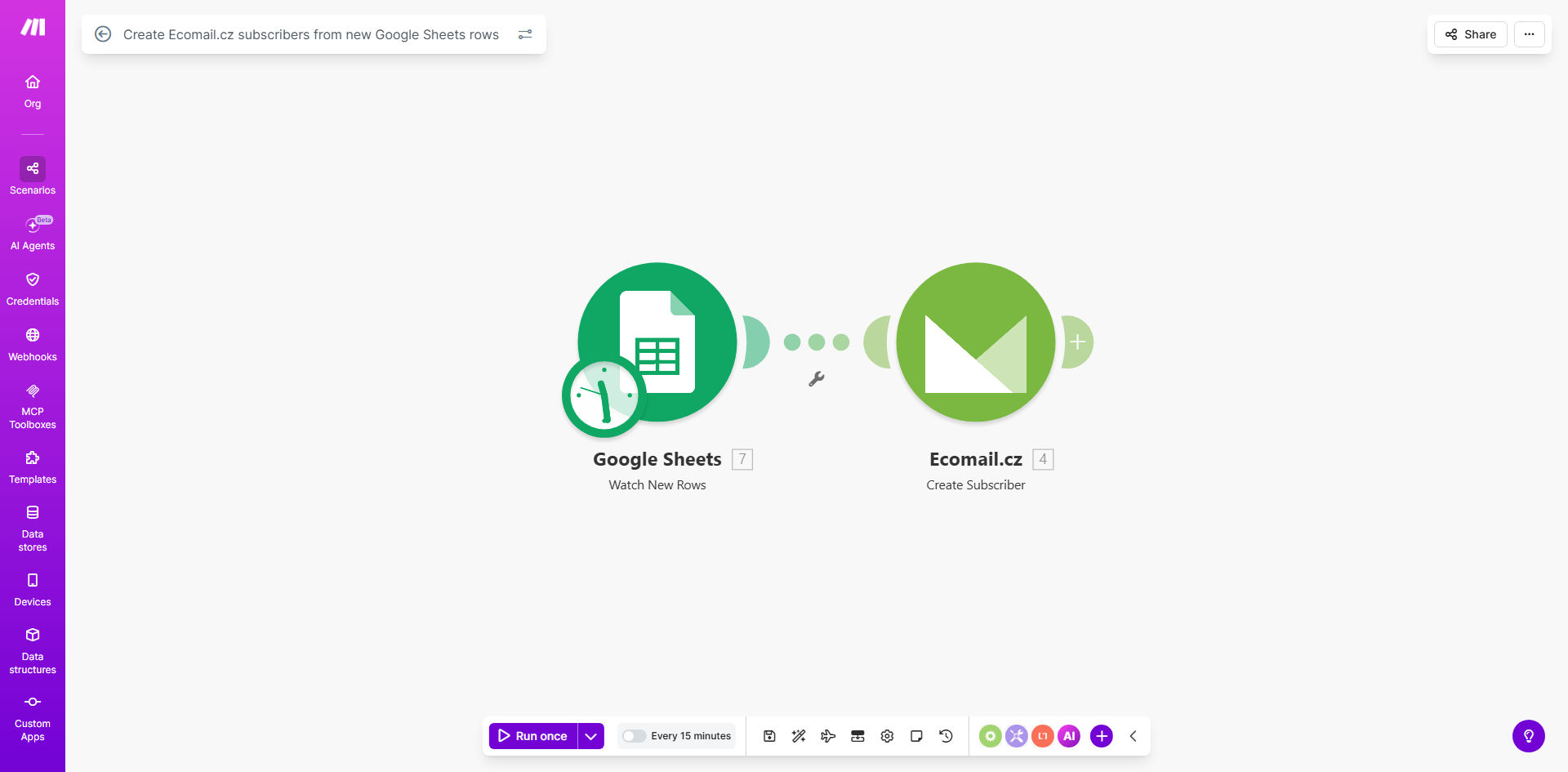
What This Workflow Does
Manually copying and pasting email addresses from a spreadsheet into your email marketing platform is a tedious, error-prone task that wastes valuable time. This automation solves that problem by creating a seamless bridge between Google Sheets, where leads are often collected, and Ecomail.cz, your powerful email marketing engine.
Every time a new row is added to your designated Google Sheet—whether from a website form, an event sign-up, or a sales report—this Make.com workflow instantly detects it. It then takes the subscriber's information (like email, name, and other details) and automatically creates a new contact in your specified Ecomail.cz mailing list. This means your marketing campaigns can reach new leads within minutes, not days, dramatically improving engagement and conversion opportunities.
How It Works
The workflow operates on a simple but powerful trigger-action principle, ensuring a hands-off process once set up.
Step 1: Monitor Your Google Sheet
The automation continuously watches a specific Google Sheets spreadsheet for any new rows. You define the sheet and worksheet. The moment a new entry appears, the workflow is triggered, capturing all the data in that row.
Step 2: Process the Subscriber Data
Make.com reads the data from the new row. You map each column (e.g., Column A for email, Column B for first name) to corresponding variables in the automation. This step ensures the right information is sent to the right place.
Pro tip: Structure your Google Sheet with clear column headers (Email, First Name, Last Name, etc.). This makes field mapping during setup intuitive and prevents errors.
Step 3: Create the Ecomail.cz Subscriber
The workflow then uses the Ecomail.cz module to create a new subscriber. It connects to your Ecomail.cz account, selects the target mailing list, and passes the mapped data (email, name, custom fields) to create a fully formed contact, ready for your next email campaign.
Who This Is For
This automation is a game-changer for small business owners, marketers, and entrepreneurs who use Google Sheets as a hub for lead collection and Ecomail.cz for email marketing. It's perfect for:
- Online Course Creators & Coaches: Automatically add students from registration sheets to your nurture sequence.
- E-commerce Store Owners: Sync customer emails from order spreadsheets or waitlists to promotional lists.
- Event Organizers: Instantly import attendee sign-ups from a shared Sheet into your event communication list.
- Agencies & Freelancers: Manage client lead lists efficiently by automating the transfer from collection forms to the marketing platform.
What You'll Need
To use this template, you only need a few things set up beforehand:
- A Google Sheets spreadsheet with subscriber data. An example structure is provided in the template documentation.
- An active Ecomail.cz account with at least one mailing list created to receive the new subscribers.
- A Make.com account (free tier available) to host and run the automation.
- Permission to connect these services via OAuth (a standard, secure login process).
Quick Setup Guide
You can have this automation running in under 10 minutes by following these steps:
- Get the Template: Click "Get This Workflow" to copy the template into your Make.com account.
- Connect Your Apps: Authorize the Google Sheets and Ecomail.cz modules within Make.com by logging into your accounts.
- Configure the Trigger: Select your source Google Sheet and the specific worksheet that contains your subscriber list.
- Map the Data: In the Ecomail.cz "Create a Subscriber" action, select your target mailing list and map the spreadsheet columns (like email, first name) to the correct Ecomail.cz contact fields.
- Test & Activate: Add a test row to your Google Sheet to trigger the workflow once. Verify the subscriber appears correctly in your Ecomail.cz list, then turn the scenario on to run automatically.
Key Benefits
Save 5–10 hours per month on manual data entry. Eliminate the repetitive task of exporting and importing CSV files or copying emails one by one. Your team can focus on strategy and content creation instead.
Achieve 100% data transfer accuracy. Remove the risk of human error—missed rows, typos in email addresses, or incorrect field mapping. The automation processes data exactly as it appears in your sheet.
Engage leads up to 10x faster. New subscribers can be added to a welcome or onboarding email sequence within minutes of signing up, capitalizing on their peak interest and significantly improving open and click-through rates.
Scale your list building effortlessly. Whether you add 10 or 1,000 new leads a day, the automation handles the volume without any additional effort or cost on your part, supporting seamless business growth.
Centralize your lead management. Use Google Sheets as a simple, universal lead database from multiple sources (forms, partners, events) while ensuring all contacts flow directly into your professional email marketing system.