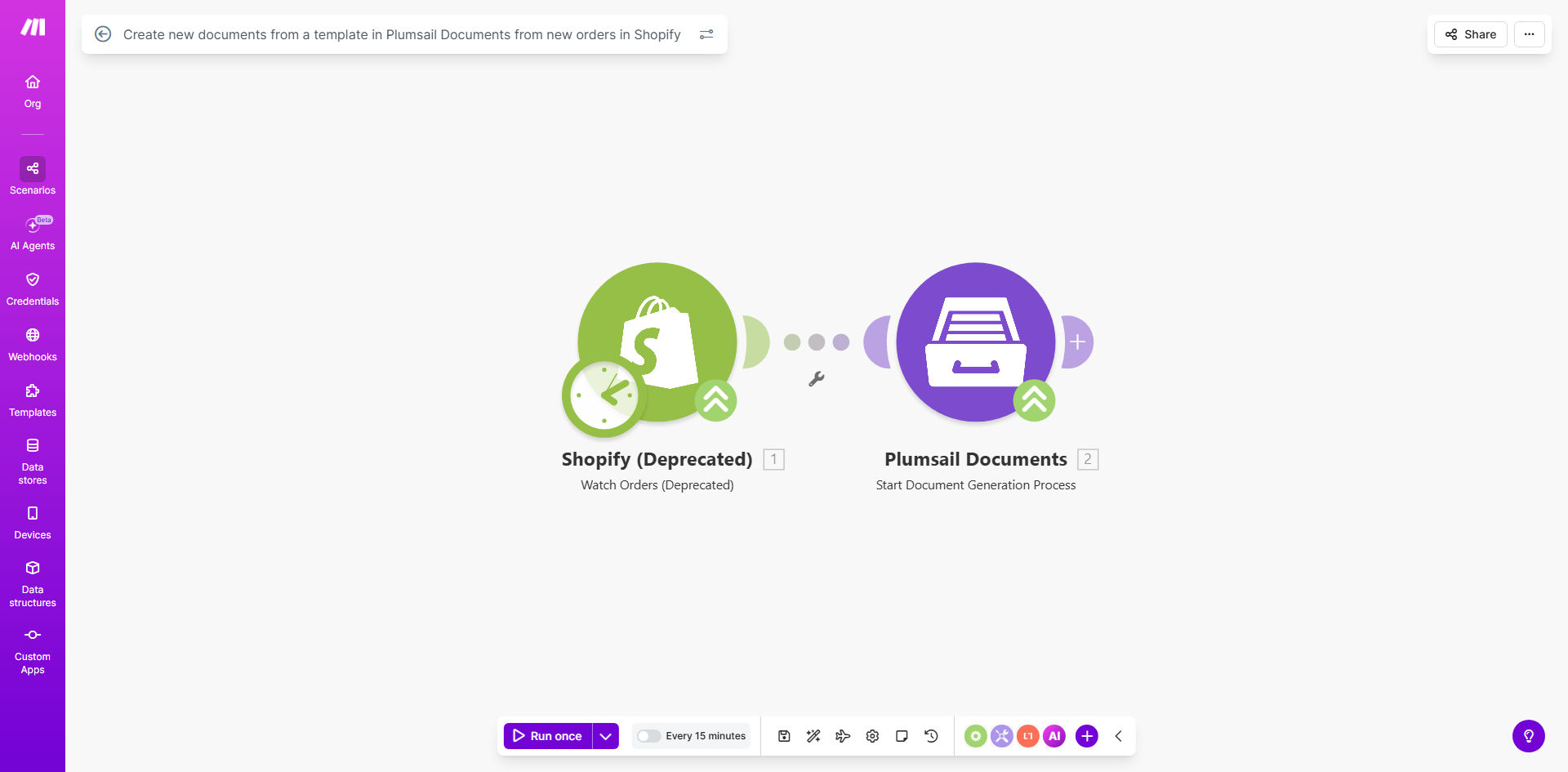
What This Workflow Does
For e-commerce businesses using Shopify, manually creating invoices, receipts, or packing slips for each order is a repetitive, time-consuming task. This process often leads to delays in order fulfillment, inconsistencies in document formatting, and potential errors in customer details or pricing.
This automation workflow solves that problem entirely. It connects your Shopify store to Plumsail Documents, a powerful document generation platform. Every time a new order is placed, the workflow instantly triggers, pulls the complete order data, and uses it to populate a pre-designed document template in Plumsail. Within seconds, a professional, accurate, and branded document is created automatically, ready for delivery or storage.
The value is clear: you eliminate manual data entry, ensure 100% accuracy by using direct system data, and provide a faster, more professional customer experience. Your team can focus on growth and customer service instead of administrative paperwork.
How It Works
Step 1: Shopify Triggers the Workflow
The workflow is set to watch for the "Order Created" event in your Shopify store. As soon as a customer completes a purchase, Make.com receives a notification with the full order payload—customer information, items, quantities, prices, shipping address, and more.
Step 2: Data is Prepared and Sent
The workflow maps the relevant Shopify data fields (like customer name, order ID, line items, total amount) into a structured format. This data package is then sent securely to the Plumsail Documents module within the automation.
Pro tip: You can filter which orders trigger document creation. For example, you might only generate invoices for orders over a certain value or exclude test orders.
Step 3: Plumsail Generates the Document
Plumsail Documents uses the incoming data to fill a template you've previously designed. The template can be an invoice, receipt, packing slip, or any other document format. Plumsail merges the live data into the template, applying your branding (logo, colors, fonts) and layout, resulting in a finished PDF or document file.
Step 4: The Document is Output
The newly generated document is now available in your Plumsail account. The workflow can be extended to automatically email this document to the customer, attach it to the order in Shopify, or save it to a cloud storage service like Google Drive for your records.
Who This Is For
This automation is ideal for any Shopify store owner, manager, or operations team that issues documents to customers or needs internal records. It's particularly valuable for:
- Small & Medium E-commerce Businesses: Teams without dedicated administrative staff who spend hours each week on manual document creation.
- High-Volume Stores: Businesses processing dozens or hundreds of orders daily, where manual creation is impossible.
- Brands Focused on Customer Experience: Companies that want to provide instant, professional post-purchase documentation.
- Businesses Requiring Accurate Record-Keeping: Those who need consistent, error-free documents for accounting, auditing, or compliance.
What You'll Need
- A Shopify store with active orders.
- A Plumsail Documents account with at least one document template designed and ready to use.
- A Make.com account (free tier may suffice for basic use).
- The API credentials or connection settings for both Shopify and Plumsail Documents to authorize the Make.com scenario.
- Basic understanding of the data fields in your Shopify orders (e.g., order number, customer email, item SKUs) to map them correctly to your Plumsail template.
Quick Setup Guide
- Get the Template: Use the "Get This Workflow" button above to copy the scenario into your Make.com account.
- Connect Your Apps: In Make.com, add your Shopify and Plumsail Documents connections. Authorize the modules using your account credentials.
- Select Your Template: In the Plumsail Documents module, select the specific document template you want to use for order generation.
- Map the Data: Configure the data mapping between Shopify's "Order Created" output and the input fields required by your Plumsail template. Ensure key fields like customer name, address, and order total are correctly linked.
- Test and Activate: Run a test with a recent Shopify order to verify the document is generated correctly. Once confirmed, activate the scenario. It will now run automatically for all new orders.
Key Benefits
Save 5–10 hours per week on manual admin work. Eliminate the repetitive task of copying order data into document templates. The automation handles it instantly, freeing your team for higher-value activities.
Ensure 100% accuracy and consistency in every document. Since data flows directly from Shopify, there are no manual entry errors. Every invoice or receipt is formatted exactly according to your branded template.
Improve customer satisfaction with instant documentation. Customers receive professional invoices or packing slips immediately after purchase, enhancing their trust and post-purchase experience.
Create a reliable, scalable system for order processing. The workflow scales effortlessly with your business growth. Whether you have 10 or 1,000 orders a day, each one gets its document automatically.
Establish a secure, automated audit trail. Automatically generated and stored documents provide a perfect record for accounting, tax purposes, and customer service inquiries.