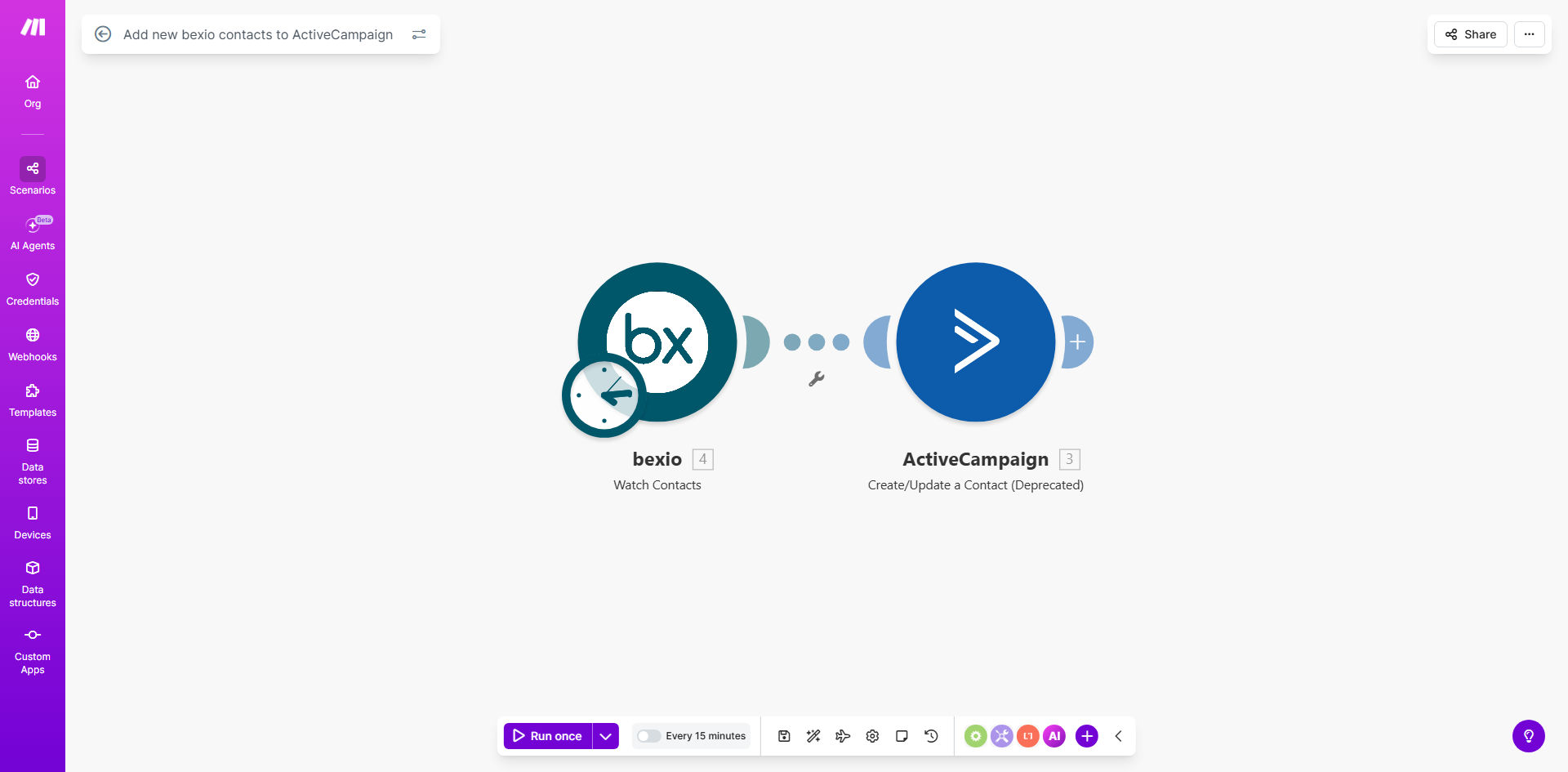
What This Workflow Does
For businesses using bexio for accounting and invoicing, and ActiveCampaign for email marketing and CRM, a critical gap often exists between a new contact being created and that contact entering your marketing funnel. Manually copying and pasting contact details is a tedious, error-prone task that delays follow-up and can lead to missed opportunities.
This Make.com automation solves that problem by creating a real-time bridge between the two systems. Every time a new contact—be it a client, lead, or supplier—is added to your bexio account, this workflow automatically captures their details and adds them as a new contact (or updates an existing one) in your specified ActiveCampaign mailing list. This ensures your marketing and sales teams have immediate access to fresh leads for nurturing campaigns, welcome sequences, or sales outreach.
The result is a unified system where your financial data directly fuels your marketing engine, improving efficiency, data accuracy, and ultimately, your customer engagement and conversion rates.
How It Works
The workflow operates on a simple but powerful trigger-and-action principle, orchestrated by Make.com.
Step 1: Detecting a New Contact in bexio
The automation starts by monitoring your bexio account for new contact creation events. Using bexio's API, Make.com watches for any new entry in your contact list. This trigger is instant and reliable, ensuring no new lead slips through the cracks.
Step 2: Extracting Contact Information
Once a new contact is detected, the workflow retrieves all relevant data fields. This typically includes the contact's first name, last name, email address, company name, phone number, and any custom fields you have set up in bexio, such as "Client Type" or "Industry."
Pro tip: Map your bexio custom fields to corresponding custom fields in ActiveCampaign during setup. This allows for highly segmented and personalized email campaigns later on.
Step 3: Adding or Updating in ActiveCampaign
The workflow then sends this data to ActiveCampaign via its API. It first checks if a contact with the same email address already exists to prevent duplicates. If it's a new contact, it creates a new record in your chosen ActiveCampaign list. If the contact exists, it can update their information with the latest data from bexio, keeping profiles current.
Step 4: Triggering Follow-up Actions
Upon successful addition, the workflow can be extended to trigger further actions within ActiveCampaign, such as applying a specific tag (e.g., "New bexio Client"), adding the contact to an automation sequence, or even notifying your sales team via a Slack message or email.
Who This Is For
This automation is ideal for small to medium-sized businesses, freelancers, and agencies that use bexio for their financial operations and want to leverage ActiveCampaign's powerful marketing automation. It's particularly valuable for:
- Service-based businesses: Consultants, agencies, and freelancers who create a new bexio contact for every new project or client proposal.
- E-commerce and product businesses: Companies that issue invoices via bexio and want to add those customers to a post-purchase nurture sequence.
- Sales teams: Teams that generate quotes or invoices in bexio and need to ensure leads are immediately entered into the sales CRM for follow-up.
- Marketing managers: Professionals tired of exporting CSV files from bexio and manually importing them into ActiveCampaign to build their email lists.
What You'll Need
- A Make.com account: A free or paid plan to build and run the automation.
- Active bexio account: With API access enabled (typically available in paid bexio plans).
- Active ActiveCampaign account: With an API key and at least one mailing list set up to receive new contacts.
- Basic information: Your bexio API credentials and your ActiveCampaign API URL and key.
Quick Setup Guide
Getting this workflow live takes about 15-20 minutes. Follow these steps:
- Clone the template: Click "Get This Workflow" to open the template in your Make.com account and create a copy.
- Connect bexio: In the first module, click on the bexio icon and authenticate your account by entering your API credentials when prompted.
- Connect ActiveCampaign: In the "Add/Update a Contact" module, click the ActiveCampaign icon and connect using your API URL and key (found in your ActiveCampaign settings).
- Map your fields: Ensure the data from bexio (like `firstName`, `email`) is correctly mapped to the corresponding fields in ActiveCampaign.
- Choose your list: Select the specific ActiveCampaign mailing list where new contacts should be added.
- Test and activate: Run a test by creating a dummy contact in bexio. Check if it appears correctly in your ActiveCampaign account. Once confirmed, turn the scenario on.
Key Benefits
Save 5–10 hours per month on manual data entry. Eliminate the repetitive task of transferring contact information between systems, allowing your team to focus on higher-value activities like sales and customer service.
Improve lead response time from days to minutes. New leads from quotes or inquiries can be added to a welcome or nurturing sequence instantly, significantly increasing the chance of conversion by engaging them while their interest is highest.
Ensure 100% data accuracy and eliminate human error. Automated syncing removes typos, missed entries, and duplicate data that are common with manual processes, leading to a cleaner, more reliable database.
Create a seamless customer journey from invoice to onboarding. When a client pays an invoice in bexio, they can automatically receive a "Thank You" email and onboarding materials from ActiveCampaign, enhancing the client experience.
Gain better marketing insights with unified data. By having your financial and marketing data connected, you can more easily track which client types or invoice sources lead to the most engagement and revenue.