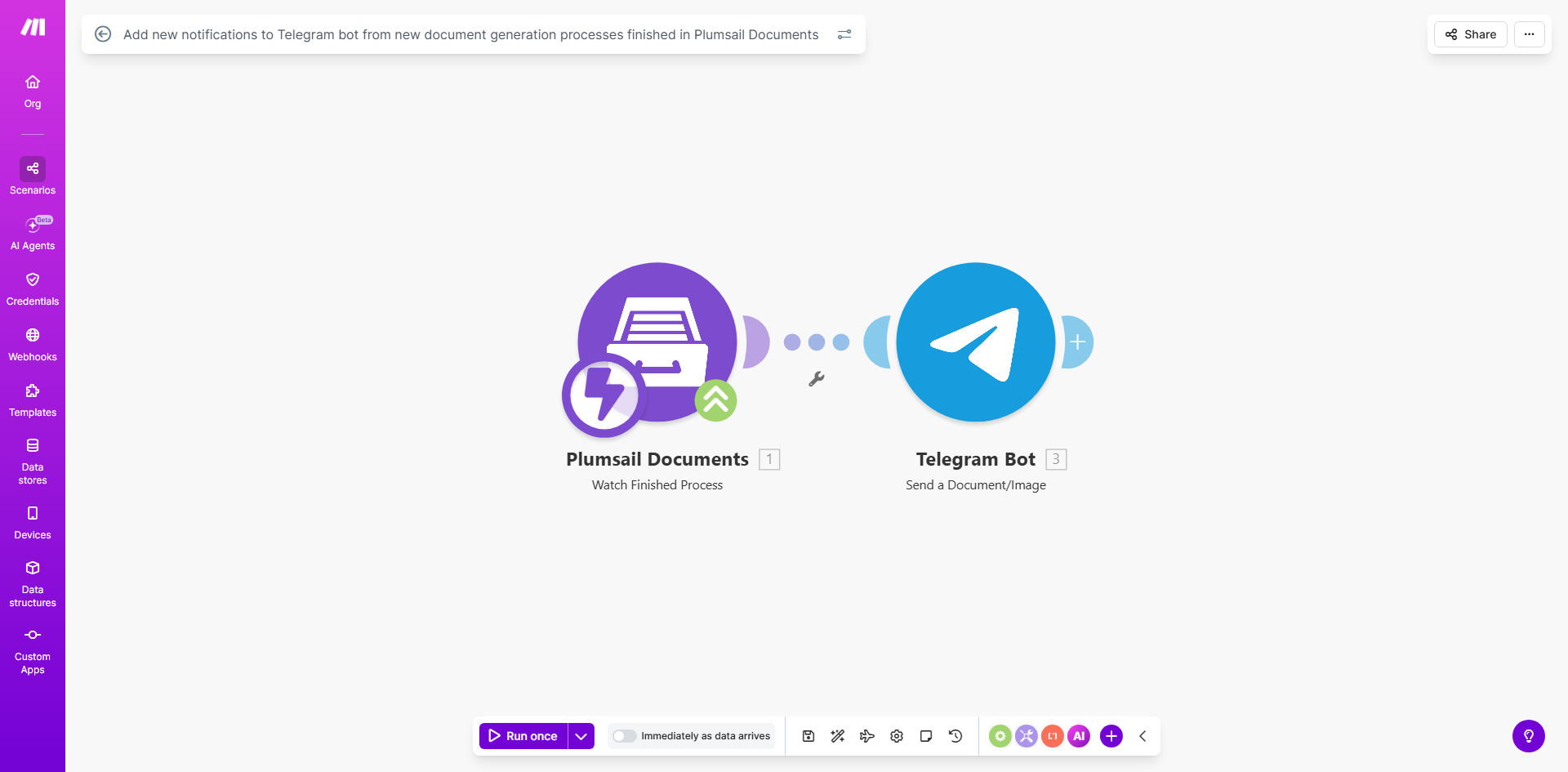
What This Workflow Does
For businesses that rely on automated document generation—like creating contracts, proposals, or invoices—knowing when a document is ready is crucial. Manually checking Plumsail Documents for completion is a repetitive, time-consuming task that can lead to delays in client communication and internal processes. This creates bottlenecks where time-sensitive documents sit idle, impacting cash flow and project timelines.
This automation solves that by creating a direct, real-time bridge between Plumsail Documents and your team's communication hub. The workflow automatically monitors your Plumsail account for newly finished document generation processes. When it detects one, it instantly formats the key details—like document name, status, and relevant links—and pushes a clear notification directly to a specified Telegram bot. This means your sales, legal, or operations team is alerted immediately, right where they already communicate, enabling instant action.
How It Works
The workflow runs on a schedule you set, ensuring you're always up-to-date without any manual effort.
Step 1: Scheduled Check
The scenario triggers at regular intervals (e.g., every 5 minutes) using Make.com's scheduler. It calls the Plumsail Documents API to retrieve a list of recently finished document generation processes.
Step 2: Filter for New Completions
Make.com filters the results to identify processes that have completed since the last check. This ensures you only get notifications for genuinely new events, avoiding duplicate alerts.
Step 3: Format the Alert Message
The key information from Plumsail—such as the document template name, process ID, status, and timestamps—is compiled into a readable message. You can customize this message to include any data points your team needs.
Step 4: Send to Telegram
The formatted message is sent via the Telegram Bot API to a specific chat or channel you've configured. Your team receives a clean, actionable notification instantly on their devices.
Pro tip: Use Telegram's channel features to create dedicated streams for different document types (e.g., #contracts-alerts, #invoices-alerts). This keeps your team organized and allows for silent monitoring of less critical updates.
Who This Is For
This template is ideal for any business or team that uses Plumsail Documents for automated document creation and needs to accelerate their response time. It's perfect for legal firms waiting on contract generation, finance departments processing invoices, sales teams sending proposals, and consultancies that deliver client reports. If your team uses Telegram for daily communication, integrating business alerts directly into that flow eliminates the need to monitor another dashboard or email inbox.
What You'll Need
- A Make.com account (free tier available).
- A Plumsail Documents account with API access enabled.
- Your Plumsail API credentials.
- A Telegram Bot token (created via @BotFather).
- The Chat ID of the Telegram group or channel where notifications should be sent.
Quick Setup Guide
- Clone the Template: Click "Get This Workflow" and duplicate the scenario into your Make.com account.
- Connect Plumsail: In the first module, add your Plumsail account using your API key. Test the connection to ensure it can fetch processes.
- Connect Telegram: In the Telegram Bot module, add your Bot token. Send a test message to verify the chat ID is correct.
- Set the Schedule: Configure the scheduler module to run as often as you need (e.g., every 5 minutes for real-time alerts).
- Customize the Message: Adjust the message template in the router or text aggregator to include the document details most relevant to your team.
- Activate & Test: Turn the scenario on and complete a test document process in Plumsail. You should receive a notification in Telegram within minutes.
Key Benefits
Eliminate Manual Checking: Save 1-2 hours per week per team member previously spent logging into Plumsail to check document status. This time can be redirected to higher-value tasks.
Accelerate Business Processes: Reduce the lag between a document being ready and your team acting on it by 90% or more. This can speed up client onboarding, invoicing cycles, and project delivery.
Improve Reliability & Reduce Errors: Automated systems don't forget to check. You gain a consistent, fail-safe alerting mechanism that ensures no completed document is ever overlooked, minimizing compliance or service risks.
Centralize Communications: Keep your team focused by bringing critical business alerts into the communication tool they already use daily (Telegram). This reduces context-switching and keeps all relevant information in one searchable history.
Scalable Foundation: This workflow is a starting point. You can easily extend it to also update CRM records, create tasks in project management tools, or trigger follow-up emails based on the same Plumsail completion event.