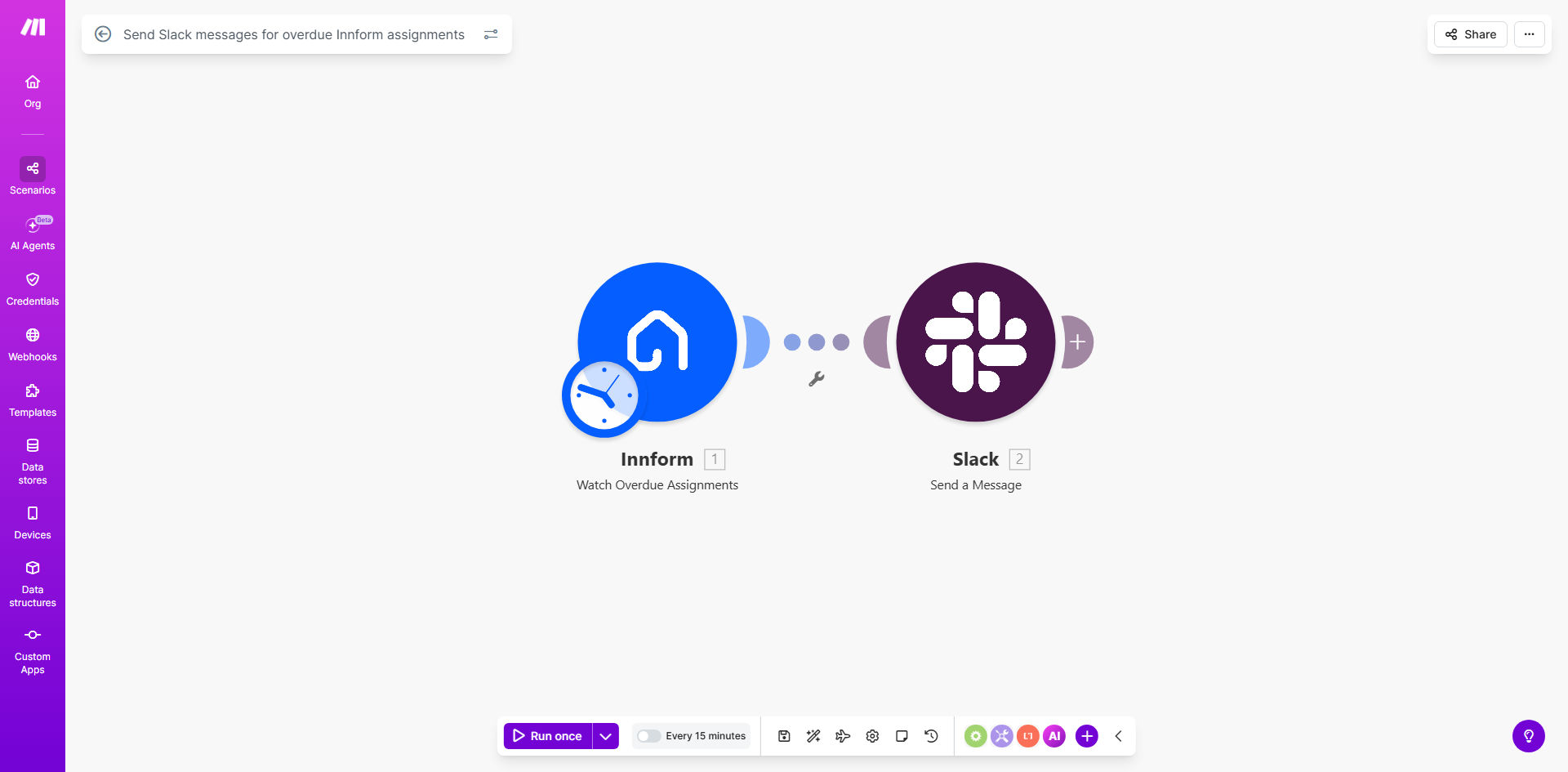
What This Workflow Does
Managing employee training and ensuring assignments are completed on time is a constant challenge for HR teams, department managers, and team leaders. When assignments in your Learning Management System (LMS) like Innform become overdue, it creates compliance risks, knowledge gaps, and administrative headaches from manual follow-up.
This automated workflow solves that problem by creating a direct bridge between Innform and your team's communication hub, Slack. Instead of managers logging into multiple systems to check statuses or HR sending repetitive reminder emails, the system automatically detects overdue assignments and sends instant, targeted notifications to the right Slack channel or person.
The result is a proactive management system that ensures training deadlines are respected, improves completion rates, and frees up valuable managerial time. It transforms training compliance from a manual, reactive task into an automated, visible part of your team's daily workflow.
How It Works
The automation runs on a scheduled basis, checking Innform for assignments and seamlessly relaying overdue statuses to Slack.
Step 1: Monitor Innform for New Overdue Assignments
The workflow is triggered on a schedule you set (e.g., every hour or daily). It connects to your Innform account via API and searches for all assignments that have passed their due date but are still marked as incomplete. This is the core monitoring function that replaces manual checking.
Step 2: Filter and Organize the Assignment Data
Each overdue assignment record is processed. The workflow extracts key details such as the team member's name, the specific course or module title, the original due date, and how many days it is overdue. This data is structured into a clear, actionable format for the notification.
Pro tip: You can add filters in this step to only alert for specific course types (like compliance training) or for assignments overdue by more than a certain number of days, preventing notification overload for minor delays.
Step 3: Format and Send the Slack Message
Using the data from Innform, the workflow builds a tailored Slack message. It can tag relevant managers, format the information in an easy-to-read way, and post it to a designated channel like #training-alerts or #team-management. The message provides immediate visibility so action can be taken right within Slack.
Who This Is For
This automation is ideal for any business using Innform for employee training and Slack for team communication. It's particularly valuable for:
- HR & Learning & Development Teams: To ensure mandatory training is completed on schedule without manual tracking.
- Department Managers & Team Leads: Who need visibility into their team's progress on required courses or certifications.
- Compliance Officers: In regulated industries where proving training completion by specific deadlines is critical.
- Onboarding Coordinators: To track and prompt new hires to complete their onboarding training modules in a timely manner.
- Companies with Distributed Teams: Where centralized visibility into training status is essential for consistent operations.
What You'll Need
- A Make.com account (free tier available) to host and run the automation.
- An active Innform account with administrator or API access to read assignment data.
- A Slack workspace where you have permission to create an app and post messages to channels.
- The API connection details (keys/tokens) for both Innform and Slack, which the template will guide you to set up.
- Basic knowledge of which Slack channel or user should receive the overdue alerts.
Quick Setup Guide
You can have this workflow live in under 15 minutes by following these steps:
- Clone the Template: Click "Get This Workflow" to copy the ready-made scenario into your Make.com account.
- Connect Innform: In the first module, create a connection to your Innform account using your API credentials. Test the connection to ensure it can fetch assignment data.
- Connect Slack: In the Slack module, authorize Make.com to access your workspace and select the default channel (like #training-alerts) where messages will be sent.
- Set the Schedule: Configure the trigger module to run as often as you need—daily each morning is common for overdue check-ins.
- Test & Activate: Run the workflow once manually to see a sample message appear in your Slack channel. Once confirmed, turn the scenario "ON" to let it run automatically.
Key Benefits
Eliminate Manual Follow-Up: Save managers and HR personnel 2-5 hours per week previously spent cross-referencing spreadsheets and sending reminder emails for overdue training tasks.
Improve Training Compliance Rates: Get immediate visibility into delays, allowing for quicker intervention. Businesses using automated alerts often see a 15-30% increase in on-time completion for non-mandatory training.
Centralize Notifications: Bring training management into the communication platform your team already uses daily (Slack), increasing the likelihood of immediate action and reducing context switching.
Create a Culture of Accountability: Automated, impartial notifications reinforce deadlines and expectations, making timely completion a visible team norm rather than a private administrative task.
Scale Without Adding Overhead: Whether you have 10 or 1,000 employees, the automated system handles the monitoring and alerting consistently, allowing your training programs to grow without proportionally increasing managerial overhead.