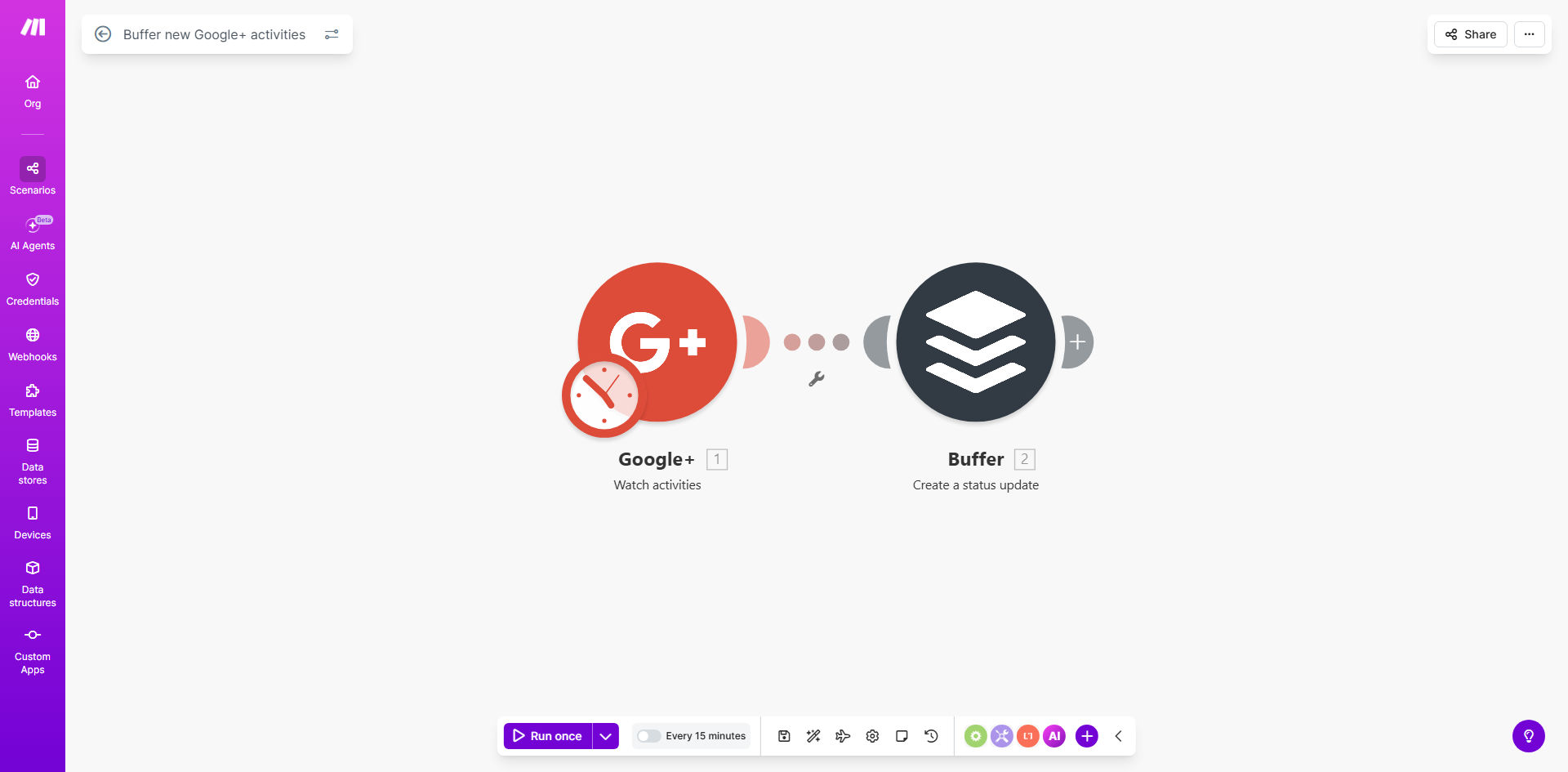
What This Workflow Does
For businesses and creators who used Google+ as a content hub, manually sharing updates to other social platforms was a repetitive and time-consuming task. This workflow solves that by creating a seamless bridge between Google+ activity and your centralized social media scheduler, Buffer.
Every time a new post, share, or activity occurs on a specified Google+ profile, this Make.com automation instantly captures it. It then formats the content—including text, links, and media—and adds it directly to your Buffer queue. This means your Twitter, Facebook, LinkedIn, and other connected profiles can be fed content from Google+ automatically, ensuring no update goes unnoticed by your wider audience.
The core value lies in saving 5-10 hours per month on manual copy-pasting, while simultaneously increasing content consistency and cross-platform engagement. It turns a fragmented process into a hands-off, reliable system.
How It Works
The automation operates on a simple trigger-action principle, orchestrated visually within Make.com.
Step 1: Monitoring Google+
The workflow is triggered by the "Watch Activities" module for Google+. It periodically checks your specified Google+ profile or page for any new public activities. This acts as the sensor that detects new content.
Step 2: Processing the Activity Data
Once a new activity is found, Make.com parses the data. It extracts the crucial elements: the post text (annotation), any attached URL, and details about the user who posted it. This step ensures the raw data is ready for formatting.
Step 3: Formatting for Buffer
A "Buffer" module is then used. The workflow maps the extracted Google+ data into the fields required to create a new update in your Buffer queue. You can customize the message, attach the original link, and even specify which social media profiles within Buffer should receive this post.
Step 4: Queueing and Scheduling
The formatted update is sent to Buffer. It lands in your queue, ready to be published according to your pre-defined Buffer schedule. The automation completes, and the cycle repeats, continuously monitoring for the next Google+ activity.
Pro tip: Use this workflow's logic as a blueprint. The same "monitor source → format → send to Buffer" pattern can be applied to automate sharing from RSS feeds, blog update alerts, or new product listings in your e-commerce store.
Who This Is For
This template is ideal for social media managers, digital marketers, and content creators who previously maintained an active Google+ presence and want to repurpose that content efficiently. It's particularly valuable for:
- Community Managers: Who needed to share Google+ community discussions on broader networks.
- Small Business Owners: Wearing multiple hats, who can't afford to manually cross-post every update.
- Agencies: Managing multiple client accounts who used Google+ as part of their content mix.
- Anyone with an automated content pipeline: Looking to integrate Google+ as a source into their existing Buffer scheduling strategy.
What You'll Need
To implement this automation, you'll need to have the following accounts and access set up:
- A Make.com account (free tier available).
- A Buffer account with at least one social profile connected.
- Access to the Google+ profile or page you wish to monitor (note: Google+ is a legacy platform).
- The API credentials or OAuth access to connect both Google+ and Buffer to your Make.com scenario.
Quick Setup Guide
You can have this automation running in under 20 minutes by following these steps:
- Clone the Template: Click "Get This Workflow" to open the template in your Make.com account and create a copy.
- Authorize Connections: In the copied scenario, click on the Google+ and Buffer modules. Follow the prompts to log in and authorize Make.com to access your accounts.
- Configure the Trigger: In the Google+ "Watch Activities" module, specify the exact Google+ profile ID or page you want to monitor for new posts.
- Map the Data: In the Buffer "Create an Update" module, map the fields from the Google+ activity to the Buffer update. For example, send the 'Annotation' to the 'Text' field and the 'URL' to the 'Link' field.
- Select Buffer Profiles: Choose which of your connected Buffer social profiles (e.g., Twitter Page, Facebook Page) should receive the queued posts.
- Activate & Test: Turn the scenario ON. Create a test post on the monitored Google+ profile to trigger the flow and verify the post appears in your Buffer queue.
Key Benefits
Eliminate manual cross-posting. This workflow automates a task that typically takes 5-15 minutes per post, reclaiming valuable time for strategic work like engagement and content creation.
Ensure content consistency and reach. By automatically sharing Google+ content to your primary networks, you guarantee your audience on those platforms sees your updates, maximizing the ROI on every piece of content you create.
Maintain a reliable posting schedule. Buffer's optimal timing features ensure your Google+ content is shared when your audience is most active, leading to higher engagement rates without you having to think about it.
Create a scalable content pipeline. This automation demonstrates how to connect disparate platforms. The skills and pattern learned can be applied to build countless other automations between your business tools.
Reduce human error and forgetfulness. The system works 24/7. You'll never miss sharing an important Google+ update because you were busy or forgot to check the platform.