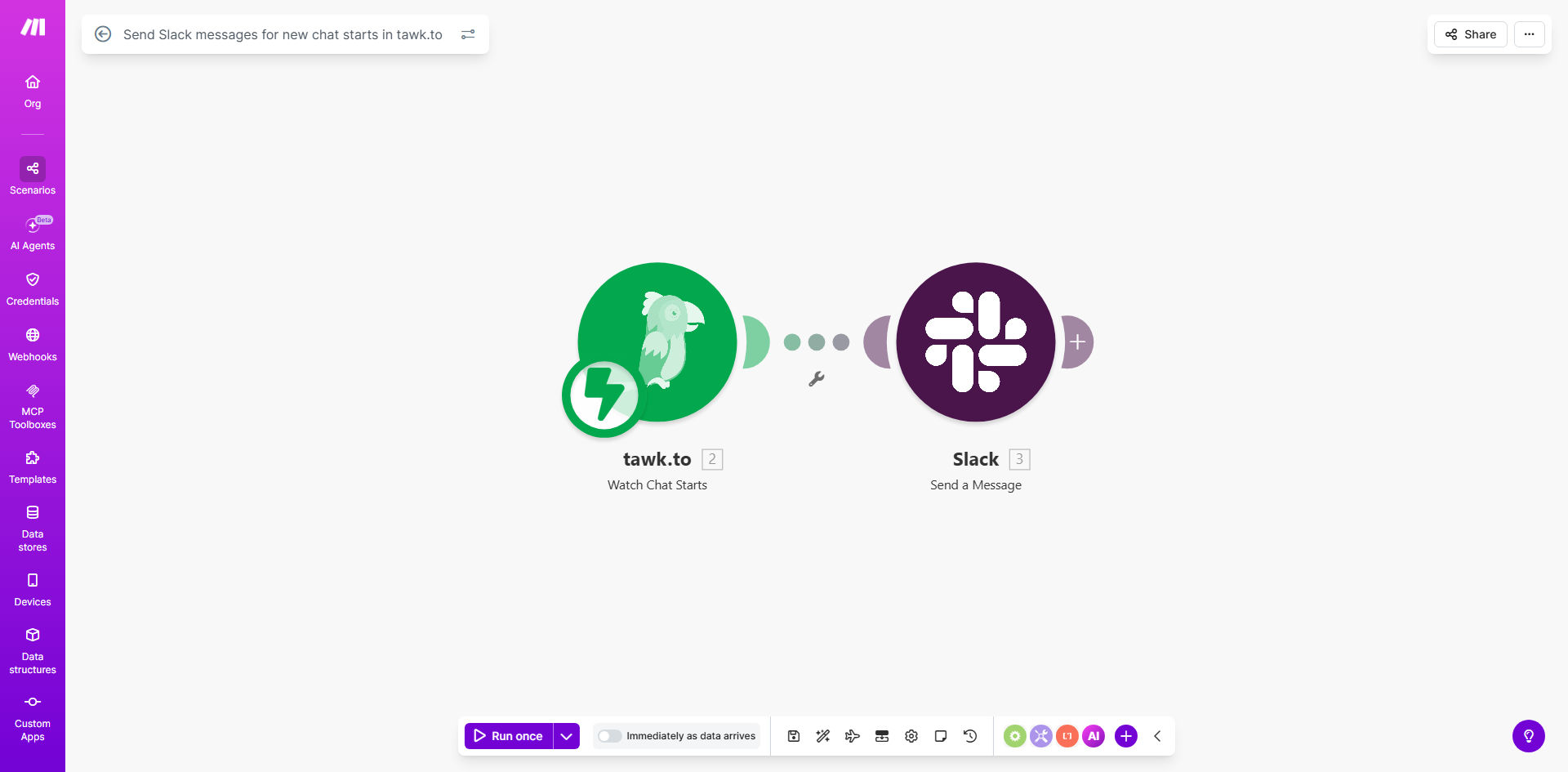
What This Workflow Does
Live chat is one of the most powerful tools for converting website visitors into customers, but its effectiveness hinges on speed. If your team isn't actively watching the tawk.to dashboard, critical leads can slip away in the seconds it takes for a visitor to lose patience. This automation solves that problem by creating a direct, real-time bridge between your tawk.to chat widget and your team's communication hub in Slack.
Every time a new chat session begins on your website, this Make.com workflow instantly triggers. It captures the chat details—like the visitor's name, the page they're on, and their initial message—and formats them into a clear, actionable Slack notification. This means your sales or support team gets a ping in the channel they monitor all day, enabling them to jump into the conversation within seconds, not minutes. The result is a dramatic improvement in first-response time, lead capture rate, and overall customer experience, all without requiring manual monitoring.
How It Works
The automation is a straightforward, reliable sequence that operates silently in the background.
Step 1: Monitor tawk.to for New Chats
The workflow uses tawk.to's API via Make.com to watch for the "chat start" event. This is a passive trigger that activates the moment a visitor clicks your chat widget and begins typing, ensuring zero delay in detection.
Step 2: Gather Chat Context
Once triggered, the automation pulls all relevant data from the new chat. This includes the visitor's name (if provided), email address, the URL of the page they are on, their initial question, and a unique link to directly access the chat within the tawk.to dashboard.
Step 3: Format & Send the Slack Alert
The collected data is then structured into a rich, readable Slack message. The workflow posts this message to a designated Slack channel (or direct message) you choose. The alert is designed to give your team immediate context so they can provide a personalized, informed response right away.
Pro tip: Customize your Slack message to include emojis (like 🔥 for a hot lead) or specific formatting. You can even set up different channels for different types of inquiries—like routing sales questions to #sales-leads and support issues to #help-desk—by adding a simple filter module in Make.com.
Who This Is For
This automation is ideal for any business using tawk.to for customer engagement that wants to operate more efficiently and responsively. It's perfect for small e-commerce stores where the owner is juggling multiple tasks and can't stare at a dashboard, sales teams who need to pounce on inbound leads instantly, and customer support teams aiming to meet strict SLA targets for response times. Agencies managing client websites will also find immense value, as it allows them to provide superior, proactive support without being tethered to each client's chat interface.
What You'll Need
- A tawk.to account with an active chat widget installed on your website.
- A Slack workspace where you have permission to create incoming webhooks or add apps.
- A free or paid Make.com account to host and run the automation.
- Basic admin access to connect these services within Make.com (the process is guided and requires just a few clicks to authorize).
Quick Setup Guide
- Clone the Template: Click the "Get This Workflow" button above to open the template on Make.com. Click "Copy" to add it to your own scenarios.
- Connect tawk.to: In the first module of your new scenario, click to add a connection to tawk.to. You'll need to log in and authorize Make.com to access your account data.
- Connect Slack: In the Slack module, similarly, add a connection by logging into your Slack workspace and authorizing the app to post messages.
- Configure the Alert: Choose the specific Slack channel (e.g., #live-chat-alerts) where you want notifications to appear. You can test the format of the message at this stage.
- Activate & Test: Turn the scenario ON. Open your website in a private browser window and start a test chat. Within seconds, you should see the alert pop up in your designated Slack channel.
Key Benefits
Reduce first response time from minutes to under 30 seconds. Speed is the single biggest factor in live chat conversion. Instant Slack alerts empower your team to respond while the visitor is still highly engaged, significantly boosting your chance to close a sale or solve an issue.
Eliminate the need for constant dashboard monitoring. Free your team from the tedious task of watching the tawk.to dashboard. They can focus on deep work while trusting the automation to scream for attention only when a real opportunity arises.
Capture 100% of chat leads, even outside business hours. For teams with shifts or on-call rotations, alerts can be routed to different channels or individuals based on time, ensuring no lead falls through the cracks, day or night.
Improve team collaboration and accountability. With alerts posted in a public Slack channel, it's clear who is handling which chat, preventing duplicate responses and allowing for peer support if a complex question comes in.
Gain valuable context instantly. The automated message delivers the visitor's location, page history, and initial query directly to the responder. This eliminates awkward "how can I help you?" openings and allows for a personalized, efficient conversation from the very first message.