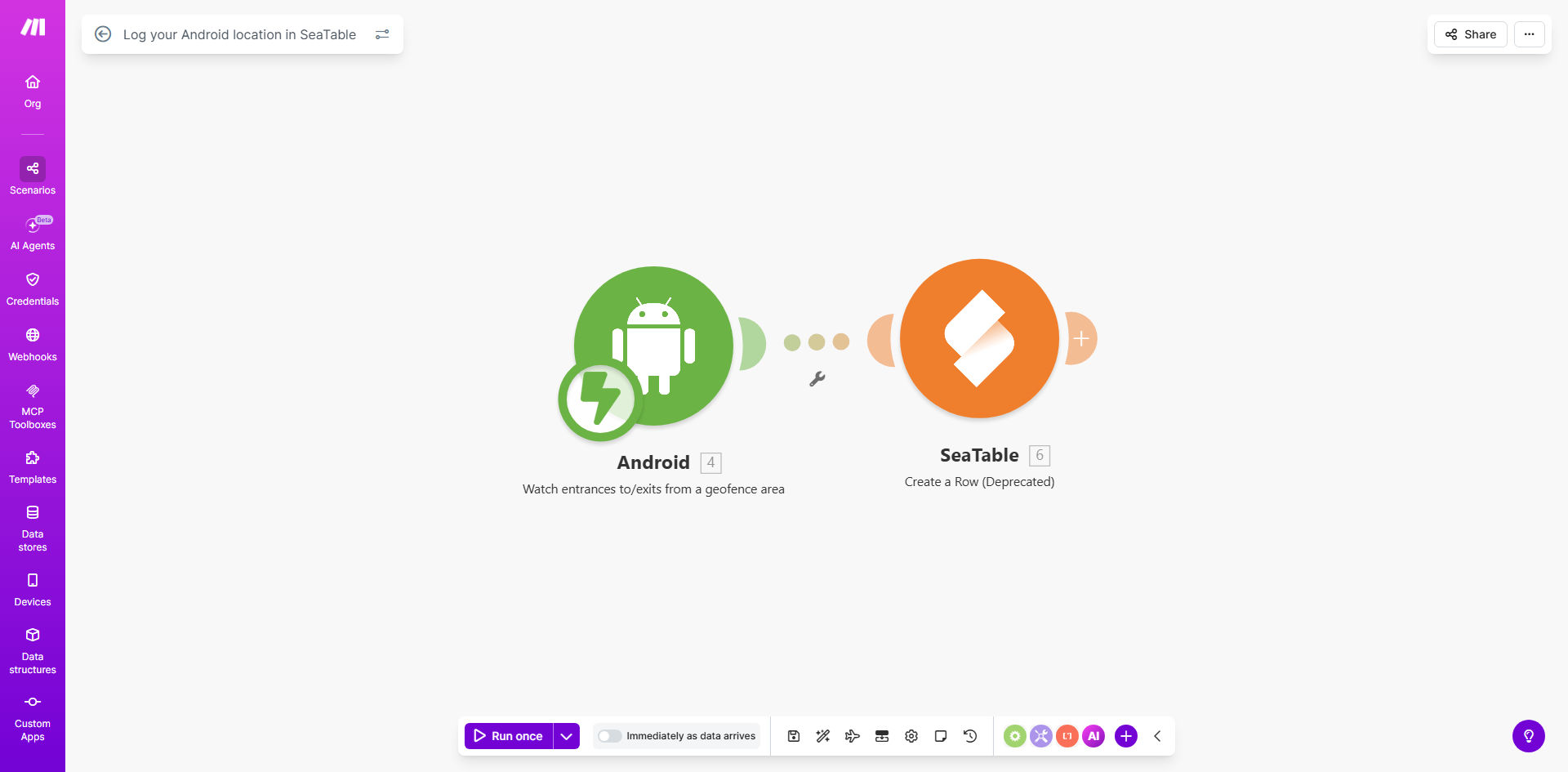
What This Workflow Does
For businesses with mobile teams—field technicians, delivery drivers, sales representatives, or remote workers—manually tracking location and attendance is a time-consuming and error-prone process. Employees forget to clock in, managers waste hours verifying timesheets, and there's often no reliable proof of presence at a job site.
This automation solves that by creating a hands-off, verifiable log. Using the Make Android app, you define a geographic "geofence" (a virtual circle around a location). Whenever a device enters or leaves that area, the event is automatically captured and logged as a new row in your SeaTable base. This creates a timestamped, objective record of movement without any manual input.
The business value is clear: automated proof of work, accurate data for client billing or payroll, streamlined compliance for safety check-ins, and valuable insights into field activity patterns—all while saving administrative time.
How It Works
The workflow acts as a silent digital observer, connecting your mobile device's location to a structured database.
Step 1: Trigger from Mobile Device
The Make Android app runs in the background, monitoring the device's GPS location. When it detects that the device has crossed the boundary of a pre-defined geofence (entering or exiting), it instantly sends that event to Make.com as a trigger.
Step 2: Process the Location Data
Make.com receives the trigger payload, which contains details like the event type ("entered" or "left"), the exact timestamp, the name of the geofence, and coordinates. The scenario can be configured to filter events, add logic (e.g., only log entries during work hours), or format the data.
Step 3: Create a Record in SeaTable
The formatted data is sent to SeaTable via its API. A new row is automatically added to your specified table. This row includes all the relevant details: employee/device ID, event time, location name, and event type, creating a permanent, searchable audit trail.
Pro tip: Use SeaTable's linked record feature to connect each location log to a specific employee profile or project table. This turns raw location data into meaningful business intelligence.
Who This Is For
This template delivers immediate value to any business that needs to know where their people are during work hours.
- Field Service Companies: HVAC, plumbing, or electrical services can automatically verify technician arrival and departure at client sites for accurate billing and customer updates.
- Construction & Site Managers: Track subcontractor and worker attendance on job sites for safety compliance and payroll verification.
- Delivery & Logistics Fleets: Automate proof of delivery or pickup by logging vehicle presence at warehouse or customer locations.
- Remote Workforce Coordinators: For companies with hybrid policies, automate check-ins for co-working space or office attendance.
- Safety Officers: Create an automatic log for personnel entering or leaving high-risk areas for emergency muster purposes.
What You'll Need
- A Make.com account (free tier available).
- The Make Android app installed on the device(s) you wish to track.
- A SeaTable account and a base with a table ready to receive location logs. You'll need your SeaTable API token.
- Basic understanding of how to set up a geofence in the Make Android app (a simple process of naming a location and setting a radius).
Quick Setup Guide
- Clone the Template: Click "Get This Workflow" to copy the scenario into your Make.com account.
- Configure the Make App: On the Android device, open the Make app and create a new geofence for the location you want to monitor (e.g., "Main Office," "Client ABC Site"). Set the trigger radius.
- Connect SeaTable: In the Make scenario, add your SeaTable connection using your API token. Map the scenario's data output to the correct columns in your SeaTable table (Timestamp, Event Type, Location Name, etc.).
- Test the Flow: Have the device physically move into and out of the geofence. Check your SeaTable base for new rows appearing automatically.
- Deploy & Refine: Once tested, activate the scenario. Consider adding filters or routing logic based on your business rules (e.g., ignore events on weekends).
Key Benefits
Eliminate Manual Time Tracking: Save 30–60 minutes per employee per week previously spent on manual timesheets or check-in calls. Administrative overhead for verification is reduced to zero.
Create Verifiable Proof of Work: Generate objective, timestamped records for client billing, eliminating disputes over service duration or arrival times. This data strengthens your invoicing and professionalism.
Enhance Safety and Compliance: Automatically log personnel entry/exit from sites, creating an audit trail for safety regulations and emergency response planning without adding burden to your team.
Gain Operational Visibility: Transform location data into insights. Analyze patterns in SeaTable to identify frequent delays, optimize travel routes, or understand peak site activity times.
Scalable and Non-Intrusive: The system runs passively in the background. Scaling to track 5 or 50 devices requires no additional administrative work, making it a truly set-and-forget solution.